EasyManua.ls Logo

Medeli DP388 - User Manual

Medeli DP388
48 pages
Print Icon
To Next Page IconTo Next Page
Loading...
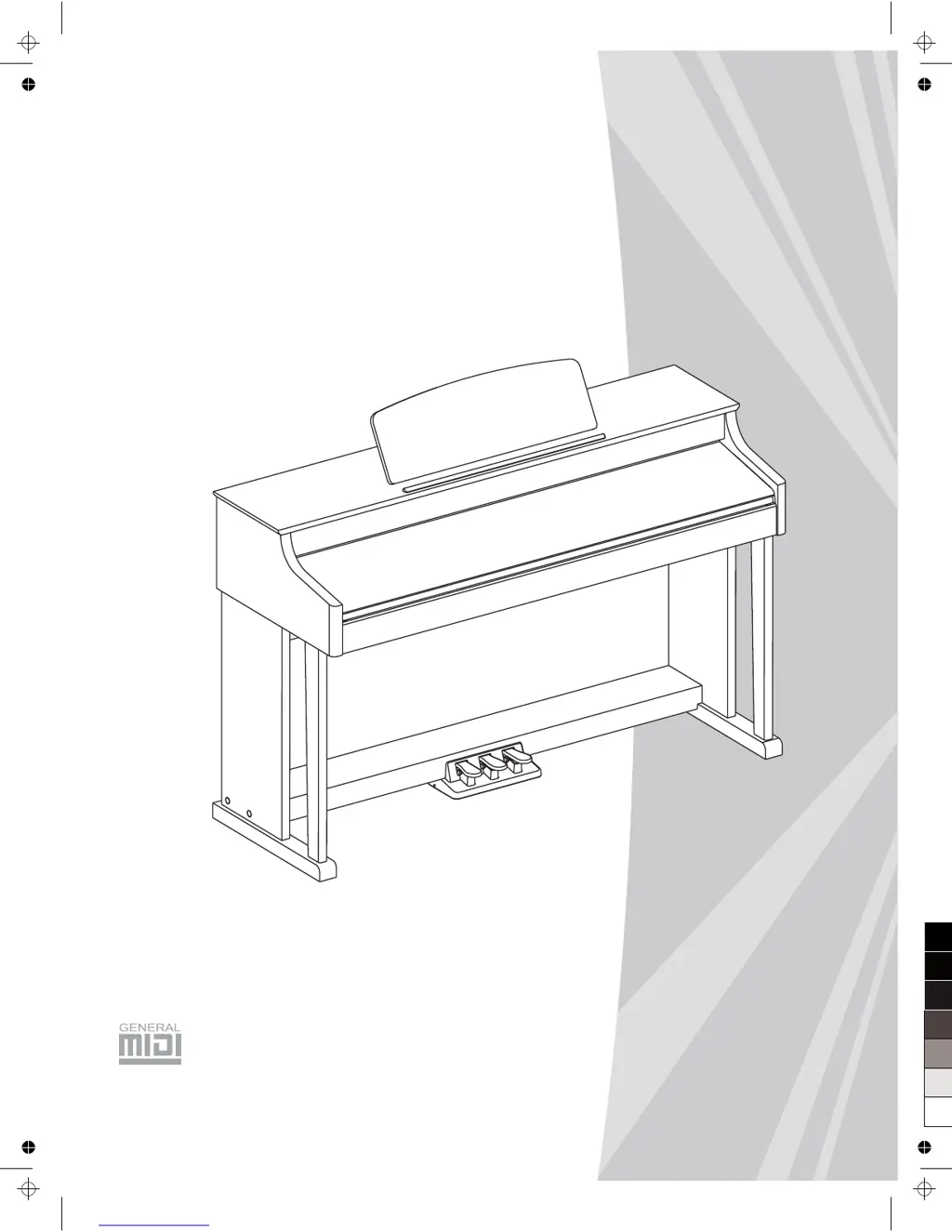
DIGITAL PIANO
Owners Manual
0
5
25
75
95
100
AW_DP388_Manual_G15_150405
2015󾾠󾾠4󾾠󾾠4󾾠󾾠 16:52:31

Table of Contents

Questions and Answers

Summary

Safety Information

Panel and Display Overview

Front Panel Controls

Detailed description of the front panel controls and indicators of the digital piano.

LCD Screen Elements

Explanation of the Liquid Crystal Display elements and their meanings.

Rear Panel Connectors

Details of the rear panel connectors and ports for external devices.

Pedal Functionality

Information about the piano's pedal functions and controls.

Initial Setup Guide

Assembly Instructions

Step-by-step instructions for assembling the digital piano stand and components.

Power Supply and Safety

Connecting External Devices

Headphone Connection

How to connect headphones for private practice or listening.

Audio and Data Connections

Connecting audio equipment, MP3/CD players, and computers via USB/MIDI.

Adjusting Master Volume

Adjusting Voice Brilliance

Playing Demo Songs

Exploring Instrument Voices

Selecting Individual Voices

How to select and play individual instrument voices on the keyboard.

Dual Voice Mode

Combining two voices to create a richer sound using the DUAL function.

Playing Voices - Advanced

Split Keyboard Function

Using the LOWER function to assign different voices to left and right hand sections.

Keyboard Touch Sensitivity

Adjusting the keyboard's sensitivity to playing touch for expressive control.

Transpose Functionality

Shifting the overall pitch of the instrument up or down by semitones.

Special Playing Modes

Piano Mode

Setting the entire keyboard to play piano sounds instantly.

Metronome Guide

Using the metronome for timing guidance during practice and performance.

Twinova Mode for Learning

Splitting the keyboard into two sections with identical pitch and voice for learning.

Scale Tuning Options

Auto Accompaniment Features

Rhythm Track Accompaniment

Playing auto accompaniment using only the rhythm tracks.

Full Track Accompaniment

Playing auto accompaniment with all tracks, including bass, chord, and melody.

Auto Accompaniment Control

Understanding Accompaniment Sections

Using Intro, Main, Fill-in, and Ending sections for arrangements.

Controlling Accompaniment Sections

Navigating and controlling various accompaniment sections like Intro, Fill, and Ending.

Accompaniment Volume and Chords

Adjusting Accompaniment Volume

Controlling the overall volume level for all accompaniment tracks.

Chord Fingering Explained

Understanding chord basics, triad types, and inversions for left-hand playing.

Advanced Accompaniment Features

Multi Finger Chord Recognition

How the keyboard recognizes chords using the multi-finger input method.

Tempo Control and Reset

Changing the tempo for styles and songs using the TEMPO buttons.

One Touch Setting (OTS)

Instantly recalling settings for voices and effects with a single touch.

Harmony Effects

Harmony Function Control

Turning the harmony effect feature on or off for the main voice.

Playing with Harmony

Applying harmony effects to the main voice using accompaniment and notes.

Performance Assistant Guide

What is Performance Assistant?

Introduction to the performance assistant function for enhanced playing.

Entering Performance Assistant

Steps to access and select voices within the performance assistant mode.

Guitar Mode Overview

How to play using guitar sounds and perform guitar-specific techniques.

Performance Assistant Techniques

Guitar Mode Techniques

Detailed instructions for playing chords, broken chords, solos, and strums in guitar mode.

Piano Mode Operation

How to perform piano techniques and phrases using the performance assistant.

Traditional Instrument Modes

Chinese Traditional Instruments

Playing Chinese instrument voices like GuZheng, PiPa, etc.

Traditional Instrument Techniques

Techniques for playing Chinese instruments, including fast arpeggio mode.

Exiting Performance Assistant

How to exit the performance assistant mode and return to normal operation.

DSP Effects

Mixer Functionality

Pedal Function Settings

Function Menu Operations

Tune Adjustment

Setting the pitch of the entire keyboard by cents.

Function Menu - Key, Beat, Volume, Pedal

Key Split Configuration

Setting the point that separates the keyboard into two sections.

Beat Type Selection

Choosing the type of beat for accompaniment and metronome.

Metronome Volume Control

Adjusting the volume level of the metronome.

Pedal Type Assignment

Configuring pedal functions such as sustain, start/stop, or memory select.

Function Menu - Effects and Harmony

Reverb Volume Adjustment

Adjusting the reverb effect volume for ambiance.

Chorus Volume Adjustment

Adjusting the chorus effect volume for richness.

Harmony Type Selection

Choosing from various harmony types to add to the main voice.

Function Menu - MIDI and Power

Harmony Speed Settings

Setting the speed of harmony effects like echo, tremolo, and trill.

MIDI Channel Settings

Configuring MIDI input and output channels for communication.

Auto Power Off

Configuring the auto-shutdown time to save power.

Performance Beat Type

Setting the beat type for the performance assistant mode.

Restore Factory Settings

Register Memory Management

Registering Panel Settings

Saving current panel settings to memory banks for quick recall.

Recalling Saved Settings

Loading previously saved panel settings from memory.

Selecting Registration Banks

Choosing which bank of memory settings to access.

Accompaniment Freeze Function

Preventing accompaniment parameters from changing when recalling memory.

Song Album Function

Song Recording Procedures

Starting a Recording Session

Selecting songs and tracks to begin recording a performance.

Stopping and Saving Recordings

Procedures for stopping the recording process and saving the data.

Song Recording Playback and Management

Playback and Reviewing Recordings

Playing back recorded songs and navigating through the song list.

Deleting Recorded Songs

Erasing recorded user songs or specific tracks from memory.

Managing Songs

Listening to Songs

Selecting and playing songs from the instrument's library.

Song Playback Controls

Using controls for rewinding, fast-forwarding, pausing, and repeating songs.

Lesson Mode Introduction

Entering lesson mode for practicing songs with grading.

Song Practice Lessons

Lesson 1: Practice Timing

Practicing song timing and rhythm accuracy.

Lesson 2: Practice Note Accuracy

Practicing song note accuracy without focus on timing.

Lesson 3: Performance Assessment

Practicing with full assessment of both timing and note accuracy.

Chord Dictionary

Chord Learning Mode (DICT 1)

Learning chord names and how to play them on the keyboard.

Chord Examining Mode (DICT 2)

Testing knowledge of chords by playing them correctly within a time limit.

MIDI Interface and Data Transfer

Understanding MIDI Technology

Explanation of MIDI and its role in musical communication.

Computer Data Exchange

Uploading and downloading songs, styles, and memory files via USB.

Troubleshooting Common Issues

Instrument Specifications

Comprehensive Voice Library

Style Library

Song Title List

Album Song Collection

Chord Fingering Reference

MIDI Implementation Details

Summary

Safety Information

Panel and Display Overview

Front Panel Controls

Detailed description of the front panel controls and indicators of the digital piano.

LCD Screen Elements

Explanation of the Liquid Crystal Display elements and their meanings.

Rear Panel Connectors

Details of the rear panel connectors and ports for external devices.

Pedal Functionality

Information about the piano's pedal functions and controls.

Initial Setup Guide

Assembly Instructions

Step-by-step instructions for assembling the digital piano stand and components.

Power Supply and Safety

Connecting External Devices

Headphone Connection

How to connect headphones for private practice or listening.

Audio and Data Connections

Connecting audio equipment, MP3/CD players, and computers via USB/MIDI.

Adjusting Master Volume

Adjusting Voice Brilliance

Playing Demo Songs

Exploring Instrument Voices

Selecting Individual Voices

How to select and play individual instrument voices on the keyboard.

Dual Voice Mode

Combining two voices to create a richer sound using the DUAL function.

Playing Voices - Advanced

Split Keyboard Function

Using the LOWER function to assign different voices to left and right hand sections.

Keyboard Touch Sensitivity

Adjusting the keyboard's sensitivity to playing touch for expressive control.

Transpose Functionality

Shifting the overall pitch of the instrument up or down by semitones.

Special Playing Modes

Piano Mode

Setting the entire keyboard to play piano sounds instantly.

Metronome Guide

Using the metronome for timing guidance during practice and performance.

Twinova Mode for Learning

Splitting the keyboard into two sections with identical pitch and voice for learning.

Scale Tuning Options

Auto Accompaniment Features

Rhythm Track Accompaniment

Playing auto accompaniment using only the rhythm tracks.

Full Track Accompaniment

Playing auto accompaniment with all tracks, including bass, chord, and melody.

Auto Accompaniment Control

Understanding Accompaniment Sections

Using Intro, Main, Fill-in, and Ending sections for arrangements.

Controlling Accompaniment Sections

Navigating and controlling various accompaniment sections like Intro, Fill, and Ending.

Accompaniment Volume and Chords

Adjusting Accompaniment Volume

Controlling the overall volume level for all accompaniment tracks.

Chord Fingering Explained

Understanding chord basics, triad types, and inversions for left-hand playing.

Advanced Accompaniment Features

Multi Finger Chord Recognition

How the keyboard recognizes chords using the multi-finger input method.

Tempo Control and Reset

Changing the tempo for styles and songs using the TEMPO buttons.

One Touch Setting (OTS)

Instantly recalling settings for voices and effects with a single touch.

Harmony Effects

Harmony Function Control

Turning the harmony effect feature on or off for the main voice.

Playing with Harmony

Applying harmony effects to the main voice using accompaniment and notes.

Performance Assistant Guide

What is Performance Assistant?

Introduction to the performance assistant function for enhanced playing.

Entering Performance Assistant

Steps to access and select voices within the performance assistant mode.

Guitar Mode Overview

How to play using guitar sounds and perform guitar-specific techniques.

Performance Assistant Techniques

Guitar Mode Techniques

Detailed instructions for playing chords, broken chords, solos, and strums in guitar mode.

Piano Mode Operation

How to perform piano techniques and phrases using the performance assistant.

Traditional Instrument Modes

Chinese Traditional Instruments

Playing Chinese instrument voices like GuZheng, PiPa, etc.

Traditional Instrument Techniques

Techniques for playing Chinese instruments, including fast arpeggio mode.

Exiting Performance Assistant

How to exit the performance assistant mode and return to normal operation.

DSP Effects

Mixer Functionality

Pedal Function Settings

Function Menu Operations

Tune Adjustment

Setting the pitch of the entire keyboard by cents.

Function Menu - Key, Beat, Volume, Pedal

Key Split Configuration

Setting the point that separates the keyboard into two sections.

Beat Type Selection

Choosing the type of beat for accompaniment and metronome.

Metronome Volume Control

Adjusting the volume level of the metronome.

Pedal Type Assignment

Configuring pedal functions such as sustain, start/stop, or memory select.

Function Menu - Effects and Harmony

Reverb Volume Adjustment

Adjusting the reverb effect volume for ambiance.

Chorus Volume Adjustment

Adjusting the chorus effect volume for richness.

Harmony Type Selection

Choosing from various harmony types to add to the main voice.

Function Menu - MIDI and Power

Harmony Speed Settings

Setting the speed of harmony effects like echo, tremolo, and trill.

MIDI Channel Settings

Configuring MIDI input and output channels for communication.

Auto Power Off

Configuring the auto-shutdown time to save power.

Performance Beat Type

Setting the beat type for the performance assistant mode.

Restore Factory Settings

Register Memory Management

Registering Panel Settings

Saving current panel settings to memory banks for quick recall.

Recalling Saved Settings

Loading previously saved panel settings from memory.

Selecting Registration Banks

Choosing which bank of memory settings to access.

Accompaniment Freeze Function

Preventing accompaniment parameters from changing when recalling memory.

Song Album Function

Song Recording Procedures

Starting a Recording Session

Selecting songs and tracks to begin recording a performance.

Stopping and Saving Recordings

Procedures for stopping the recording process and saving the data.

Song Recording Playback and Management

Playback and Reviewing Recordings

Playing back recorded songs and navigating through the song list.

Deleting Recorded Songs

Erasing recorded user songs or specific tracks from memory.

Managing Songs

Listening to Songs

Selecting and playing songs from the instrument's library.

Song Playback Controls

Using controls for rewinding, fast-forwarding, pausing, and repeating songs.

Lesson Mode Introduction

Entering lesson mode for practicing songs with grading.

Song Practice Lessons

Lesson 1: Practice Timing

Practicing song timing and rhythm accuracy.

Lesson 2: Practice Note Accuracy

Practicing song note accuracy without focus on timing.

Lesson 3: Performance Assessment

Practicing with full assessment of both timing and note accuracy.

Chord Dictionary

Chord Learning Mode (DICT 1)

Learning chord names and how to play them on the keyboard.

Chord Examining Mode (DICT 2)

Testing knowledge of chords by playing them correctly within a time limit.

MIDI Interface and Data Transfer

Understanding MIDI Technology

Explanation of MIDI and its role in musical communication.

Computer Data Exchange

Uploading and downloading songs, styles, and memory files via USB.

Troubleshooting Common Issues

Instrument Specifications

Comprehensive Voice Library

Style Library

Song Title List

Album Song Collection

Chord Fingering Reference

MIDI Implementation Details

Medeli DP388 Specifications

General IconGeneral
TypeDigital Piano
Number of Keys88
DisplayLCD
SplitYes
Duo (Twinova)Yes
SequencerYes
MetronomeYes
Speakers2 x 20W
Power SupplyAC Adapter
Touch Sensitivity3 levels
Polyphony128 notes
EffectsReverb, Chorus
ConnectivityUSB, MIDI
Keyboard ActionWeighted Hammer Action

Related product manuals