Function Menu
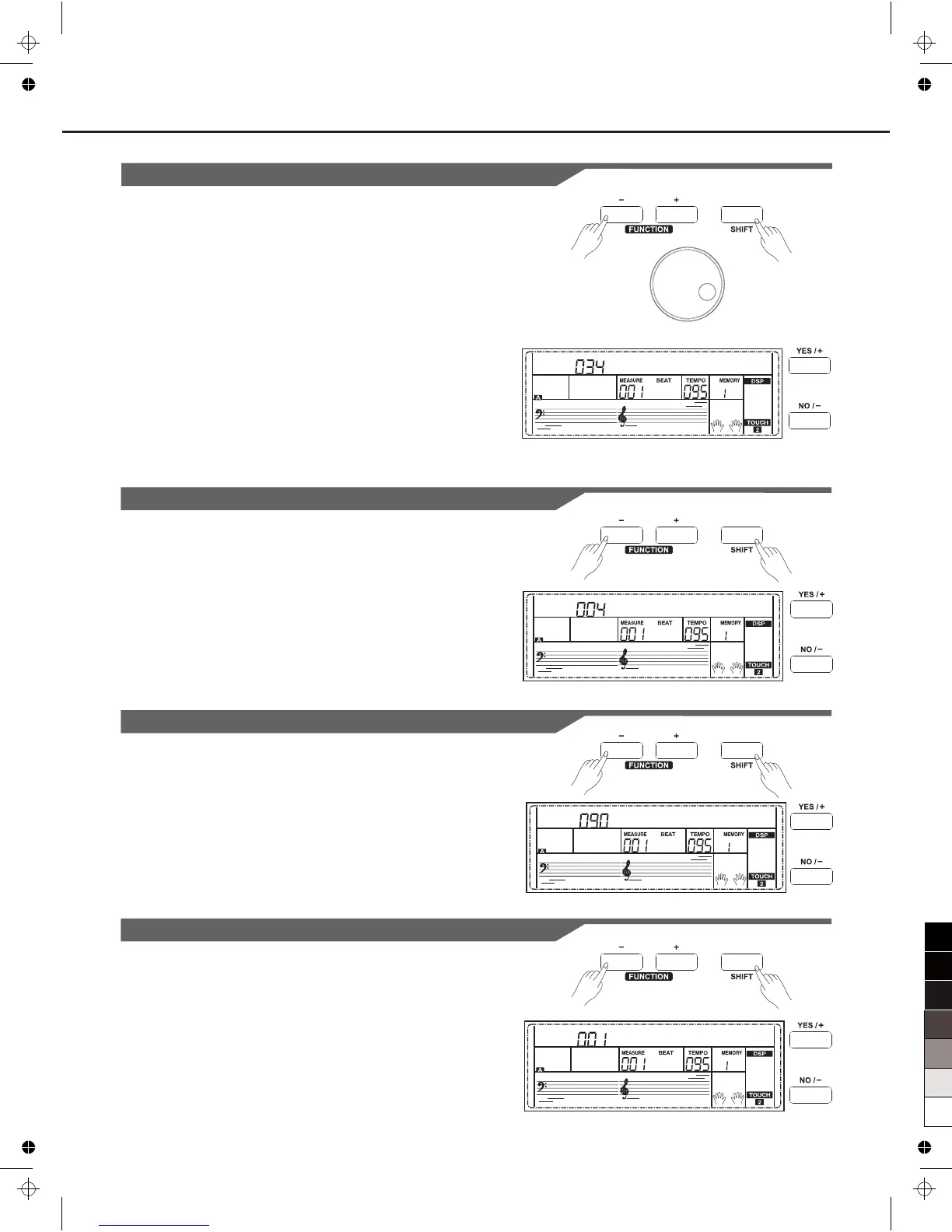
KeySplit
This function sets the point which separates the entire keyboard to two
sections.
1. Holding down [SHIFT] button, and then press [FUNCTION+/-]
button to select keysplit menu. LCD displays “xxx KeySplit”. Use
[+/YES]/ [-/NO] or data dial to change keysplit value. The range of
keyspilit: 1~88.
2. Press [+/YES] and [-/NO] simultaneously will set the keysplit value
to its default setting: F#3(34).
Note:
When twinova is opened, the range of keysplit is C3~C6 (28~64).
Press [+/YES] and [-/NO] simultaneously will set twinova keysplit value
to its default setting: E3(32).
Beat Type
1. Holding down [SHIFT] button, and then press [FUNCTION+/-] button
to select beat type menu. LCD displays “xxx BeatType”.
Use [+/YES]/ [-/NO] or data dial to change beat type. The range of
beat type: 0, 2~9.
2. Press [+/YES] and [-/NO] simultaneously will set the beat type value
to its default setting: 004.
K e y S p l i t
B e a t T y p e
25
Metro Volume
1. Holding down [SHIFT] button, and then press [FUNCTION+/-] button
to select beat volume menu. LCD displays “xxx MetroVol”.
Use [+/YES]/ [-/NO] or data dial to change beat volume. The range
of beat volume: 0~127.
2. Press [+/YES] and [-/NO] simultaneously will set the beat volume
value to its default setting: 090.
Pedal Type
1. Holding down [SHIFT] button, and then press [FUNCTION+/-] button
to select pedal type menu. LCD displays “00x Pedal xxxx”.
Use [+/YES]/ [-/NO] or data dial to change pedal type. 3 types of
pedal are available: sustain pedal(Sust), accompaniment start/stop
Pedal(St/T), memory switch pedal(Mem).
2. Press [+/YES] and [-/NO] simultaneously will set the pedal type to its
default setting: Sust.
M e t r o V o l
Pedal Sust



 To Next Page