Adjusting the Master Volume
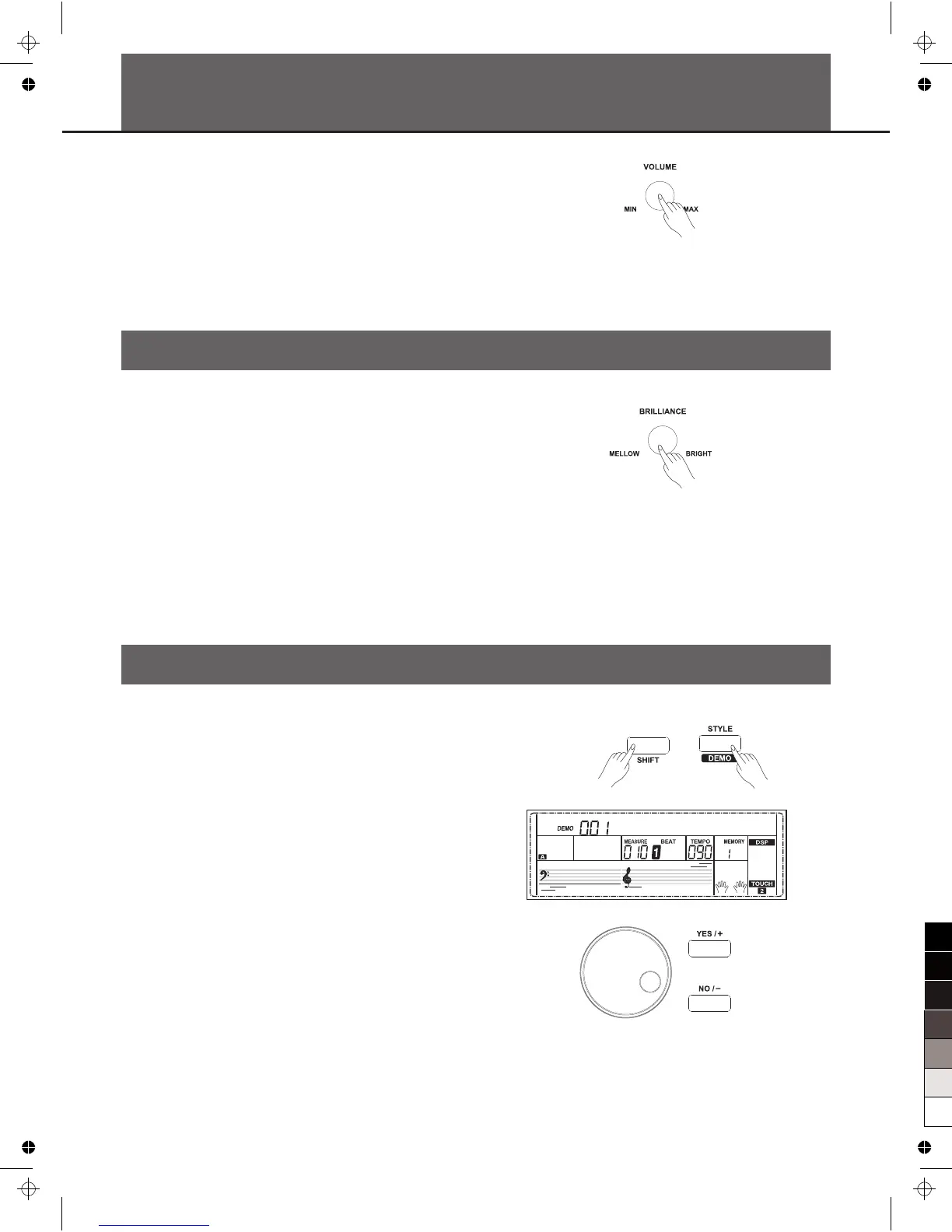
Turn the [VOLUME] knob clockwise, the volume increases and vice
versa.
Adjusting the Voice Brilliance
Turn the [BRILLIANCE] knob clockwise, the voice sounds brighter
and vice versa. You can change the piano brilliance as you wish.
Playing the Demo Song
The instrument features 2 wonderful demos. Please refer to Demo
List.
1. Holding down [SHIFT] button, then press the [DEMO] button to start
demo song playing, and the LCD will display the number and name
of demo.
2. You can use the data dial, the [+/YES]/ [-/NO] button to select a
demo song.
3. Press the [START/STOP] button to stop playing. Holding down
[SHIFT] button, then press the [demo] button to exit demo mode.
Note:
In the demo status, all the demo songs will loop playing. And all
buttons and keys are unavailable except [DEMO], [START/STOP],
[TEMPO+/-], [+/YES], [-/NO] button, data dial, [VOLUME]
knob,[BRILLIANCE] knob and POWER SWITCH.
W a l t z 1
10



 To Next Page