Song
Lesson 1 - Practice timing
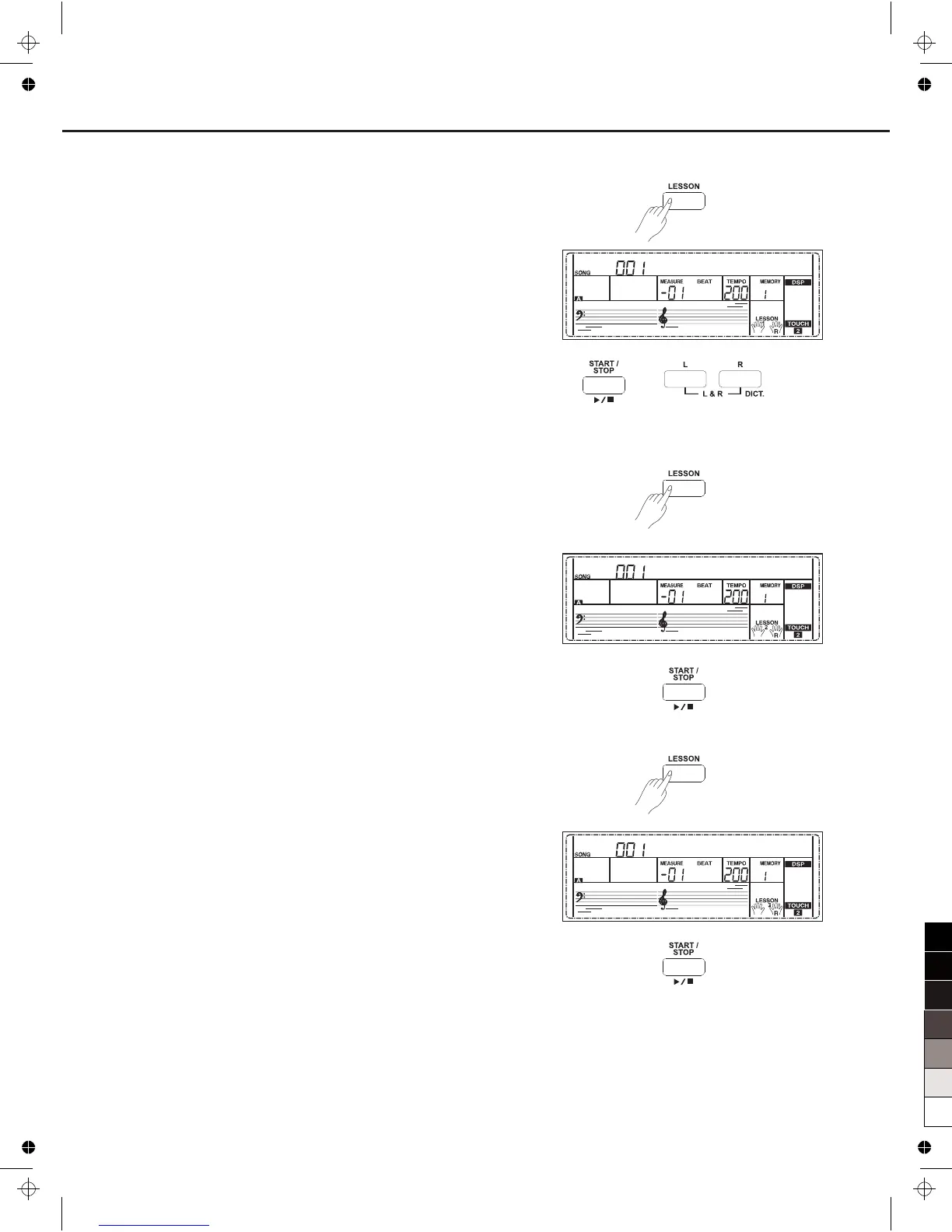
1. Press the [LESSON] button to enter the lesson mode.
Press [LESSON] button to enter the lesson mode, the lesson 1 icon
is lightened on the LCD. In Lesson 1 mode, the keyboard only
grade the time value of the playing, don't care the correction of the
note.
2. Press the [START/STOP] button to start practice.
If [R] is selected, it will mute melody of right hand and you will have
to follow the time value of the right hand. As long as the time value
is correct, the melody will sound.
If [L] is selected, it will mute the changing chord and melody by left
hand. You will have to follow time value of the left hand. As long as
the time value is correct, the chord/melody will sound.
If [L] and [R] are selected, the chord/melody on left hand and the
melody on right hand will be muted. You will have to follow time
value on both left and right hand.
Lesson 2 - Practice note accuracy
Press the [LESSON] button again to enter the lesson 2 mode.
In LESSON 2 mode, the keyboard only grades your practice by the
note; doesn't care about the correctness of the timing. Only when you
play the correct note, the song will continue to the next note.
Press the [START/STOP] button to start to practice.
Lesson 3 - Performance
Press the [LESSON] button in LESSON 2 to enter the lesson 3 mode.
In LESSON 3 mode, it will score your practice by the correction of the
time value and note.
Press the [START/STOP] button to start to practice.
Jambalay
Jambalay
Jambalay
33



 To Next Page