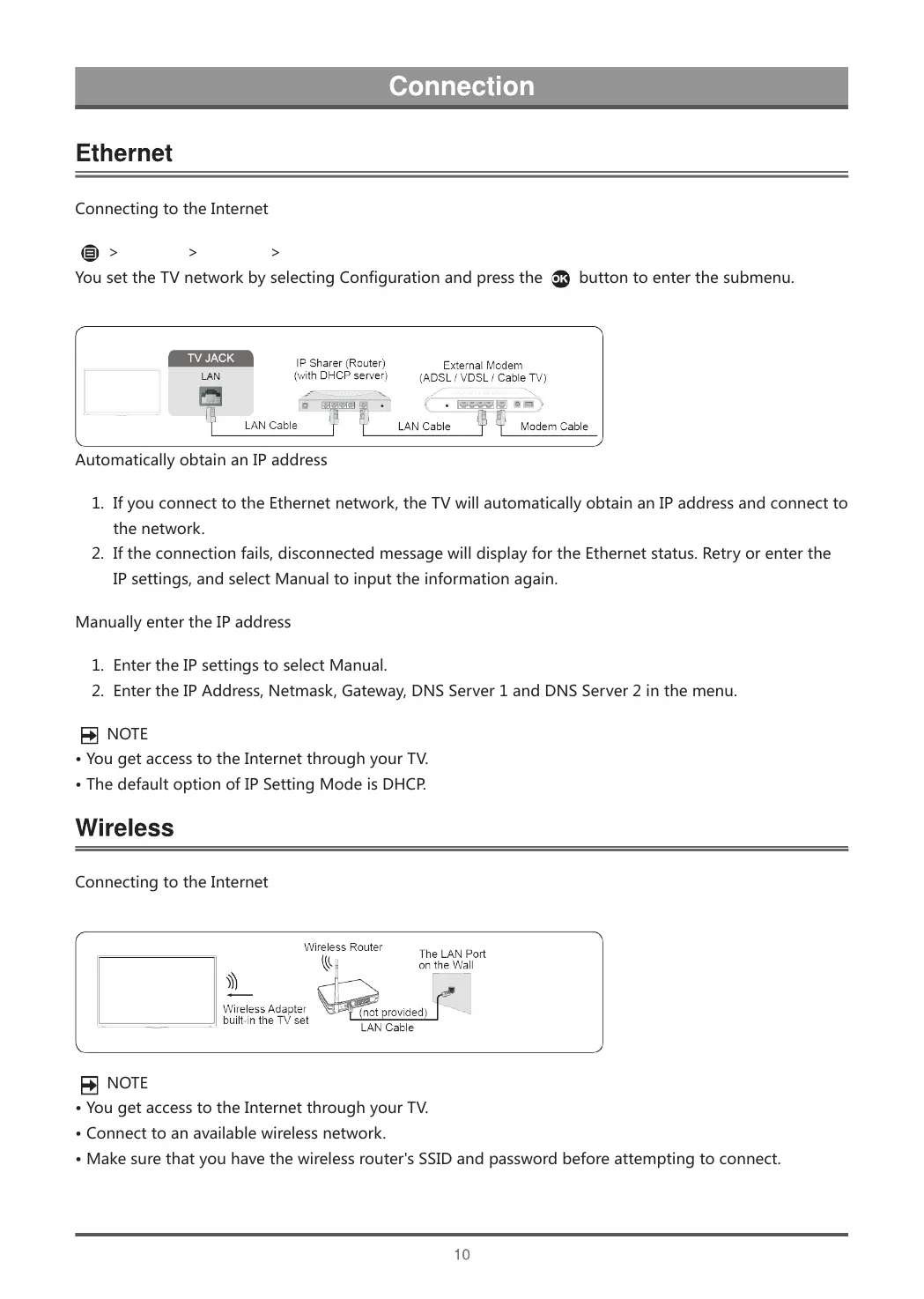
ConnectingtotheInternet
>Settings>Network>NetworkConfiguration
YousettheTVnetworkbyselectingConfigurationandpressthe
buttontoenterthesubmenu.
AutomaticallyobtainanIPaddress
1. IfyouconnecttotheEthernetnetwork,theTVwillautomaticallyobtainanIPaddressandconnectto
thenetwork.
2. Iftheconnectionfails,disconnectedmessagewilldisplayfortheEthernetstatus.Retryorenterthe
IPsettings,andselectManualtoinputtheinformationagain.
ManuallyentertheIPaddress
1. EntertheIPsettingstoselectManual.
2. EntertheIPAddress,Netmask,Gateway,DNSServer1andDNSServer2inthemenu.
NOTE
•YougetaccesstotheInternetthroughyourTV.
•ThedefaultoptionofIPSettingModeisDHCP.
ConnectingtotheInternet
NOTE
•YougetaccesstotheInternetthroughyourTV.
•Connecttoanavailablewirelessnetwork.
•Makesurethatyouhavethewirelessrouter'sSSIDandpasswordbeforeattemptingtoconnect.



 To Next Page