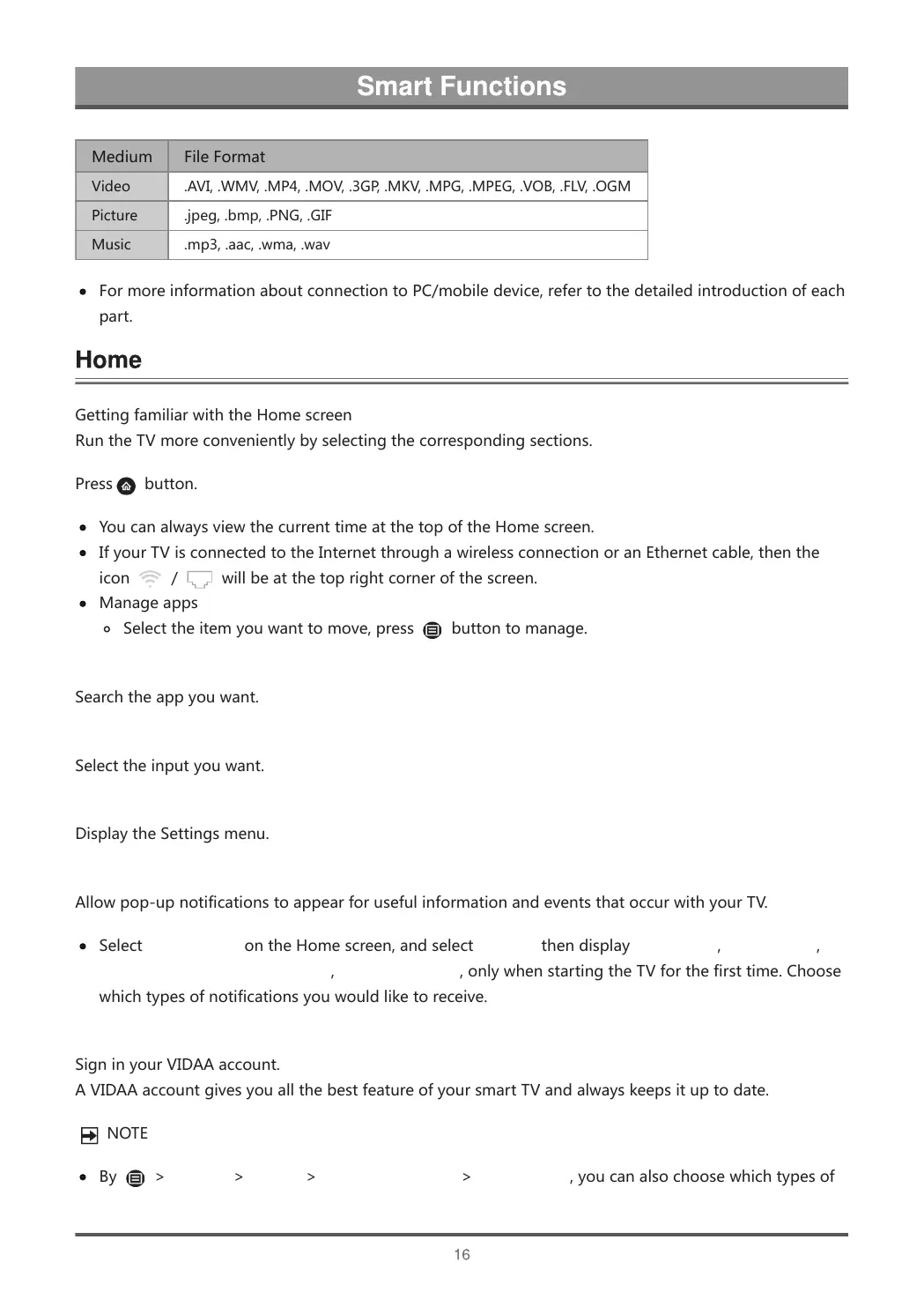
Medium FileFormat
Video .AVI,.WMV,.MP4,.MOV,.3GP,.MKV,.MPG,.MPEG,.VOB,.FLV,.OGM
Picture .jpeg,.bmp,.PNG,.GIF
Music .mp3,.aac,.wma,.wav
FormoreinformationaboutconnectiontoPC/mobiledevice,refertothedetailedintroductionofeach
part.
GettingfamiliarwiththeHomescreen
RuntheTVmoreconvenientlybyselectingthecorrespondingsections.
Press
button.
YoucanalwaysviewthecurrenttimeatthetopoftheHomescreen.
IfyourTVisconnectedtotheInternetthroughawirelessconnectionoranEthernetcable,thenthe
icon
/ willbeatthetoprightcornerofthescreen.
Manageapps
Selecttheitemyouwanttomove,press buttontomanage.
Search
Searchtheappyouwant.
Inputs
Selecttheinputyouwant.
Settings
DisplaytheSettingsmenu.
Notifications
Allowpop-upnotificationstoappearforusefulinformationandeventsthatoccurwithyourTV.
SelectNotificationsontheHomescreen,andselectSettingsthendisplayAdvertising,NewArrivals,
WarningsAndLegalStatements,SystemMessage,onlywhenstartingtheTVforthefirsttime.Choose
whichtypesofnotificationsyouwouldliketoreceive.
VIDAAAccount
SigninyourVIDAAaccount.
AVIDAAaccountgivesyouallthebestfeatureofyoursmartTVandalwayskeepsituptodate.
NOTE
By >Settings>System>AdvancedSettings>Notifications,youcanalsochoosewhichtypesof



 To Next Page