Accessingtherecordinglist
Seethelistofrecordedprogramsandscheduledrecordings.
Toentertherecordinglist:
>RecordingList
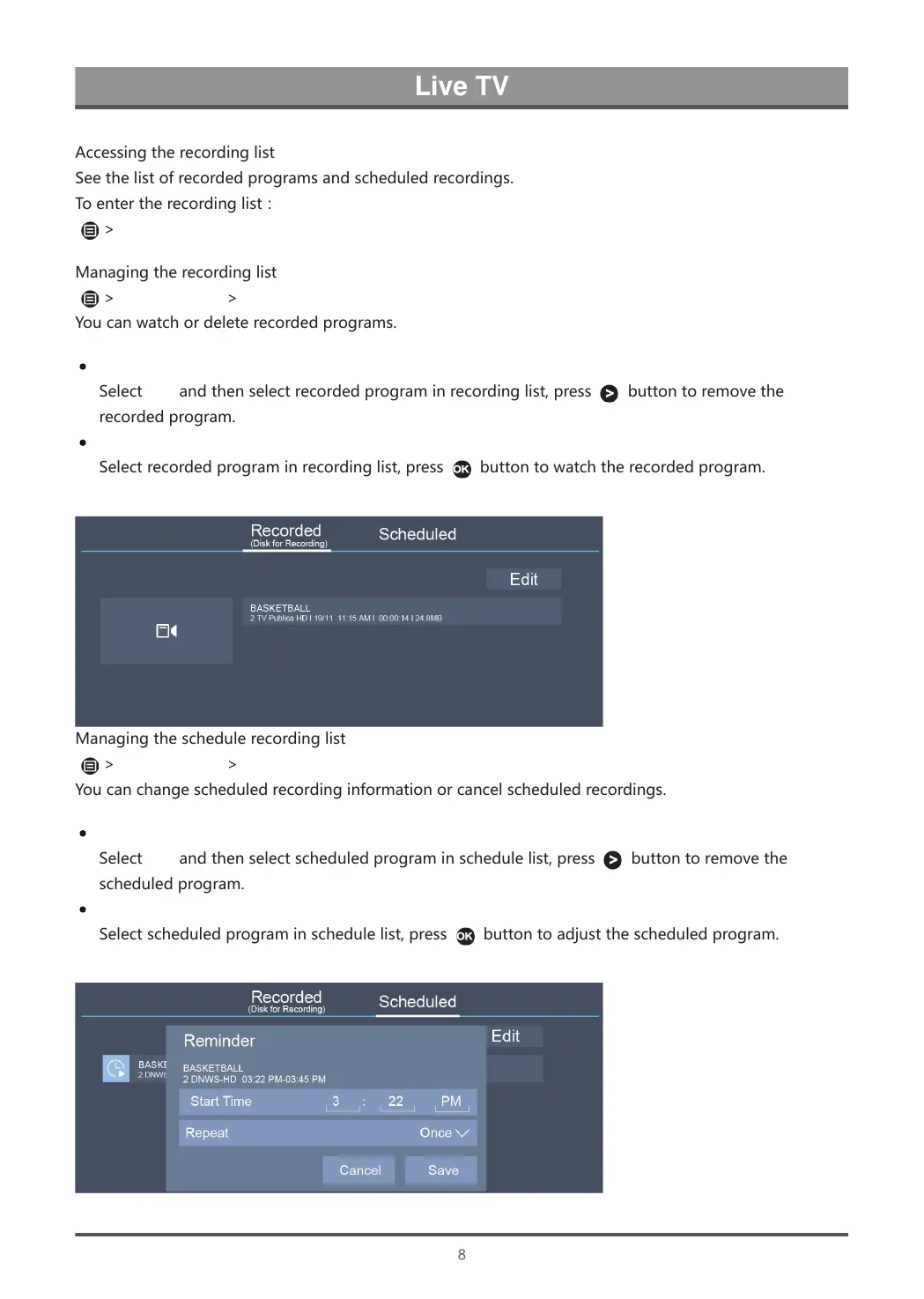
Managingtherecordinglist
>RecordingList>Recorded
Youcanwatchordeleterecordedprograms.
Deletetherecordedprogram
SelectEditandthenselectrecordedprograminrecordinglist,press
buttontoremovethe
recordedprogram.
Watch
Selectrecordedprograminrecordinglist,press
buttontowatchtherecordedprogram.
Managingtheschedulerecordinglist
>RecordingList>Scheduled
Youcanchangescheduledrecordinginformationorcancelscheduledrecordings.
Deletethescheduledprogram
SelectEditandthenselectscheduledprograminschedulelist,press
buttontoremovethe
scheduledprogram.
Editscheduledprogram
Selectscheduledprograminschedulelist,press
buttontoadjustthescheduledprogram.



 To Next Page