12
EN
5.4 Measuring procedure
After the cu has been appropriately positioned, the measurement can begin:
a) Press the ON / OFF button, the pump begins to inate the cu. In
the display, the increasing cu-pressure is continually displayed.
b) As the cu inates, the monitor automatically determines your
ideal ination level. This monitor detects your blood pressure
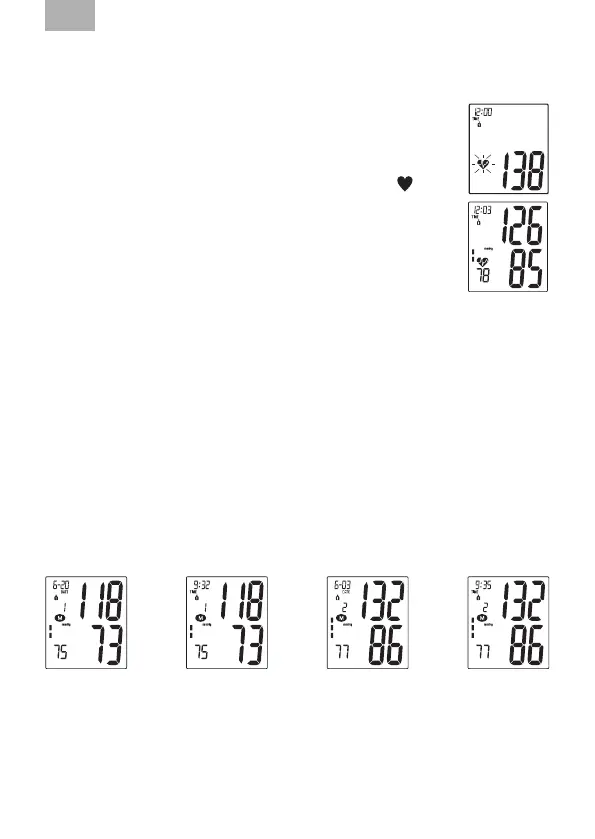
and pulse rate during ination. The heartbeat symbol ( )
ashes at every heartbeat.
c) When the measurement has been concluded. The measured
systolic and diastolic blood-pressure values as well as the
pulse frequency are now displayed.
Example (Fig.): Systole 126, Diastole 85, Pulse 78
The measurement results are displayed, until you switch the device o. If no
button is pressed for 3 minutes, the device switches automatically o, to save the
batteries.
5.5 Discontinuing a measurement
If it is necessary to interrupt a blood pressure measurement for any reason
(e.g. the patient feels unwell), the “ON / OFF” power button can be pressed at
any time. The device then immediately lowers the cu-pressure automatically.
5.6 Memory – storage and recall of the measurements
The blood-pressure monitor automatically stores each of the last 120
measurement values. By pressing the MEMORY button, an average value of the
last 3 measurements as well as the last measurement and the further last 120
measurements (MR119, MR118, …, MR1) can be displayed one after the other.
(MR1: Values of the last measurement) (MR2-MR120: Values of the
measurement before MR1)


 To Next Page