EasyManua.ls Logo

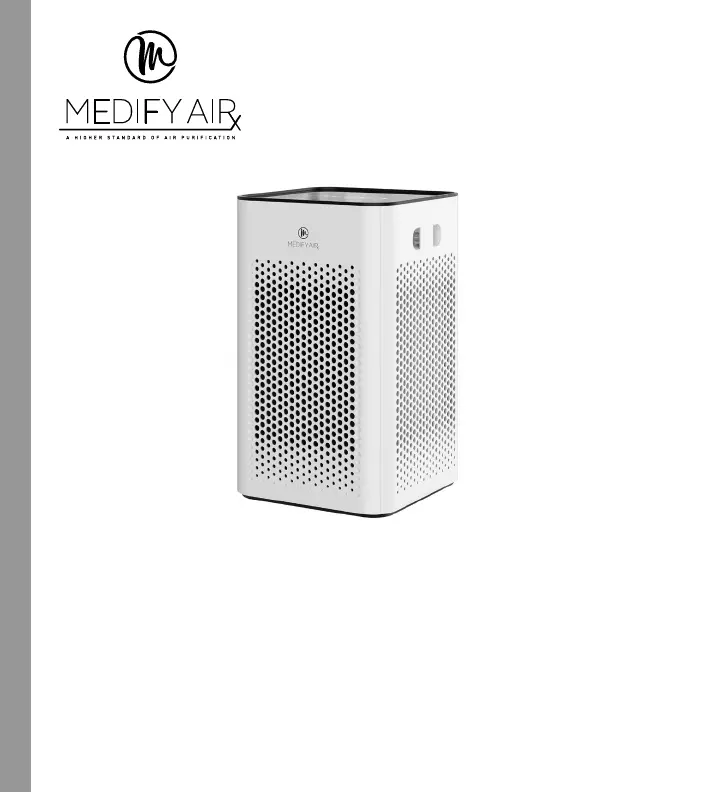
Medify Air MA-25 - User Manual

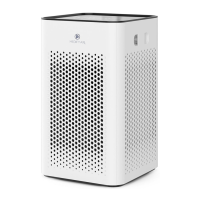
Medify Air MA-25
11 pages
Print Icon
To Next Page IconTo Next Page
Loading...
MA-25
AIRPURIFIER
MA-25/US
Rev: 09/04/21
READ AND SAVE THESE INSTRUCTIONS
INSTRUCTION MANUAL AND WARRANTY INFORMATION
Lifetime warranty if replacing filters on time

Other manuals for Medify Air MA-25

Questions and Answers

  • Z
    Zachary KimJul 28, 2025
    How to reset filter light on Medify Air Air Cleaner?
    • M
      Manuel GonzalezJul 28, 2025
      If the replace filter light remains lit on your Medify Air Air Cleaner after replacing the filter, it likely means the replace filter indicator needs to be reset. To reset it, press and hold the DIMMER button for 3 seconds until the replace filter light turns off.
  • M
    Megan DavisAug 4, 2025
    Why is my Medify Air MA-25 not removing odors?
    • D
      driveraAug 4, 2025
      If your Medify Air Air Cleaner isn't removing odors effectively, the filter likely needs to be replaced. Replace the filter to restore optimal odor removal.
  • B
    Brian DuarteAug 10, 2025
    How to reduce noise from Medify Air MA-25 Air Cleaner?
    • J
      Jamie MejiaAug 10, 2025
      Excessive noise from your Medify Air Air Cleaner is often due to the unit not being level. Place the unit on a flat and level surface to reduce the noise.
  • I
    iatkinsonAug 15, 2025
    Why is airflow reduced in my Medify Air Air Cleaner?
    • M
      Mark BakerAug 15, 2025
      Reduced airflow in your Medify Air Air Cleaner can be caused by several factors. First, make sure that side intakes are not blocked or the front outflow area. Second, the pre-filter may need vacuuming; use the brush attachment of your vacuum cleaner to vacuum it. Finally, the filter may need to be replaced.
  • T
    Tyler ClarkAug 22, 2025
    What to do if Medify Air Air Cleaner won't turn on?
    • S
      Sherry SmithAug 22, 2025
      If your Medify Air Air Cleaner unit will not operate, there are a few potential causes. Ensure the unit is properly plugged in. If it is, press the power button to turn the power on. Also, check the circuits and fuses, and try a different outlet to ensure the unit is receiving power.

Summary

Important Safety Instructions

Danger: Electrical Shock Precautions

Precautions to reduce the risk of electrical shock, including unplugging, cord placement, and surface stability.

Warning: Burn, Fire, Electric Shock, Injury

Precautions to reduce risks of burns, fire, electric shock, or injury, covering cord use, voltage, and location.

General Usage Safety Guidelines

Guidelines on cord routing, unit handling, operation, and intended use to prevent hazards.

Unique Features and Specifications

Filtration System Details

Explains the True HEPA H13, Carbon Odor, and Pre-Filter for effective air purification.

Operational Features

Covers 3 fan speeds, built-in timer, and the filter replacement indicator.

Filter Purification Process

Pre-Filter

Removes hair, fibers, and large particles like dander.

True HEPA H13 Filter

Removes 99.9% of particles down to 0.1 microns, including pollen and dust mites.

Activated Carbon Filter

Removes toxic odors, smoke, and formaldehyde using carbon pellets.

Control Panel and Operation

Getting Started

Steps before turning the unit on: unboxing, placement, and plugging in.

Power and Fan Speed Control

Instructions for powering on and adjusting fan speed settings (low, medium, high).

Timer and Dimmer Functions

Details on setting the timer and adjusting backlight brightness.

Child-Lock Feature

Procedure to lock and unlock all functional buttons for safety.

Filter Replacement Guide

Replacing the True HEPA H13 Filter

Instructions for replacing the True HEPA H13 filter and resetting the indicator light.

Cleaning and Maintenance

Cleaning the Pre-Filter

Instructions for vacuuming the pre-filter monthly for optimal performance.

General Cleaning Recommendations

Guidance on cleaning filters, unit exterior, and grille covers using appropriate methods.

Troubleshooting Common Issues

Unit Not Operating

Solutions for when the unit will not operate, including power and connection checks.

Reduced Airflow and Odor Removal

Addresses issues with reduced airflow or odor removal, suggesting filter checks and replacement.

Excessive Noise and Indicator Lights

Solutions for excessive noise and the filter replacement light remaining on.

Warranty Information

Lifetime Warranty Terms

Details the conditions and requirements for the lifetime warranty, including registration and filter replacement.

Contact and Registration

Information on how to contact customer service and register for the lifetime warranty.

Medify Air MA-25 Specifications

General IconGeneral
Filter TypeHEPA H13
Fan Speeds3
Power Consumption45W
Pre-filterYes
Activated Carbon FilterYes
WarrantyLifetime
CADR Rating250 CFM
Ozone Emission0
Number of Filters3

Related product manuals