21
Setting up
You can set up the digital picture frame in portrait or landscape
format. Proceed as follows to do this:
Place the device on a level surface with the back facing
upwards.
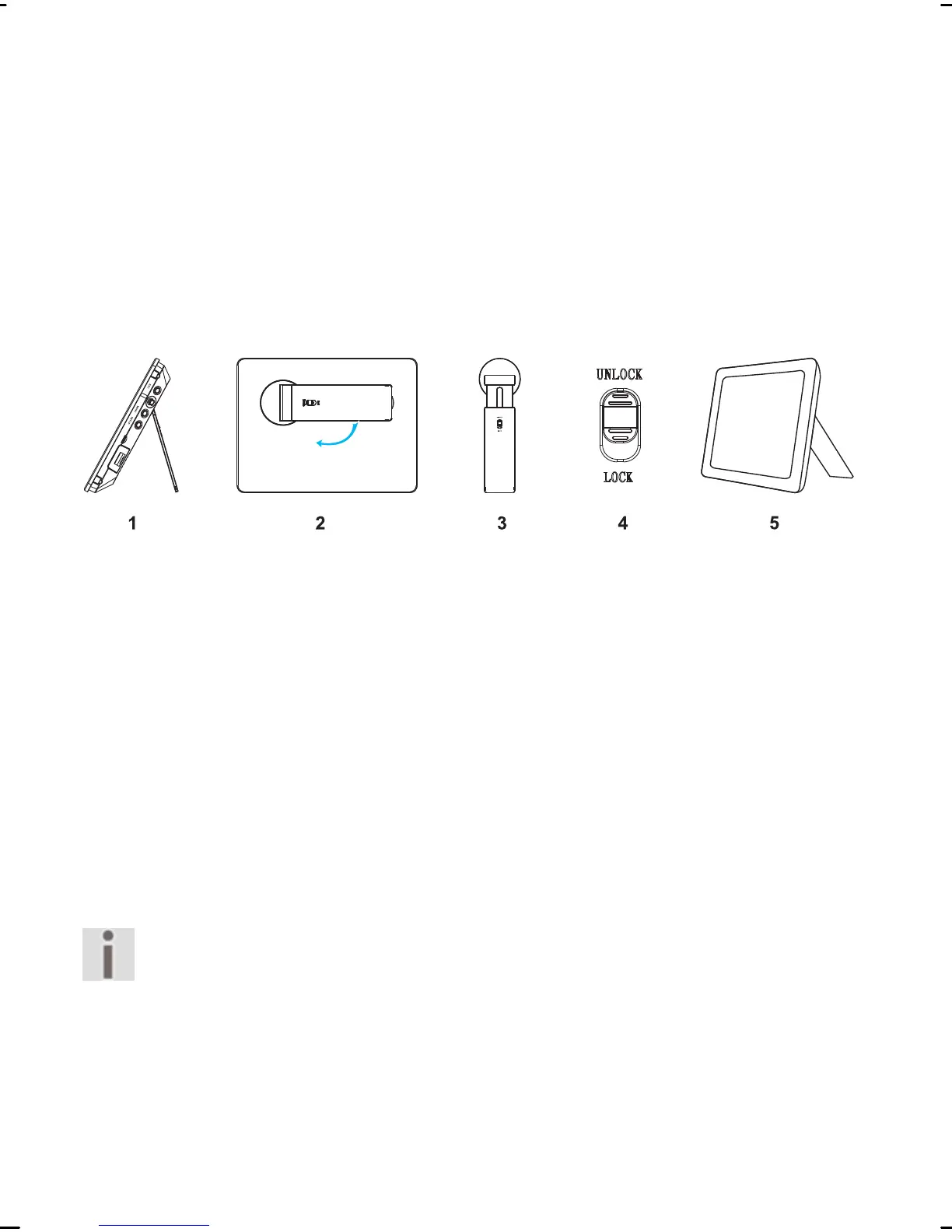
Open out the mounting (1.)
Turn the mounting clockwise to set up the device in land-
scape format (2.).
You can adjust the length of the mounting to change the angle
of inclination of the device (3.). Proceed as follows to do this:
Push the bar on the mounting to the
UNLOCK (4.) position.
Pull the mounting out in steps, to extend it.
Push the mounting in step by step, to shorten it.
Push the bar on the mounting to the LOCK position.
Now you will be able to set up the device (5.).
ou will be able to rotate photos if you want to
use the device in portrait format. Proceed as de-
scribed from Page 56.
Menus will continue to be displayed in landscape
format.



 To Next Page