Display
35
Safety Handling
Components
Aid Appendix
Connecting an External Monitor
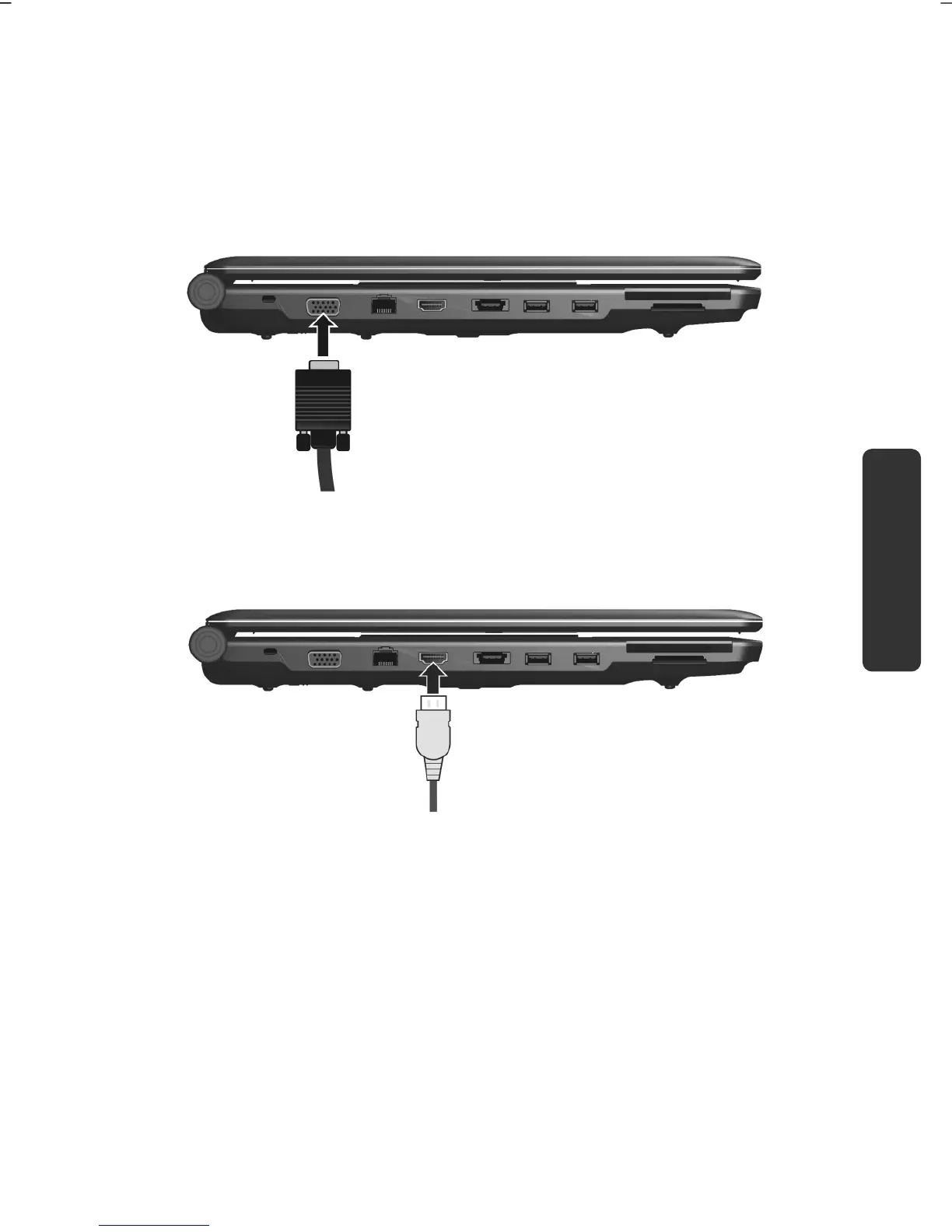
The notebook has a VGA port (11) for connecting an external monitor.
1. Shut down your notebook.
2. Connect the video signal cable of the external monitor to the VGA port of
the notebook (11).
Alternatively, you can use the digital HDMI interface (High Definition
Multimedia Interface) (13) to transfer image and sound signals.
3. Connect the external monitor to the electrical socket and power it up.
4. Start your notebook.



 To Next Page