Slit Lamp Microscope USER MANUAL
18 / 29
2.Power Plug Description
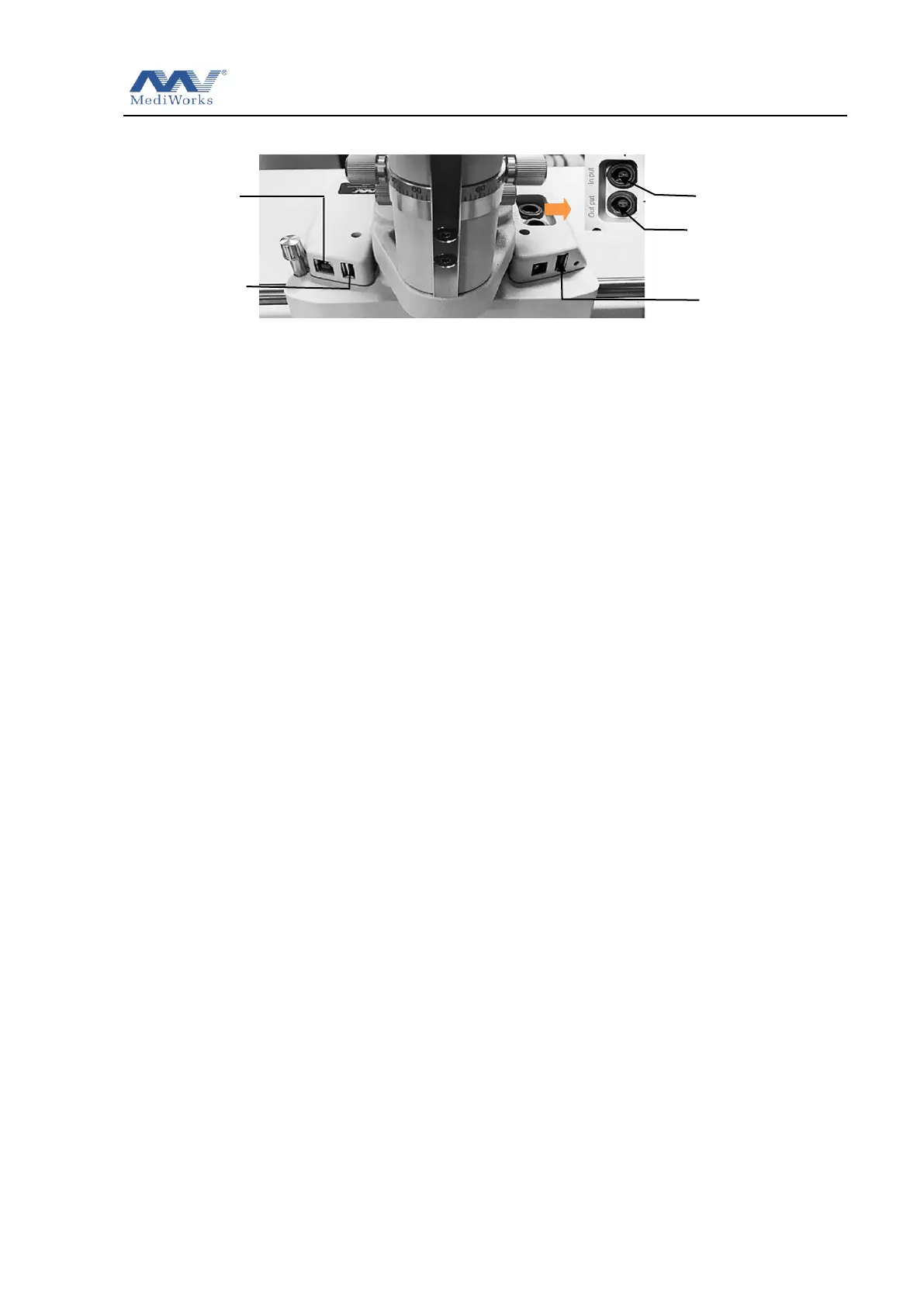
3.Refer to Figure 2.2.9, the 4-pin aviation plug of the bracket is connected to the ―Output‖ on
the base of the slit lamp; the power adapter is connected to the ―Input‖ on the base of the slit
lamp microscope. One end of the digital module data cable is connected to the USB3.0 interface,
and the other end is connected to the digital module. One end of the computer data cable is
connected to the USB3.0 host interface, and the other end is connected to the computer.
4.This power supply can work normally under the voltage of 100V to 240V. Turn on the power
and pull up the beam splitter lever on the digital module. For the installation and use of the
image capture management software, please refer to the relevant manual attached with device.
5.Note: The limited slot on the air socket should be aligned corresponded slot when plugging
and unplugging. Do not force the plug.


 To Next Page