EasyManua.ls Logo

Megger MIT420/2 - User Manual

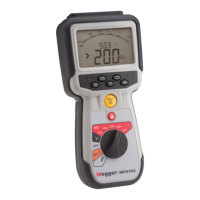
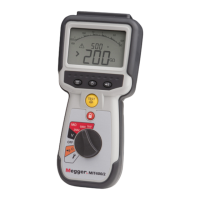
Megger MIT420/2
45 pages
Print Icon
To Next Page IconTo Next Page
Loading...
MIT400/2 Series
Insulation and continuity testers
User guide

Table of Contents

Question and Answer IconNeed help?

Do you have a question about the Megger MIT420/2 and is the answer not in the manual?

Summary

2. Safety Warnings

2.1 Safety Warnings and Symbols

Essential safety warnings, precautions, and explanation of safety symbols marked on the instrument.

5. Instrument Overview

5.3 Terminal Overview

Illustrates and describes the different terminal connections available on the instrument.

6. General Operating Instructions

7. Input Terminals

7.1 2-Terminal Connection

Instructions for connecting test leads in a 2-terminal configuration.

7.3 3-Terminal Connection

Explains how to connect test leads using the 3-terminal configuration.

8. Voltage and Frequency Measurements

8.1 Voltage Measurement (2-Terminal)

Procedures for measuring AC Trms and DC voltage with 2-terminal instruments.

9. Insulation Resistance Testing

Safety Notes for Insulation Testing

Crucial safety precautions for performing insulation resistance tests.

9.1 Insulation Testing (2-Terminal)

Steps for performing insulation resistance tests with 2-terminal connections.

9.3.1 DAR Test Procedure

Procedure for performing the Dielectric Absorption Ratio (DAR) test.

10. Continuity Testing

10.1 Continuity Testing (2-Terminal)

Procedure for performing continuity tests using 2-terminal connections.

11. Capacitance Measurements

11.1 Capacitance Measurement (2-Terminal)

Steps for measuring capacitance using 2-terminal connections.

12. Saving, Recalling, and Downloading Test Results

12.4 Downloading Test Results

Preparing the instrument for downloading test results via Bluetooth®.

12.5 Pairing Your MIT to the PC

Step-by-step guide to pair the instrument with a PC via Bluetooth®.

12.6 Downloading Data to the PC

Instructions on how to download test data from the instrument to a PC.

13. SETUP Configuration Options

14. Technical Specifications

Summary

2. Safety Warnings

2.1 Safety Warnings and Symbols

Essential safety warnings, precautions, and explanation of safety symbols marked on the instrument.

5. Instrument Overview

5.3 Terminal Overview

Illustrates and describes the different terminal connections available on the instrument.

6. General Operating Instructions

7. Input Terminals

7.1 2-Terminal Connection

Instructions for connecting test leads in a 2-terminal configuration.

7.3 3-Terminal Connection

Explains how to connect test leads using the 3-terminal configuration.

8. Voltage and Frequency Measurements

8.1 Voltage Measurement (2-Terminal)

Procedures for measuring AC Trms and DC voltage with 2-terminal instruments.

9. Insulation Resistance Testing

Safety Notes for Insulation Testing

Crucial safety precautions for performing insulation resistance tests.

9.1 Insulation Testing (2-Terminal)

Steps for performing insulation resistance tests with 2-terminal connections.

9.3.1 DAR Test Procedure

Procedure for performing the Dielectric Absorption Ratio (DAR) test.

10. Continuity Testing

10.1 Continuity Testing (2-Terminal)

Procedure for performing continuity tests using 2-terminal connections.

11. Capacitance Measurements

11.1 Capacitance Measurement (2-Terminal)

Steps for measuring capacitance using 2-terminal connections.

12. Saving, Recalling, and Downloading Test Results

12.4 Downloading Test Results

Preparing the instrument for downloading test results via Bluetooth®.

12.5 Pairing Your MIT to the PC

Step-by-step guide to pair the instrument with a PC via Bluetooth®.

12.6 Downloading Data to the PC

Instructions on how to download test data from the instrument to a PC.

13. SETUP Configuration Options

14. Technical Specifications

Megger MIT420/2 Specifications

General IconGeneral
Test Voltage250 V, 500 V, 1000 V
Voltage Range0 to 600 V AC/DC
IP RatingIP54
Continuity Test Current200 mA
DisplayBacklit LCD
Safety RatingCAT III 600 V
Safety StandardsIEC 61010-1
Weight1.5 kg (3.3 lbs)

Related product manuals