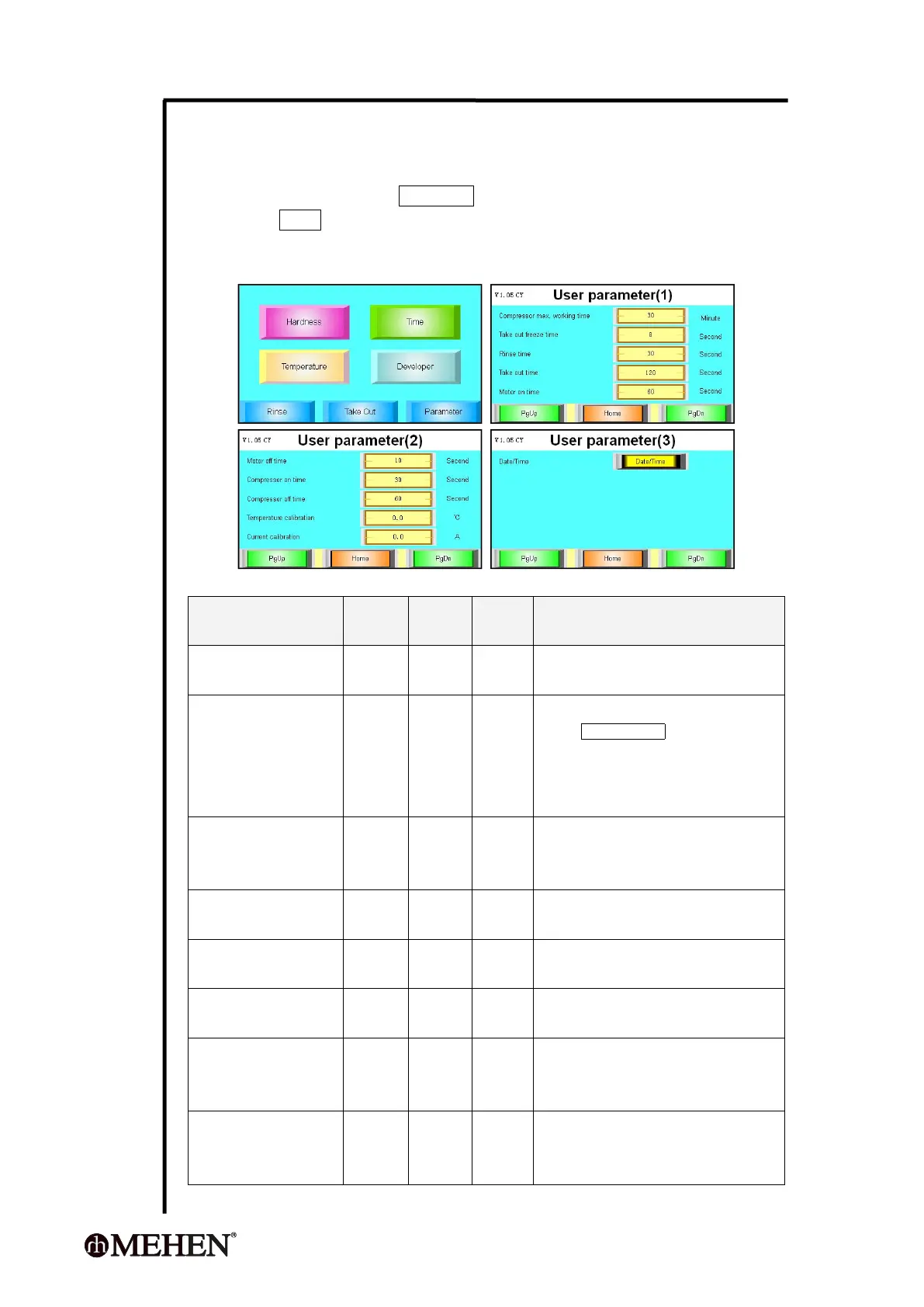
5.8 User Parameters Setting
5.8.1 How to Set User Parameters?
On Home-page, press Parameter ;
Press PgDn 3 times, then enter parameters setting.
Press the volume frame to change it;
The controller will save it automatically after each changing.
5.8.2 User Parameter List
Compressor max.
working time
This is a safety device, the compressor will
stop working if exceeds this volume.
When taking out the product, press the
button Take out freeze will start the
compressor for few seconds according to
this setting. This is helpful for big capacity
machine.
When cleaning the cylinder, the agitation
motor will run a period of time according
to this setting.
This is a timer, the agitation motor will
stop when the time is over.
Under Developer mode, the motor can
work on and off according to this setting.
Under Developer mode, the motor can
work on and off according to this setting.
Under Developer mode, the compressor
can work on and off according to this
setting.
Under Developer mode, the compressor
can work on and off according to this
setting.



 To Next Page