023
MA3 Integrated D/A Converter Manual
meitner © 2020 Meitner Audio, All Rights Reserved. Meitner Audio reserves the right to amend specifications & design without notice.
mConnect Control App
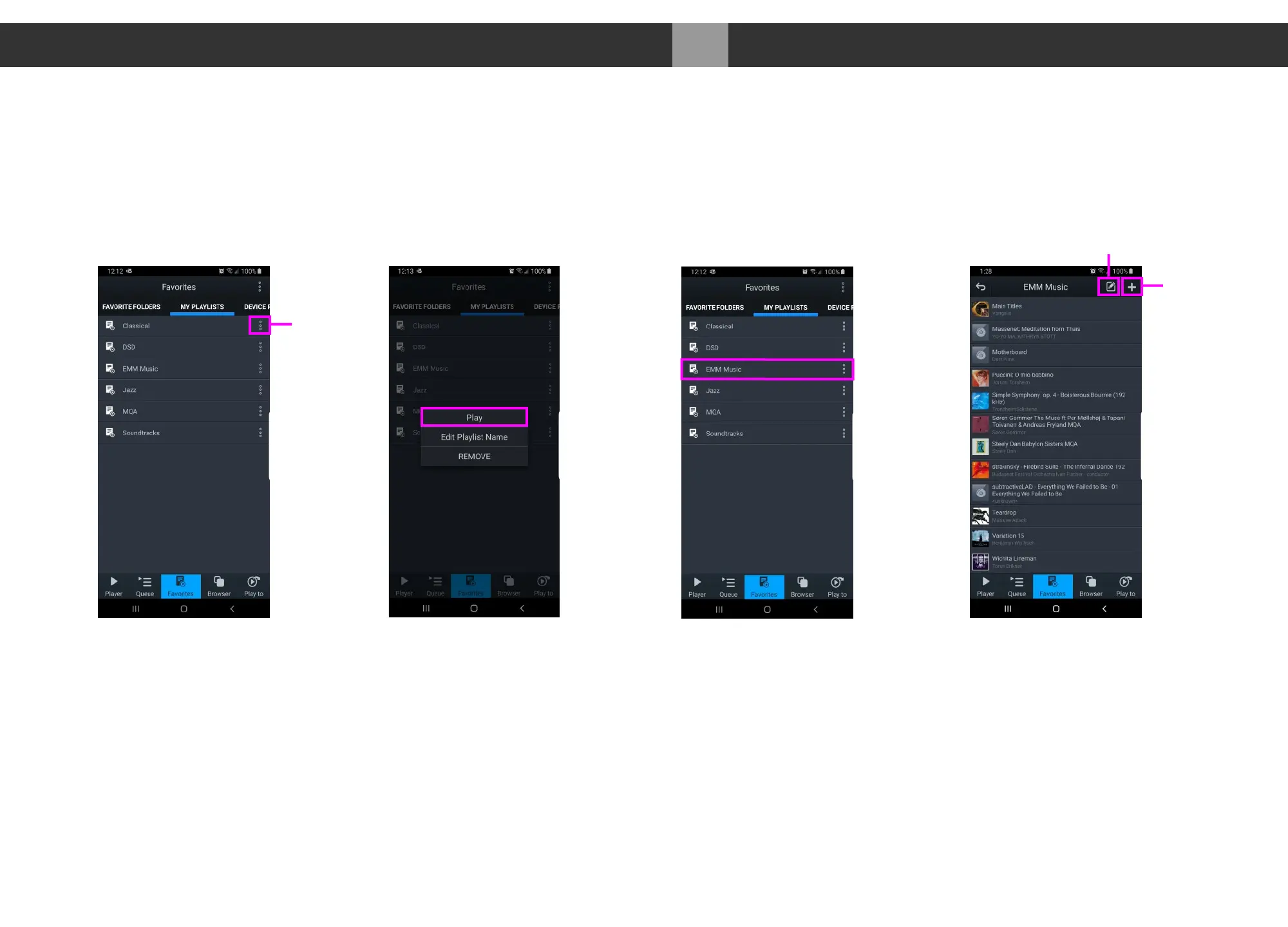
Making a Playlist
4. Multiple playlists, pre-selected favourite folders and device specific playlists
can be created pressing “Favourites” button and accessing the favourites
and playlist functions.
5. In the “Favourites” page select “MY PLAYLISTS” tab and locate a specific
playlist and press the function button to the right of the playlist. Press “PLAY”
to start playback.
6. From this function list you can also edit playlist name or remove/delete the
playlist.
Playlist
Specific
Functions
Playlists Function List
Select a Playlist
Edit and Add to Playlist
Add
Tracks
Edit
Playlist


 To Next Page