022
MA3 Integrated D/A Converter Manual
meitner © 2020 Meitner Audio, All Rights Reserved. Meitner Audio reserves the right to amend specifications & design without notice.
mConnect Control App
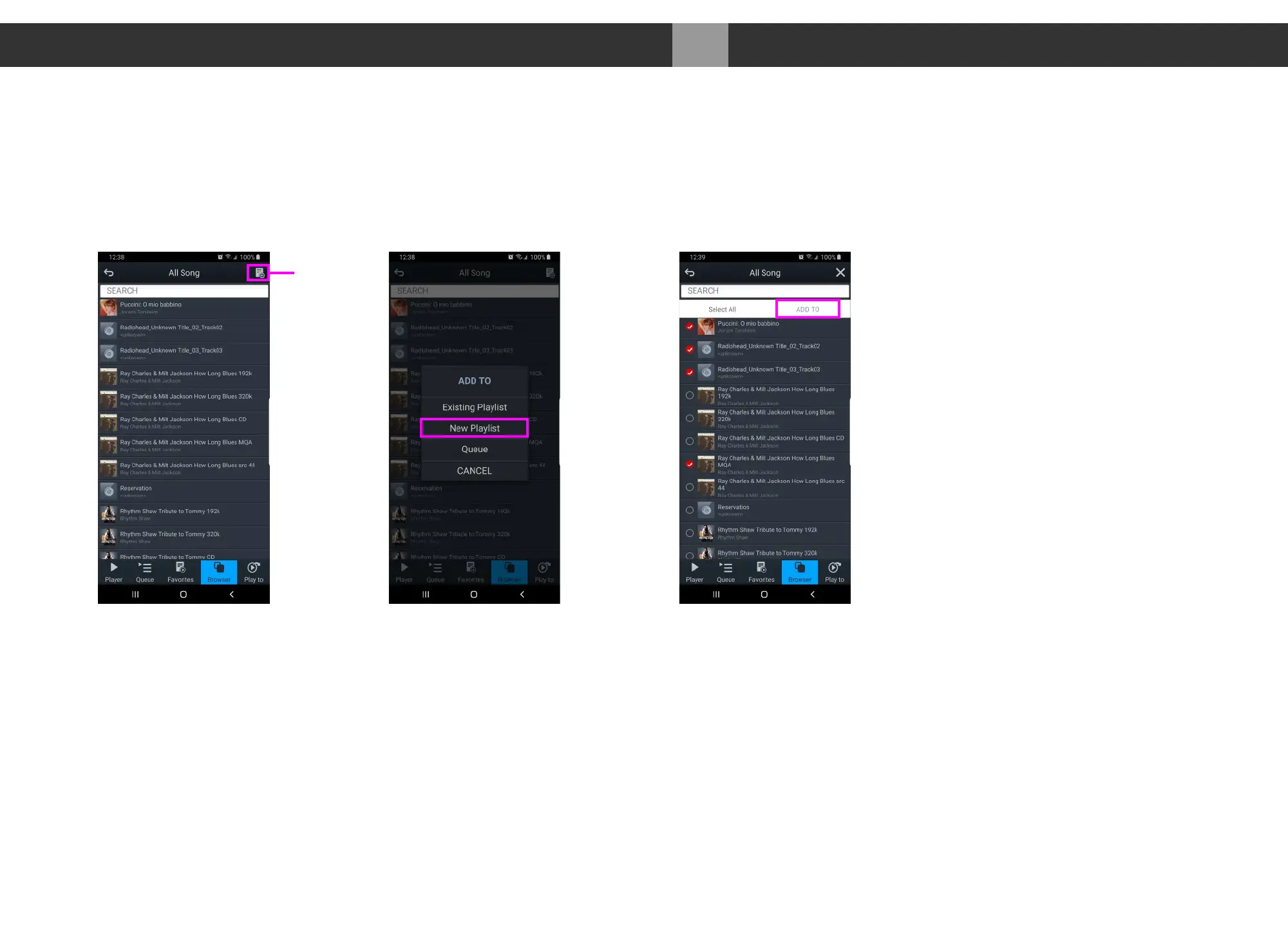
Making a Playlist
1. As an example select “My Music” from the browser menu then select “All
Song”. Select the playlist function located in the top right. Select “New
Playlist” and name it.
2. The display will show the file selection option to the left of the audio files list.
Select the tracks and press the “Add To” button to add the tracks to the
specific playlist.
3. You can also add tracks to a specific playlist using “Artist”, “Album”, by using
the folder option and/or using search functions.
Create New Playlist
Select and “Add To”All Song Page
Playlist
Function


 To Next Page