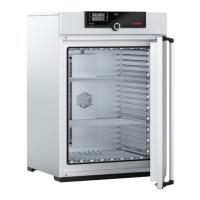
UE/BE 200-800, SE 200-400, ULE/SLE 400-800
UP/BP/ULP/SLP 400-800
6
7 Changing the controller module
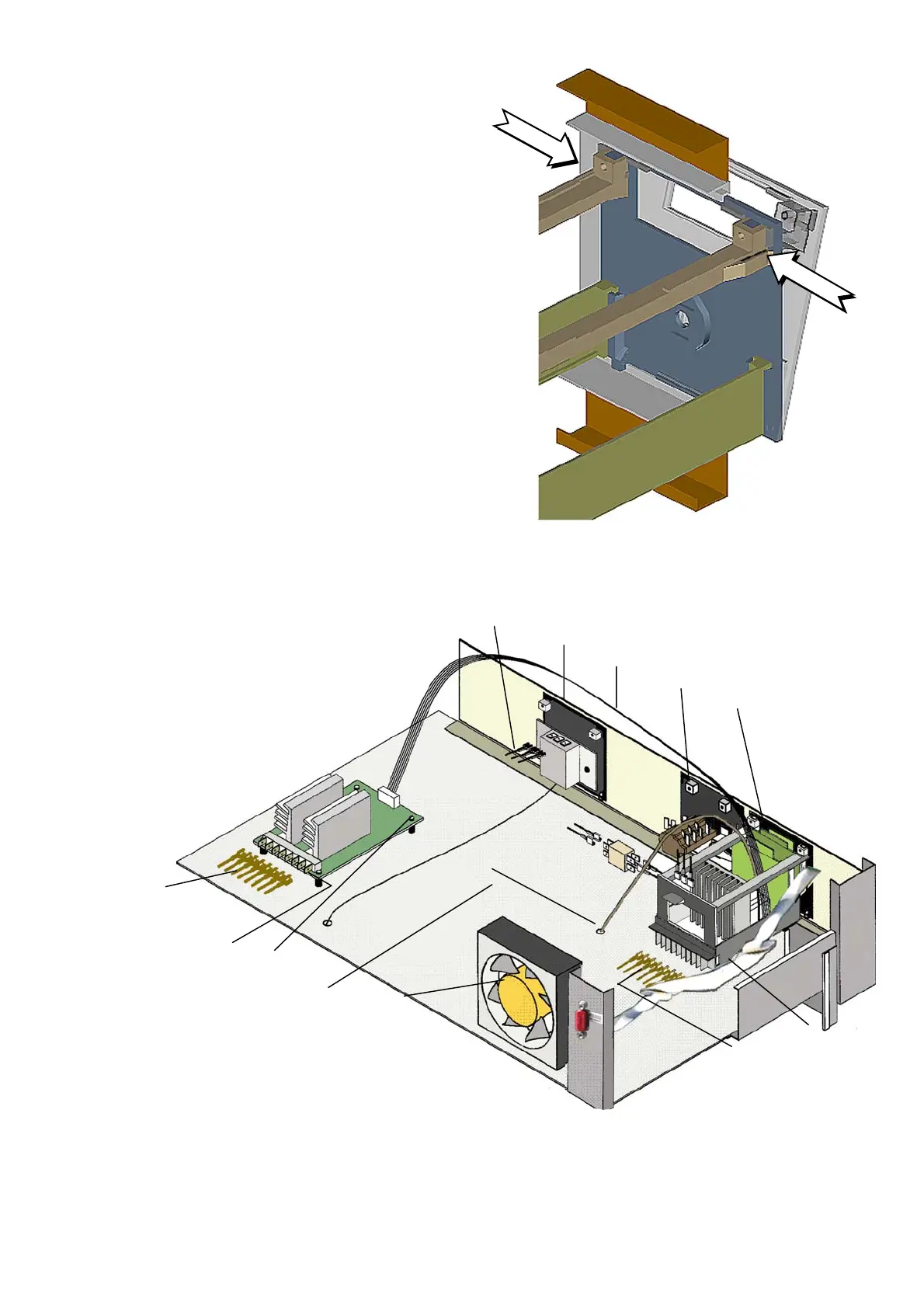
Unlock the electronic controller
modules by pressing the two locking
latches together.
Tilt controller forward and lift it slightly.
Pull out complete controller frame to the front.
7.1 Removing the working controller module / Class E
1
2
3
4
5
6
7
8
9
10
11
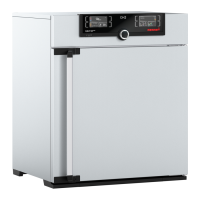
Working controller
Safety device
Additional power board
Ribbon cable working controller ↔ additional power board
Cable connectors working controller
Cable connectors safety device
Cable connectors additional power board
Mounting blocks
Fixing screws additional power board
Temperature sensor
Ribbon cable RS232
: only on 3 phases units
or 115 V
Remove top cover (see chap. 1).
Disconnect the cable connectors (5) from the
working controller (1) (if necessary mark them)
Disconnect RS 232 10-way ribbon cable (11) at the working controller
Disconnect PT100 connecting cable (10) (4-way connector) at the working controller
Disconnect 14-way ribbon cable (4) to the additional power board (9) at the controller
(if applicable)
Remove controller module according to chap. 7.
6
2
4
8
1
7
3
9
10
11
5
since 8.11.99 only on ovens with
300°C option



 To Next Page