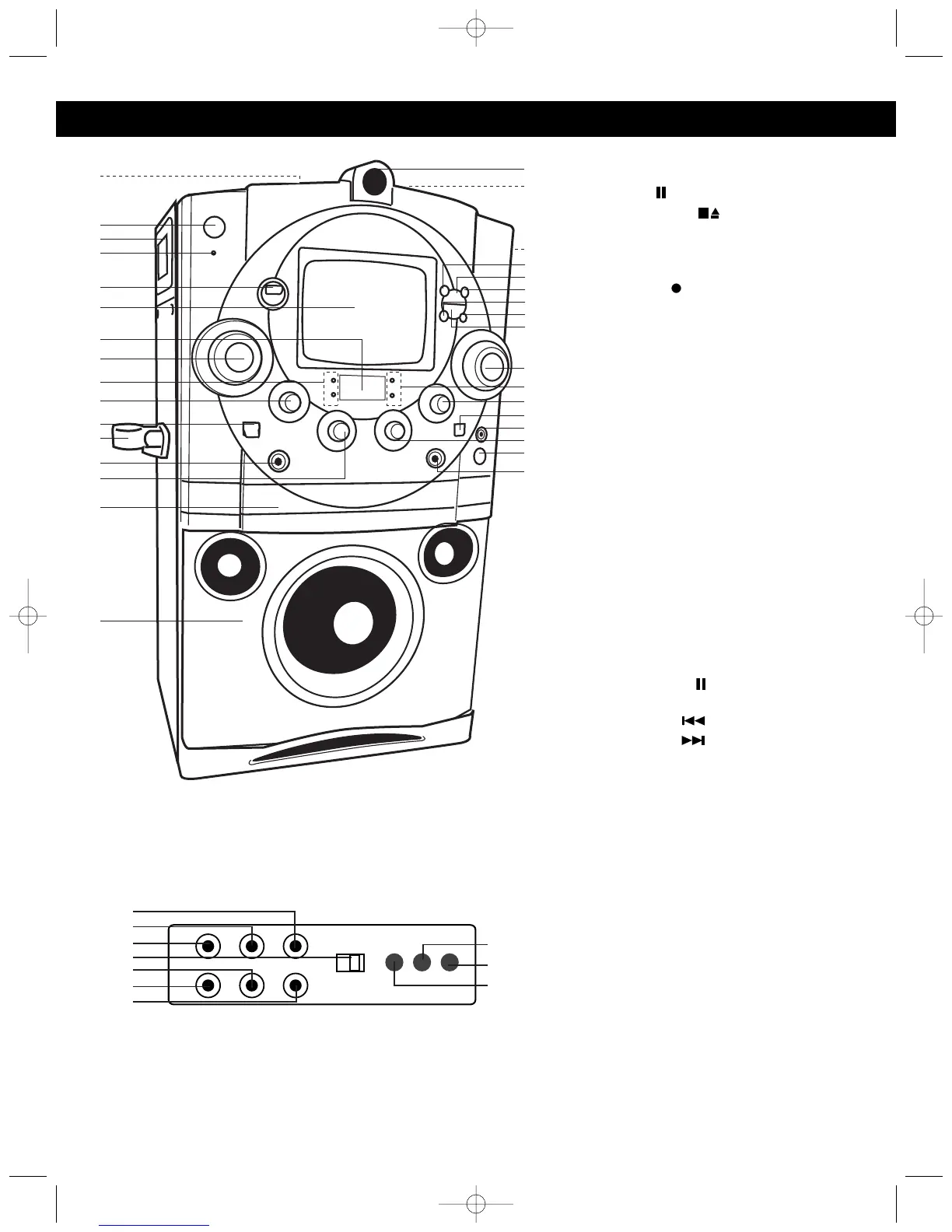
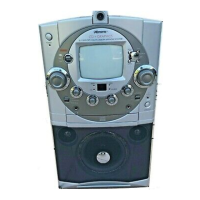
1. Cassette Buttons (from right to left) -
Top of Unit:
PAUSE ( )
STOP/EJECT ( )
FAST FORWARD ()
REWIND (¥¥)
PLAY ()
RECORD
()
2. POWER Button
3. Left Carrying Handle
4. POWER Indicator
5. FUNCTION Switch (CDG/TAPE/AUX)
6. Monitor Screen
7. CD Track Display
8. BALANCE Control
9. REPEAT and CDG Indicators
10. TONE Control
11. MONITOR Switch (CAMERA/CD
GRAPHICS/ MONITOR OFF)
12. Microphone Holder
13. MIC1 Jack
14. MIC 1 VOLUME Control
15. CD Compartment
16. Speaker
17. Video Camera with Camera Focus
Adjusting Ring
18.
Cassette Compartment
19.
Right Carrying Handle (Side of Unit)
20. REPEAT Button
21. Play/Pause ( ) Button
22. PROGRAM Button
23. Skip/Search Button
24. Skip/Search Button
25. Stop (■) Button
26. MASTER VOLUME Control
27. PROGRAM and PLAY/PAUSE
Indicators
28. ECHO Control
29. AUTO VOCAL Switch
30. PHONES (Headphones) Jack
31. MIC 2 VOLUME Control
32. CD Door OPEN/CLOSE Button
33. MIC2 Jack
34. Left AUDIO OUT Jack
35. Right AUDIO OUT Jack
36. VIDEO OUT Jack
37. CDG/CAMERA Switch
38. Right AUDIO IN Jack
39. VIDEO IN Jack
40. Left AUDIO IN Jack
41. CONTRAST Control
42. V-HOLD Control
43. BRIGHT Control




 To Next Page