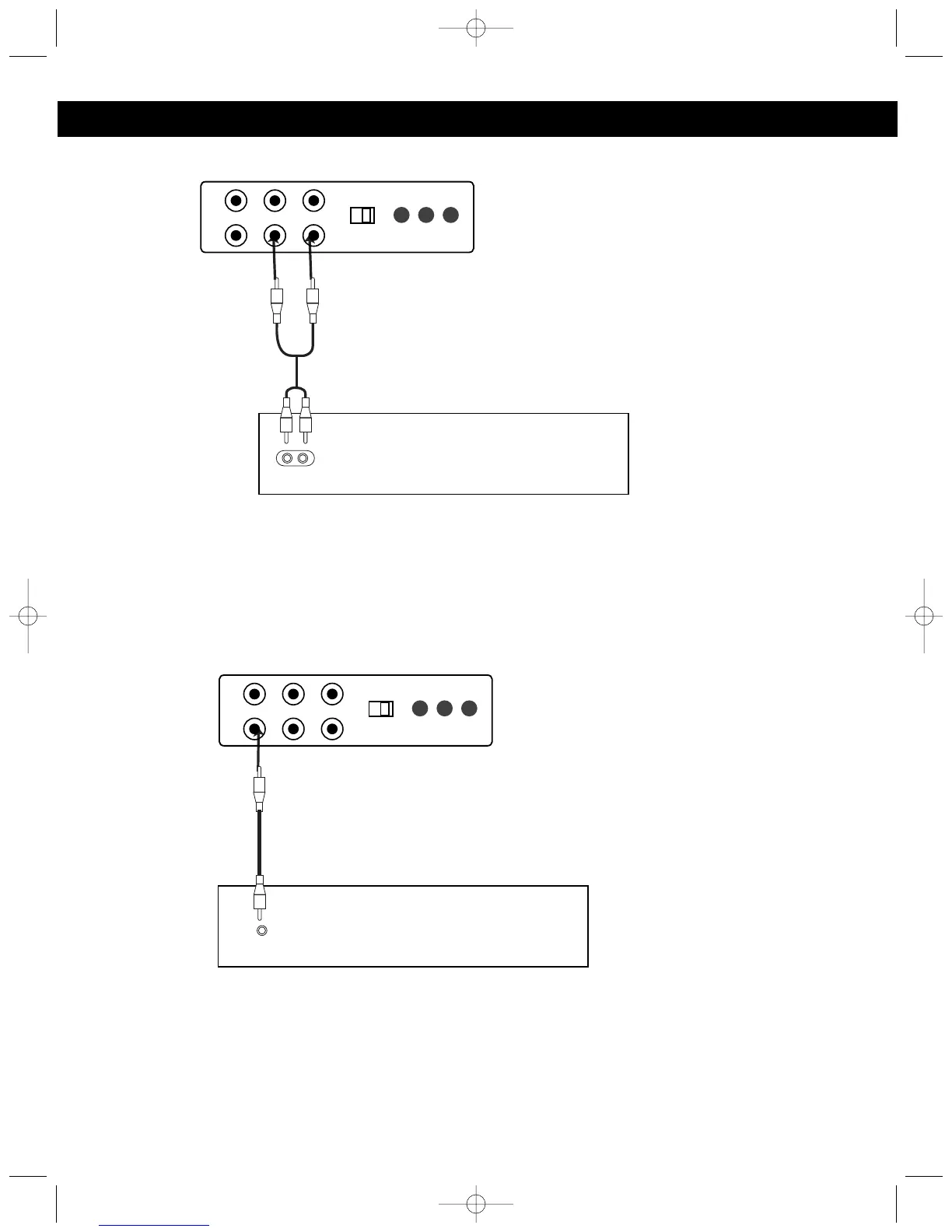
NOTES:
• Connecting the unit to an external audio source will allow you to broadcast the external unit’s sound through the
MKS8580’s speakers.
• When connecting the external unit, refer to the owner’s manual of the external unit, as well as this manual.
• When connecting the external unit, make sure the power is off and both units are unplugged before making any
connections.
CONNECTING AN EXTERNAL VIDEO UNIT
NOTES:
• Connecting the unit to an external video source will allow you to see the external unit’s video through the
MKS8580’s monitor.
• When connecting the external unit, refer to the owner’s manual of the external unit, as well as this manual.
• When connecting the external unit, make sure the power is off and both units are unplugged before making any
connections.
Slide the FUNCTION switch to the
AUX position when connecting
the unit as per this step.
Slide the FUNCTION switch to the
AUX position when connecting
the unit as per this step.







 To Next Page