User Menu 1 Testing Bells & Sounders
This option allows you to periodically test the
external sounders (bell and strobe) and
internal sounders.
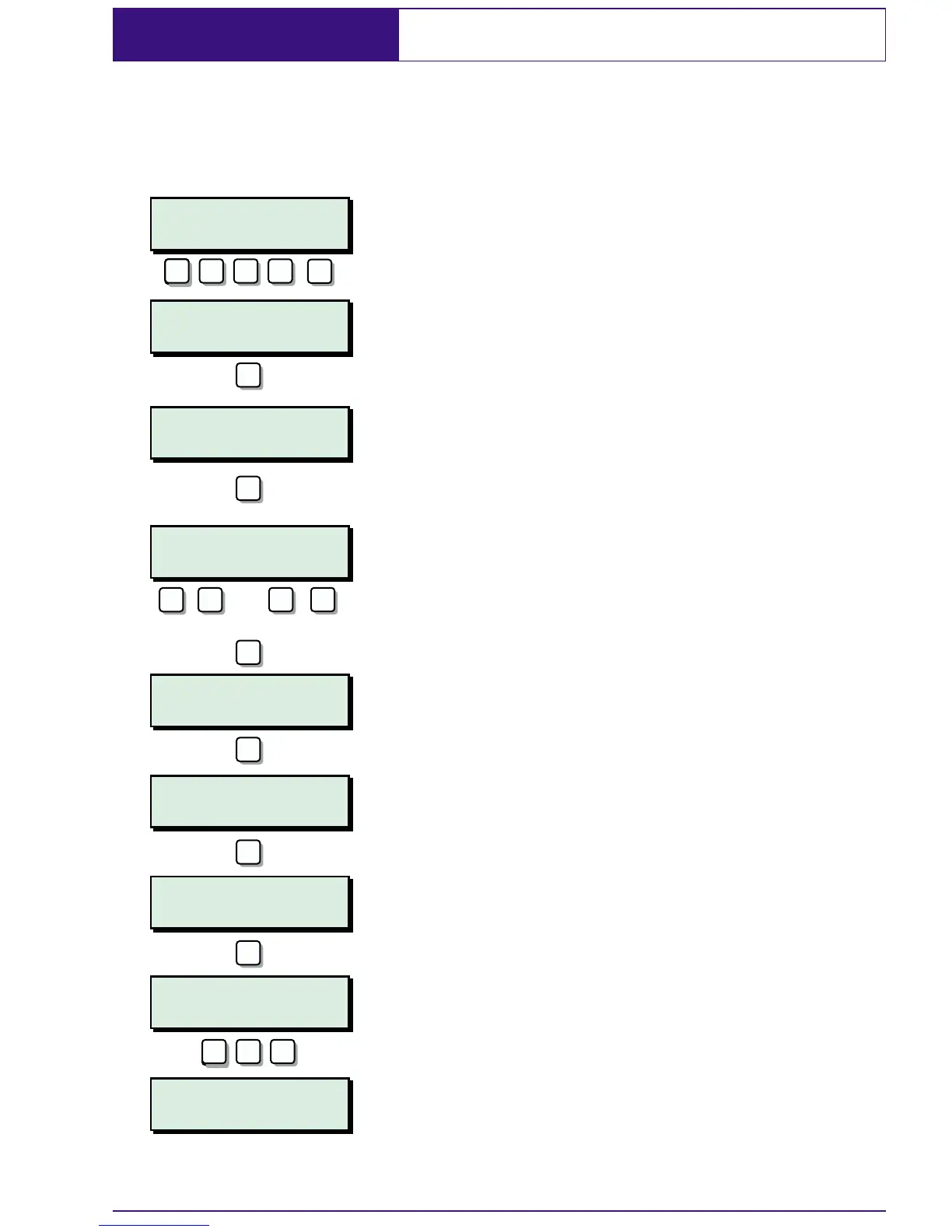
1. At the remote keypad enter your
passcode followed by
[.
2. Press 1 followed by [ to select the bell
test option.
3. The display will show which wards are
selected for bell test.
4. To select or deselect wardsA-Hpress 1
- 8. To select or deselect wardsI-Ppress
A then 1 - 8.
5. Once you have the required wards
selected press
[ to start the test.
6. The external sounder is active. Press [
for next test or ] to end.
7. The external sounder & strobe is active.
Press
[ for next test or ] to end.
8. The strobe is active. Press [ for next test
or
] to end.
9. The internal alarm sounder is active.
Press
[ to repeat all tests or ] to end.
10. Press ] twice to return the system to its
original state.
23
SYSTEM OPEN
17:30 Sun 01 JAN
User menu 1
Select option :-
User menu 1
Do Bell test
Bell test wards:
A,B,C,D,E,.,.,.,
Bell on only
ABCDE..........
Bell & strobe on
ABCDE...........
Strobe on only
ABCDE..........
Alarm sounder on
ABCDE...........
SYSTEM OPEN
17:40 Sun 01 JAN
1
ENT
ENT
???? ? ? ?
ENT
ENT
ENT
ENT
ENT
Select/deselect wards
ESCESC
ESC ESC ESC
1
A/
8
C
or
-


 To Next Page