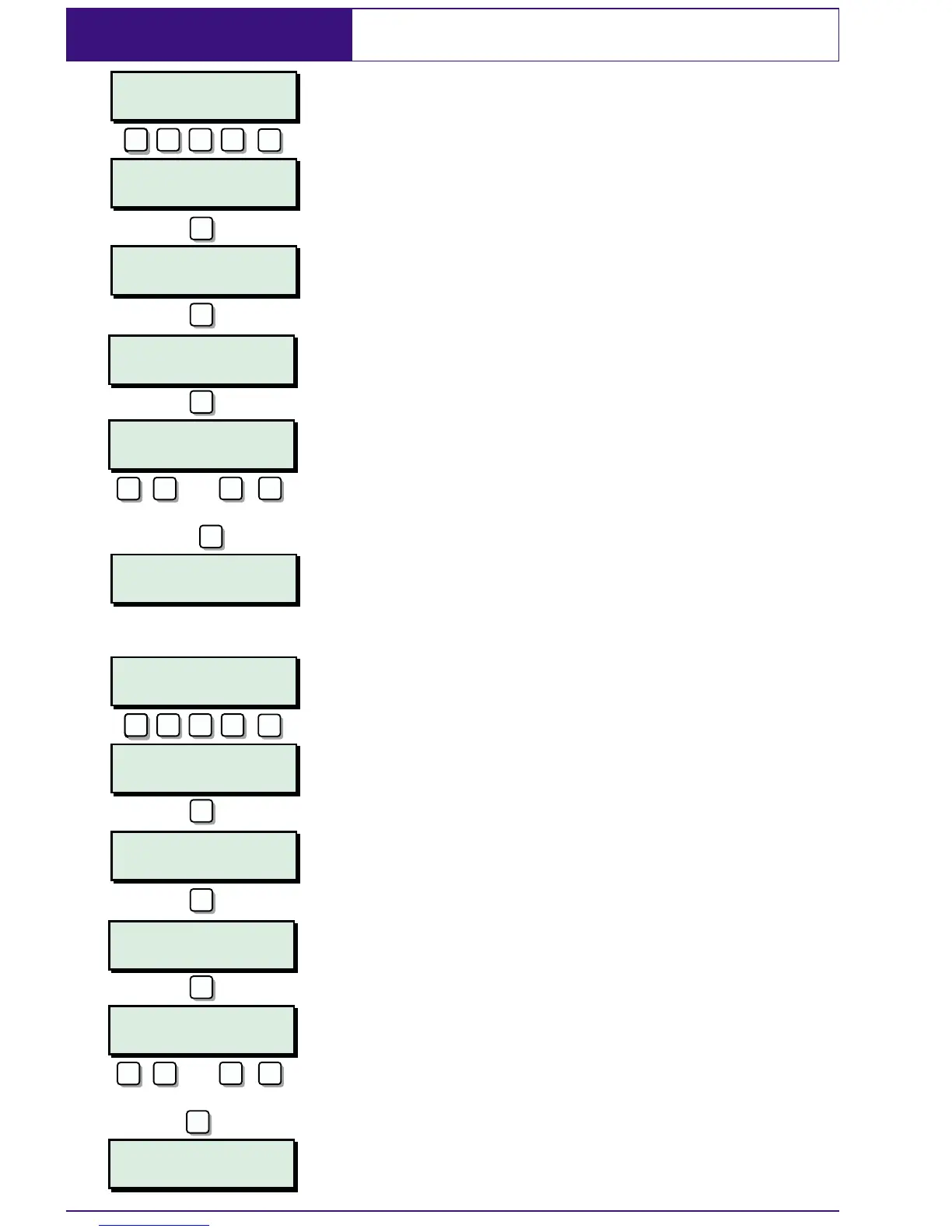
User Menu 1 Omitting a 24hr Group
This option allows you to omit a group of 24hr
detection circuits. The group is pre-defined
by the master user or alarm company.
1. At the remote keypad enter your
passcode followed by
[.
2. Press 6 followed [ to select the 24hr
omit option.
3. Press 1 to select omit wards. To select or
deselect wardsA-Hpress
1 - 8.To
select or deselect wardsI-Ppress
A
then 1 - 8.
4. When the required wards are displayed
press
[ to accept. The system will
automatically return to the unset
condition and the display will show
"WARDS ISOLATED! indicating that one or
more 24hr circuits within the selected
wards are isolated.
5. To reinstate the 24hr group repeat steps
1 to 4, except press
2 at step 3.
28
SYSTEM OPEN
18:00 Sun 01 JAN
WARDS ISOLATED
18:10 Sun 01 JAN
WARDS ISOLATED
18:00 Sun 01 JAN
SYSTEM OPEN
18:10 Sun 01 JAN
User menu 1
Select option :-
User menu 1
Select option :-
User menu 1
24hr omit/unomit
User menu 1
24hr omit/unomit
Omit Wards :-
A,*,*,.,.,.,.,.
Reinstate Wards:
A,*,*,.,.,.,.,.
1=OMIT 24hr
2=REINSTATE 24hr
1=Omit 24hr
2=Reinstate 24hr
ENT
???? ? ? ?
ENT
ENT
???? ? ? ?
ENT
6
6
1
2
ENT
ENT
ENT
Select/deselect wards
ENT
Select/deselect wards
1
A/
8
C
or
-
1
A/
8
C
or
-


 To Next Page