Battery Model 700A User's Manual
Page 6-6 Information in this document is subject to change without notice!!!
Although power conservation is a built-in function of your notebook, there are measures
you can take to reduce the power consumption:
y Use the AC power whenever possible (for battery only).
y Lower the intensity of the LCD backlight. A very bright screen translates to higher
power usage.
y Try to use the HDD or the PCMCIA drive to read and write files, rather than using
the FDD.
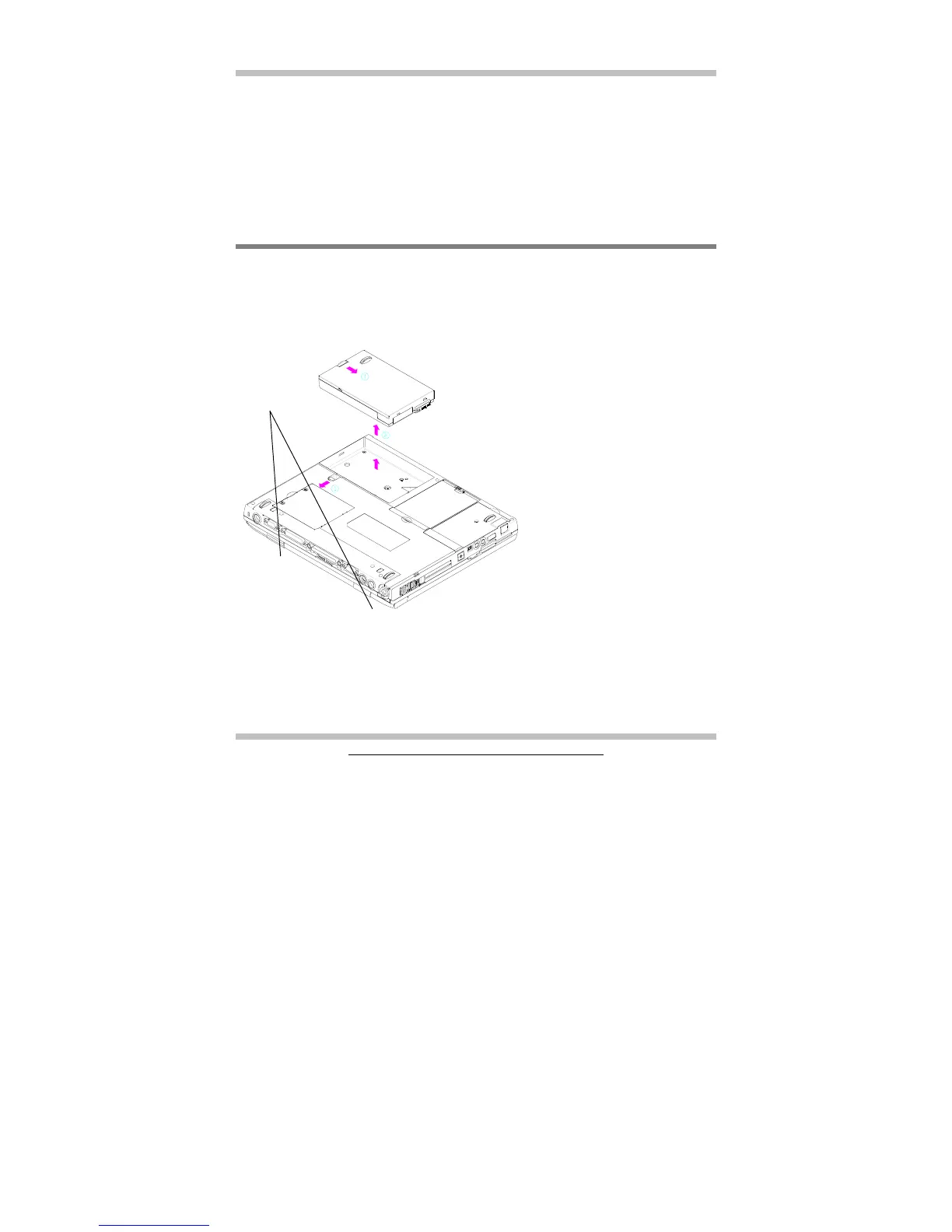
6.8 Removing/Inserting The Battery Pack
Your battery can easily be removed and replaced. Make sure that the computer is
powered off before changing. If you would like to change the battery while power is on,
make sure the AC Adapter is inserted or that you have saved your work via the Save-To-
Disk feature.
To insert battery, reverse the steps above.
Follow these steps to remove the
battery pack:
• Press the handle to the down-
left directions as shown by
arrow 1. At the same time,
press another handle to down-
right direction as shown by
arrow 1.
• Lift the battery pack up as
shown by arrow 2.
Pin holes for
optional Port
Replicator



 To Next Page