Appendix D Model 700A User's Manual
Page D-2 Information in this document is subject to change without notice!!!
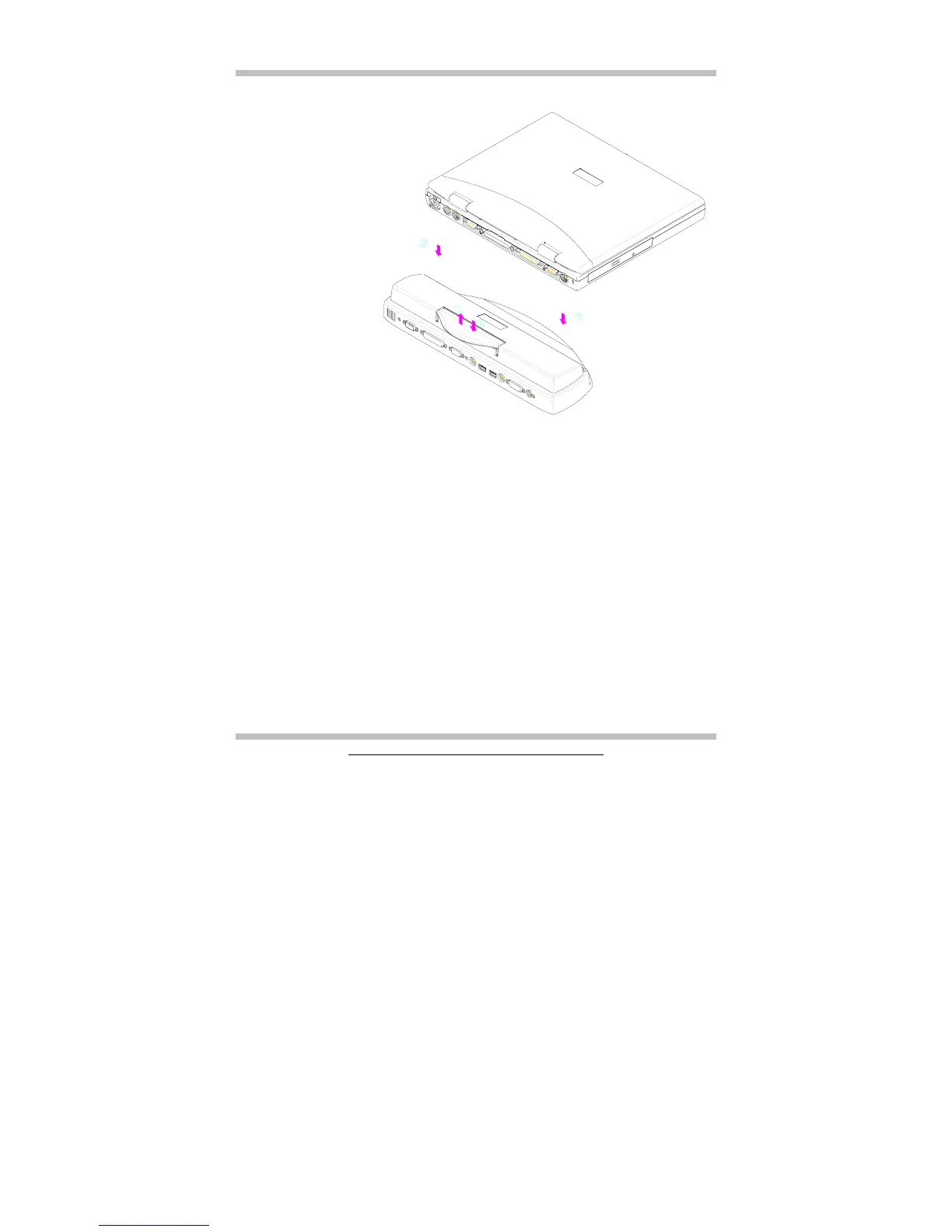
Follow the steps below to engage the Port Replicator:
• Lift up the handle as shown by arrow 1.
• Put the notebook system down as shown by arrow 2. Make sure the 2 pins are
pegged into the pin holes that are located on the chassis of the system unit.
• Press the handle down as shown by arrow 3.
Reverse the steps above to disengage the Port Replicator.



 To Next Page