Need help?
Do you have a question about the Mercury 877775A Series and is the answer not in the manual?
Required clearances for DTS Dual Handle Control installation.
Steps to locate and drill the mounting area for the control.
Routing wiring and securing the control unit into the opening.
Adjusting control handle and detent tension for desired feel.
Explains shift, throttle, trim switch, and neutral lights.
Details troll, transfer, throttle only, 1 lever, and sync button functions.
How to automatically match engine speeds for smooth operation.
Procedure for switching engine control between helms.
Using CDS for system calibration and adaptation.
Sets the location of each command module connected to the DTS system.
Adapting control handles to the DTS system.
Calibrating the CAN trackpad to the system.
Setting the location of each trackpad connected to the system.
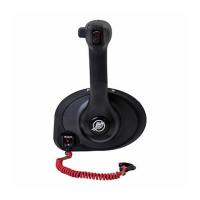
The 877775A DTS Dual Console Remote Control with CAN Trackpad is a sophisticated marine control system designed to provide precise and intuitive operation of a boat's engines. This system integrates throttle, shift, and various other functions into a compact and user-friendly console, enhancing the boating experience through advanced electronic control.
At its core, the DTS Dual Console Remote Control manages the shift and throttle functions of the boat's engines. Movement of the control handle directly translates to engine speed and gear selection. Pushing the handle forward from neutral engages forward gear, with further advancement increasing speed. Pulling the handle back from neutral engages reverse gear, with further retraction increasing reverse speed. This intuitive control mechanism ensures smooth and responsive maneuvering.
The system also incorporates a range of advanced features accessible via the integrated CAN trackpad. The "TROLL" button activates troll control, allowing the operator to set a precise engine speed for slow cruising or maneuvering, up to a maximum of 1000 RPM. Once a desired troll speed is set, the system remembers it for future re-engagement. Troll control can be disengaged by pressing the "TROLL" button again, moving the throttle to a different speed, or shifting the engine into neutral.
The "TRANSFER" button facilitates helm transfer, enabling engine operation to be transferred between different helms on the boat. This feature is crucial for multi-station vessels, providing flexibility in control. The "DOCK" button activates docking mode, which reduces throttle capacity to approximately 50% of normal, aiding in precise maneuvering in confined spaces. Docking mode is disengaged by shifting the engine into neutral and pressing the "DOCK" button again.
For engine warm-up without engaging gear, the "THROTTLE ONLY" button is provided. When activated from neutral, the control handle can be advanced to increase engine RPM, with an audible horn sounding to indicate engagement and the neutral light flashing. Engine RPM is limited in this mode to prevent damage. The "1 LEVER" button initiates single lever mode, allowing both engines' throttle and shift functions to be controlled by a single (port) control handle, simplifying operation in certain scenarios. This mode is disengaged by shifting into neutral and pressing the "1 LEVER" button again.
The "SYNC" button controls the auto synchronization feature, which automatically adjusts engine speeds to match the starboard engine. When the sync LED is yellow, conditions for synchronization are not met; when red, synchronization is engaged. Engines remain synchronized above 900 RPM, with control handles within 10% of each other, and below 95% throttle opening.
The DTS Dual Console Remote Control is designed for ease of use and adaptability. Its physical design includes clear mounting clearances, ensuring proper handle movement and wiring access during installation. The control handles themselves are ergonomically designed for comfortable and precise operation.
The system's electronic nature allows for sophisticated calibration and configuration. Before use, the product requires electronic calibration, which must be performed by an OEM or a Mercury technician trained in Digital Throttle and Shift systems. This calibration ensures the system operates safely and effectively.
Helm transfer is a key usage feature for multi-helm installations. The "TRANSFER" button initiates a 10-second window for the operator to match control handle settings at the new helm. Neutral lights flash faster as the handles approach the matched position, indicating readiness for transfer. This process ensures a smooth transition of control between stations.
The CAN trackpad provides visual feedback through LED indicators for various functions, such as sync status (yellow for conditions not met, red for engaged) and neutral lights (illuminated in neutral, flashing in throttle-only mode). These visual cues enhance situational awareness for the operator.
While the DTS Dual Console Remote Control is an electronic system, it incorporates several features that allow for user-level adjustments and professional maintenance.
The control handle tension adjustment screw allows the operator to increase or decrease the overall effort required to move the control handle. This is particularly useful in rough water conditions to prevent unwanted handle motion. The screw should not be turned clockwise more than 11 turns from the initial point of hex head contact to avoid damage.
Similarly, the detent tension adjustment screw allows for adjustment of the effort required to move the control handle into or out of detent positions. This provides customization for the operator's preference and can be adjusted by turning the screw clockwise to increase tension. This screw also has a limit of 11 clockwise turns from the full out position to prevent damage.
For professional maintenance and calibration, the system is designed to interface with the Computer Diagnostic System (CDS). The CDS tool allows technicians to monitor all electrical systems, perform diagnostics, and carry out necessary calibrations. This includes DTS System Calibration for non-shadow mode applications, DTS Vessel Configuration (setting command module locations), DTS Handle Adaptation (calibrating handle movement), and CAN Trackpad Calibration (configuring trackpad locations and ensuring proper communication).
The CDS connection process involves connecting a CAN 1 diagnostic cable between the junction box and the CDS SmartComms box, and then connecting the SmartComms box to the CDS tool. During calibration, the ignition key switch must be in the "RUN" position, and the CDS tool must be communicating with the command module. The CDS provides feedback on communication status, with flashing red or yellow SmartComm icons indicating connection issues.
The ability to configure the CAN trackpad, including selecting the number of helms and trackpads, and assigning city IDs, ensures that the system is correctly set up for the specific vessel's configuration. This detailed calibration and diagnostic capability allows for precise adjustments and troubleshooting, ensuring the long-term reliability and optimal performance of the DTS Dual Console Remote Control.
 General
| Type | Remote Control |
|---|---|
| Model | 877775A Series |
| Range | Up to 30 feet |
| Mounting Type | Handheld |
| Battery Type | AAA |
| Battery Life | 12 months |


 To Next Page