Section 2 - Initial Screens and Setup Wizard
90-8M0087257 eng DECEMBER 2014 Page 9
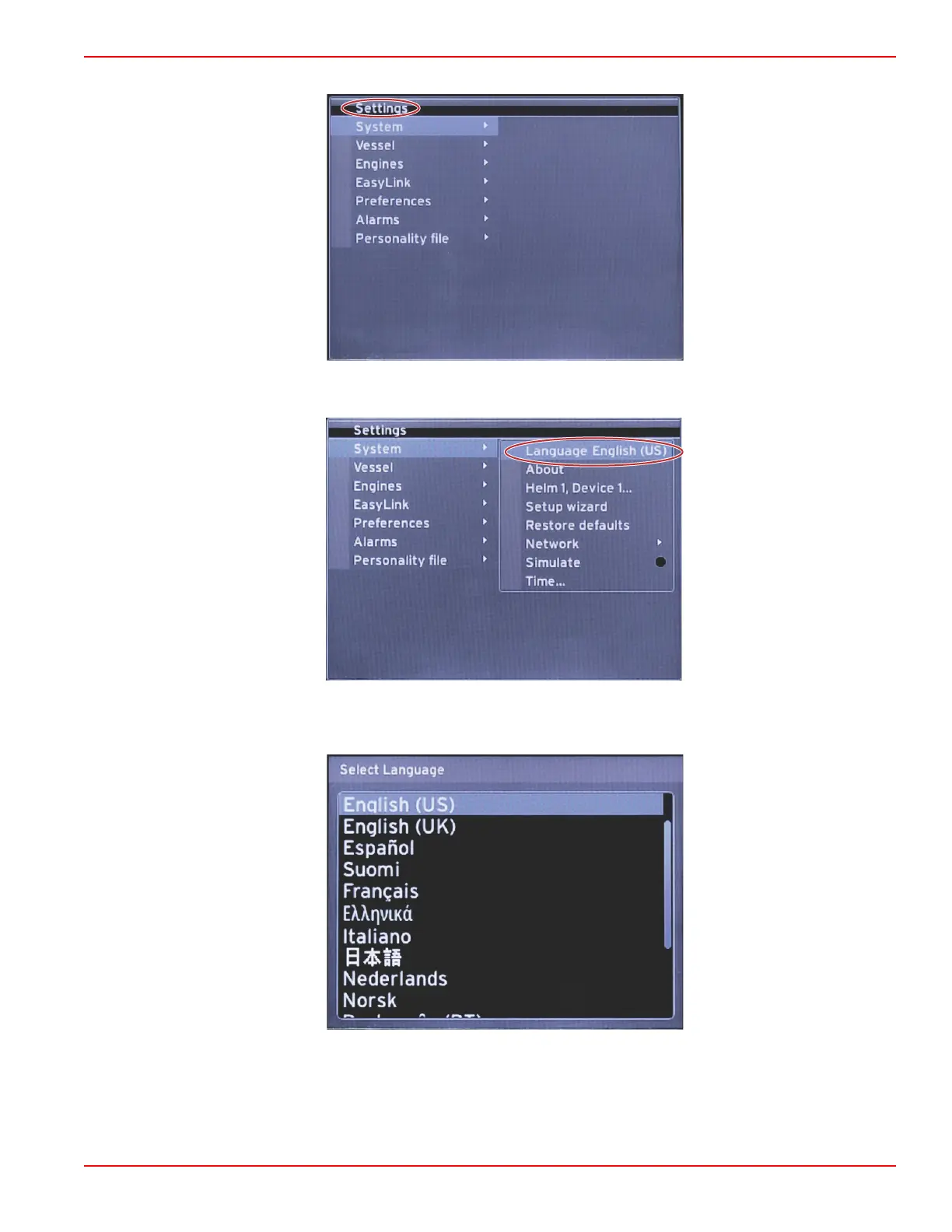
1. With the SETTINGS icon highlighted, press the ENTER button. the SETTINGS menu screen will appear.
2. Press the ENTER button to access the fly‑out menu of System options and select Language.
3. Select the language that you want VesselView to display. Use the LEFT and RIGHT arrow buttons to scroll through the
language choices. Press the ENTER button to make the selection.



 To Next Page
 Loading...





