Section 2 - Initial Screens and Setup Wizard
90-8M0087257 eng DECEMBER 2014 Page 15
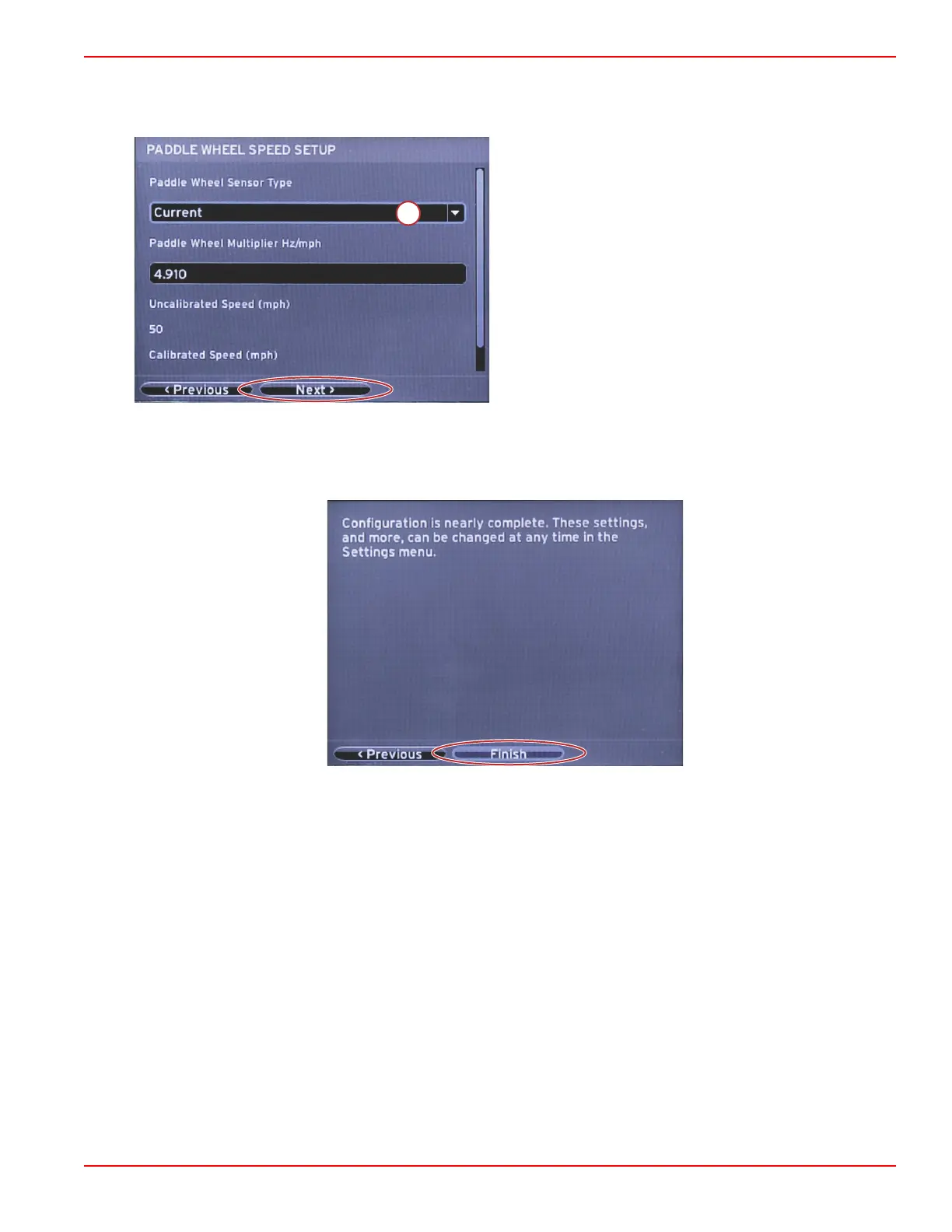
If the paddle wheel source was selected, the Paddle Wheel Speed Setup screen will appear. Use the Paddle Wheel Sensor
Type drop‑down to select the appropriate option. After selection, highlight Next using the RIGHT arrow button and press
ENTER to continue.
a - Paddle wheel sensor type field
Finishing Setup Wizard
Highlighting Finish using the RIGHT arrow button and pressing ENTER will complete the Setup Wizard on the VesselView. Do
not power off the unit until the Finish screen is replaced by the vessel activity screen.



 To Next Page
 Loading...





