34
Chapter 4 Congure the Router in Wireless Router Mode
4. 5. Parental Controls
Parental Controls allows you to set up unique restrictions on internet access for each
member of your family. You can block inappropriate content, set daily limits for the total time
spent online and restrict internet access to certain times of the day.
I want to:
Block access to inappropriate online content for my child’s devices, restrict internet
access to 2 hours every day and block internet access during bed time (10 PM to 7 AM) on
weekdays.
How can I do that?
1. Visit http://mwlogin.net, and log in with the password you set for the router.
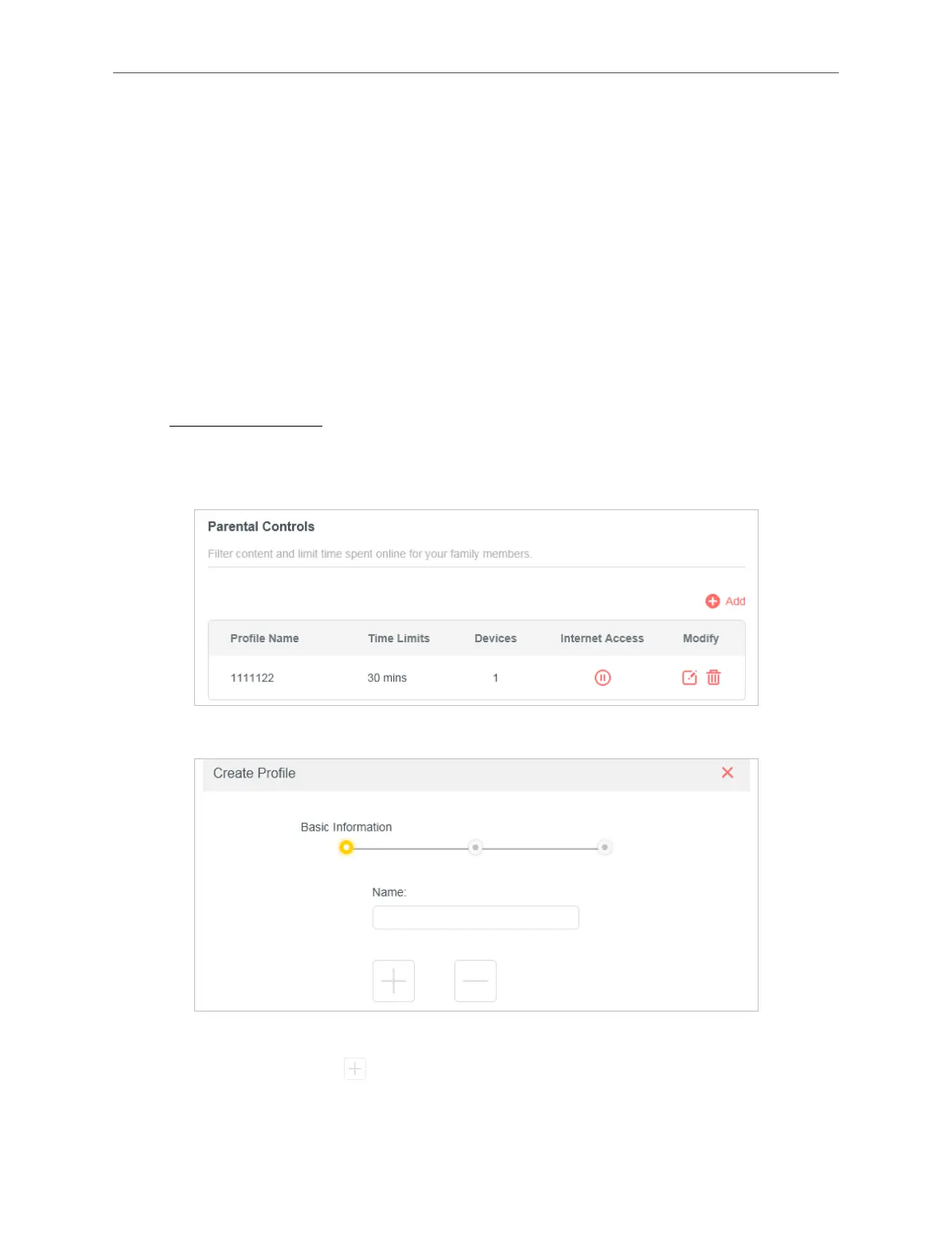
2. Go to Advanced > Parental Controls.
3. Click Add to create a profile for a family member.
4. Add basic profile information.
1 ) Enter a Name for the profile to make it easier to identify.
2 ) Under Devices, click .
3 ) Select the devices that belong to this family member. Access restrictions will be
applied to these devices. Click ADD when finished.



 To Next Page