24
Using the display touchscreen
The next several pages will review the displays that are accessible to you now that the CleanTech
®
station has been setup, configured and solution cartridges have been
installed. These areas of the display can be accessed at any time now that the station has been setup.
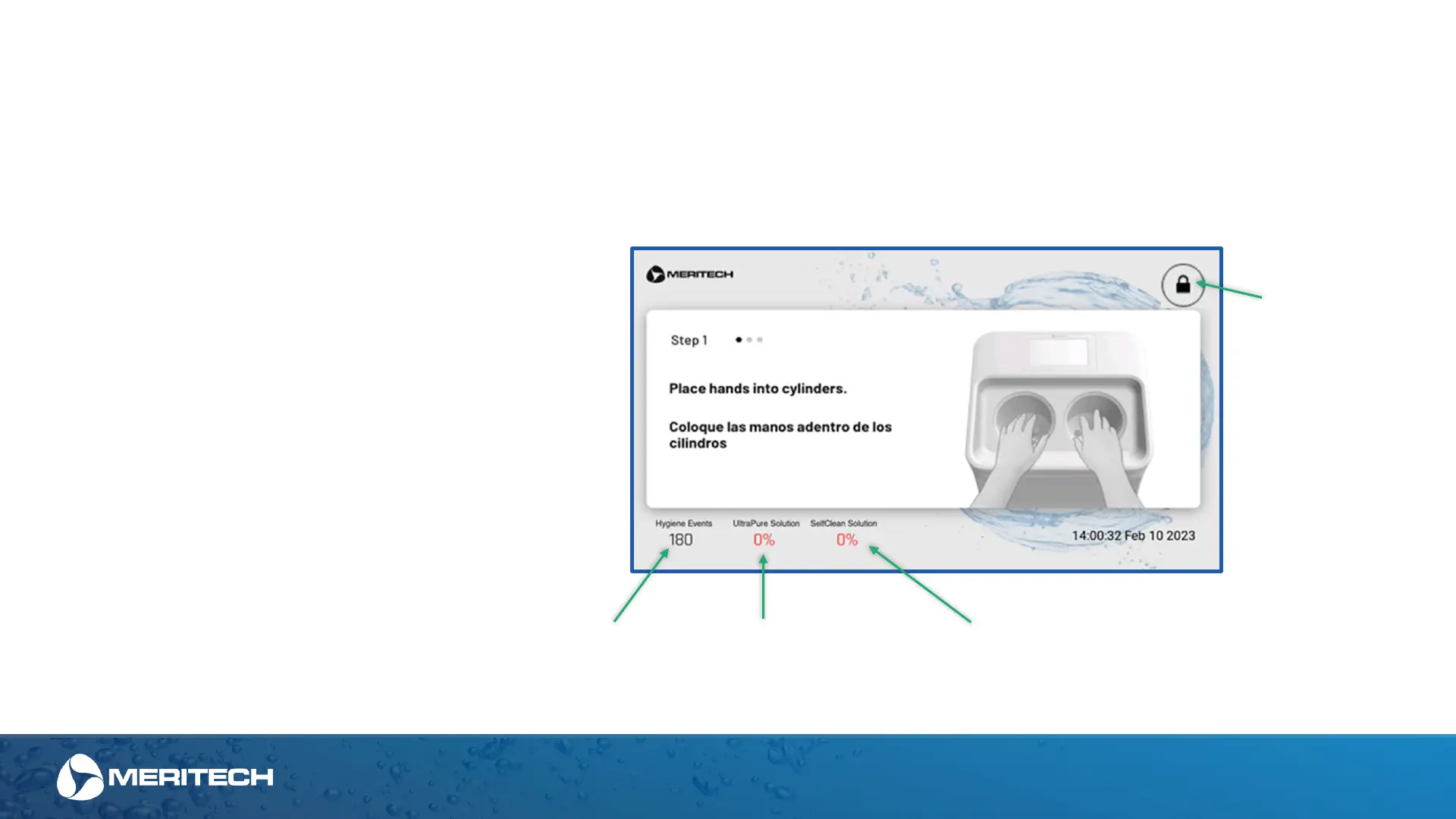
Navigating the Home Screen
Unlock Screen
for Main
Admin Menu
Total Hygiene
Events
% UltraPure
Remaining
% SelfClean
Remaining
The home screen will always show on the
CleanTech
®
EVO station.
This screen will cycle through the handwashing
instructions (shown on the next page) and will
display key information including:
• Date and time (this can be configured in settings
if not connected to Wi-Fi)
• Remaining hygiene events and hygiene solution
levels for UltraPure and SelfClean (if applicable)
• Lock icon for quick access to the administrative
area for additional settings.


 To Next Page