27
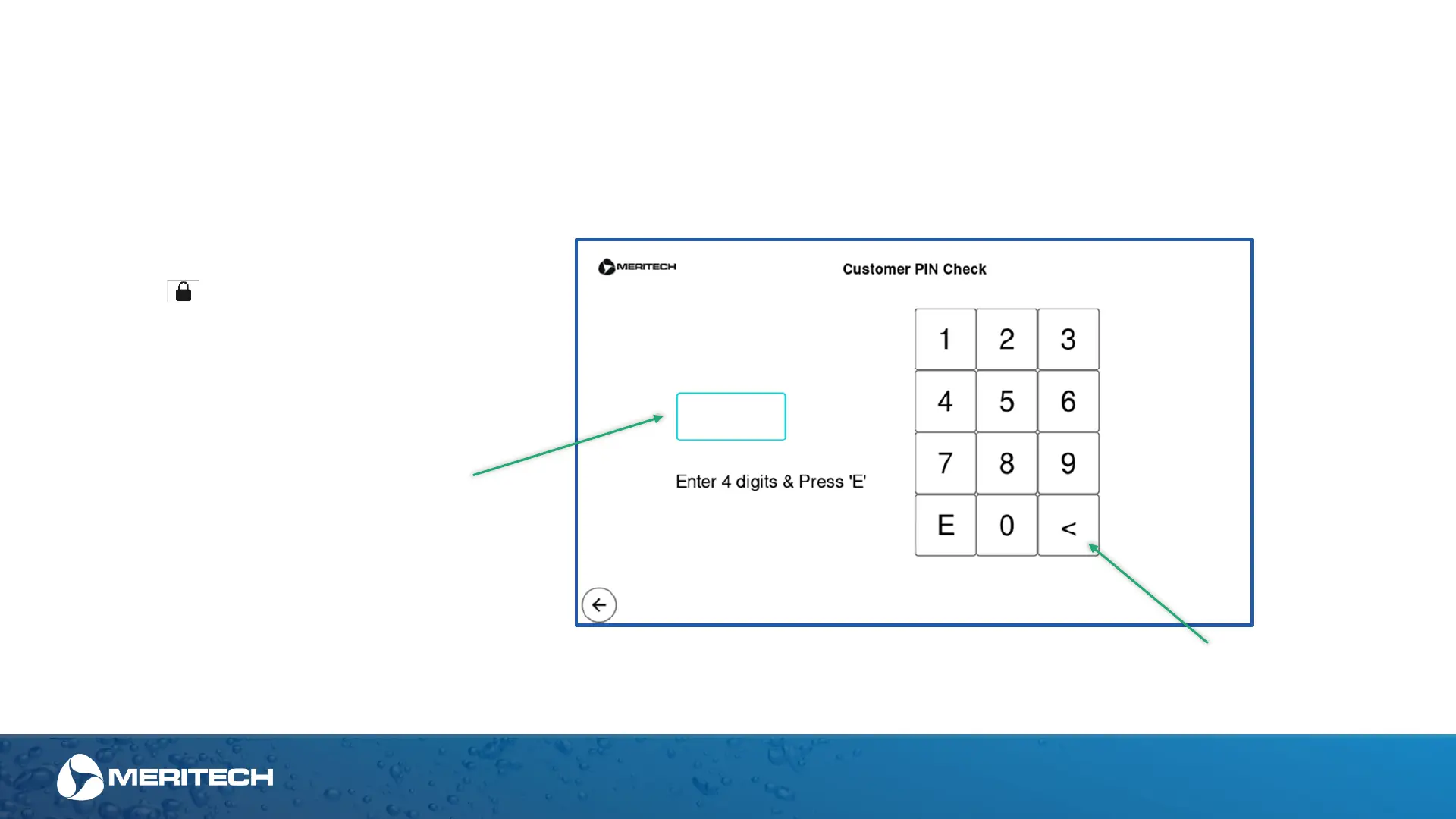
Enter Last 4 Digits of Customer #
and press "E" (enter)
Once You Touch the Lock
Symbol , on the home screen, the
Customer PIN Check Screen Appears.
Enter Last 4 Digits of Customer # and
Press “E” to Access Main Menu
Return to Previous Menu
Administrative Area of the Touchscreen Display
The next several pages will review the displays that are only accessible to administrators who are authorized with the pin toconfigure the station and view
hygiene compliance information. These areas of the display can only be accessed with the customer pin.
Customer Pin Check


 To Next Page