Need help?
Do you have a question about the MERITECH CleanTech EVO Wall and is the answer not in the manual?
Guidance and contact information for assistance with the CleanTech® EVO station.
Details technical specifications including dimensions, weight, and features.
Explains safety devices like ASSE 1070 and ASSE 1024 for regulatory compliance.
Explains the benefits of using Meritech's specific hygiene solutions for optimal performance.
Step-by-step instructions for unpacking and installing UPx and SelfCleanx hygiene solution cartridges.
Provides visual steps for installing the UPx UltraPure Hand Hygiene Solution cartridge.
Outlines the procedure for installing the SelfCleanX hygiene solution cartridge.
Explains the process of priming the system after solution installation for the first user.
Details the initial screens presented during the system setup process.
Describes the information displayed on the Home screen, including status and hygiene events.
Details the steps for proper handwashing displayed on the screen for user guidance.
Explains the function of the 12-second countdown timer during the handwash cycle.
Details the process of entering a customer PIN to access administrative menus.
Presents the main menu options available within the administrative area.
Explains how to adjust system settings like network, units, date/time, and language.
Details how to configure and manage network connections for the station.
Allows switching between Imperial and Metric units for system display.
Explains manual adjustment of date and time if not connected to Wi-Fi.
Covers adjustment of Auto Warm Up and Over Temp Shutdown features.
Describes how to set the display language for the handwashing station.
Provides real-time data on facility and system health, solution levels, and error codes.
Offers resources for onboarding staff and learning about solution changes.
Features for managing hygiene events, including Auto Count Reset and historical data.
Displays system model, serial number, and calibration information.
Provides a schedule for daily, weekly, and quarterly cleaning and maintenance.
Guidelines for safely cleaning and disinfecting the touchscreen display.
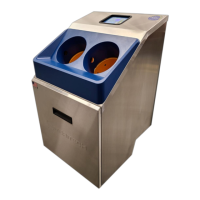
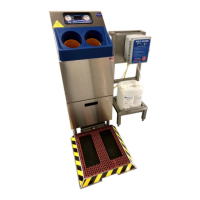
Identifies the visible external parts of the CleanTech® EVO station.
Details the internal parts and assemblies of the CleanTech® EVO station.
Details the warranty coverage, exclusions, and disclaimer for the Product.
Specifies the standard terms and conditions applicable to customer sales.
 General
| Technology | Touch-Free Operation |
|---|---|
| Installation | Wall-Mounted |
| Hose Length | Not Applicable |
| Dimensions | Varies by model |
| Weight | Varies by model |
| Warranty | 1 Year |

 To Next Page