36
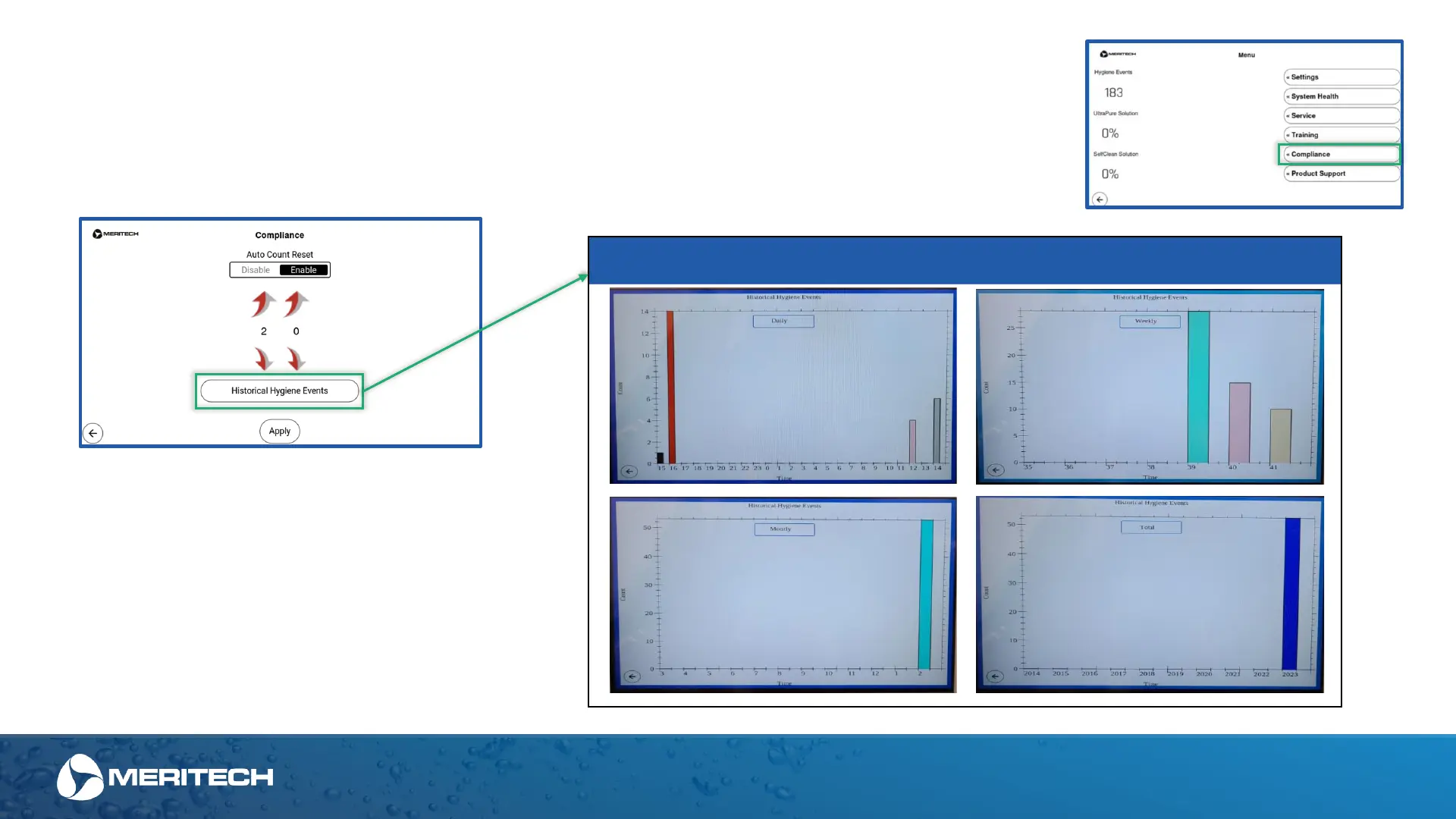
Within the Compliance menu you will be able to perform a few functions
Enable or Disable the Auto Count Rest. Auto Count Reset allows for a time of day you chose for the Hygiene Events in
the Home screen to be reset to zero. When feature is Enabled, the standard time is 2 AM. This reset does not clear the
Historical Hygiene Event log or master counter for the station
Admin Area of the Touchscreen Display
Compliance
When the Historical Hygiene Events button is
pressed, you can see histogram graph of the
hygiene events for each EVO handwashing
station.
When you click on the word "daily" there is a
dropdown menu allowing you to see the data in
several configurations to meet your needs
including daily, weekly, monthly and total.
Historical Hygiene Events


 To Next Page