31
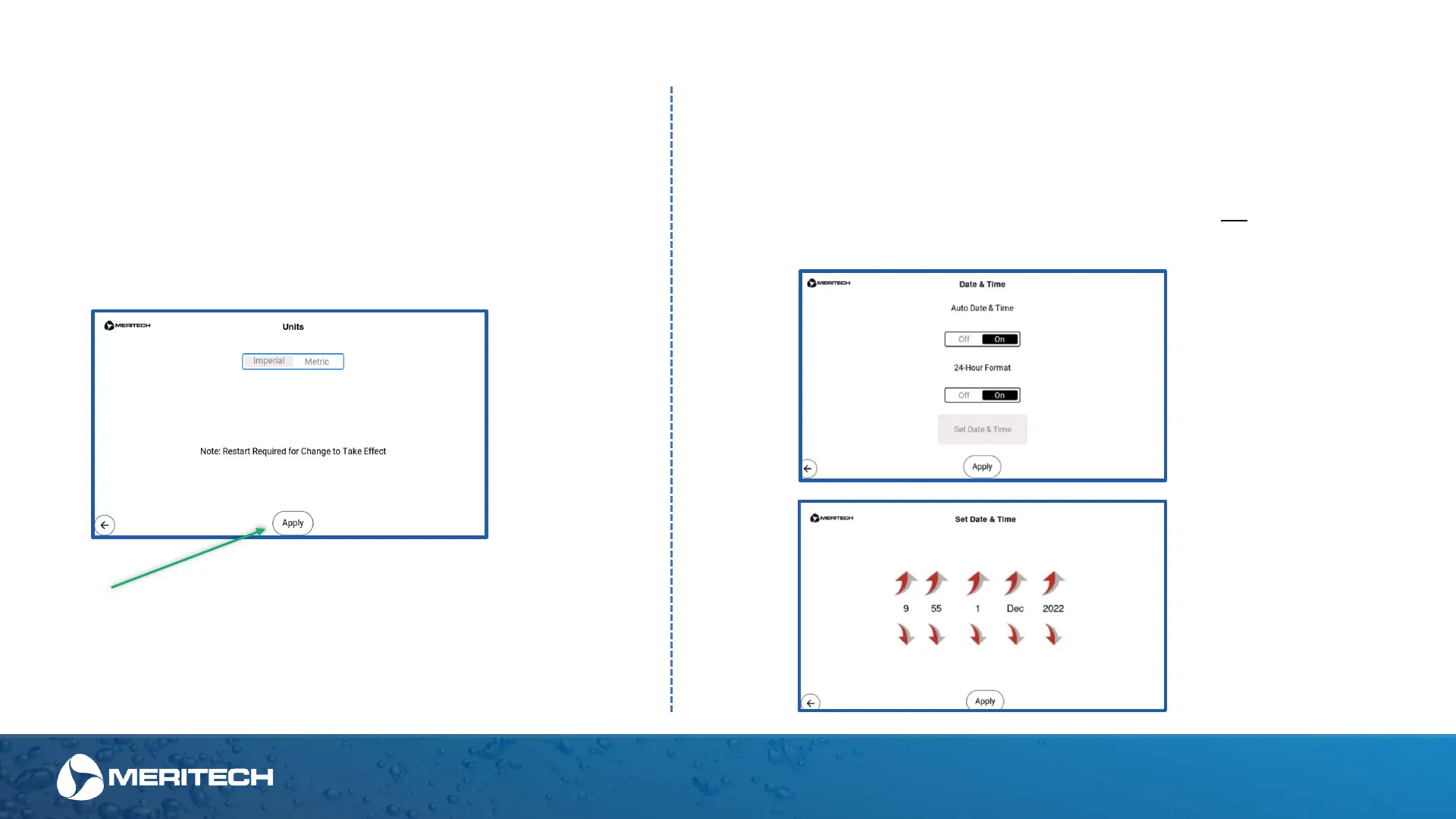
Units' menu you allows you to
switch from Imperial to Metric.
Note that a system restart will be
required for the changes to take
effect
Once selection is made, always hit the
“Apply” button to confirm selection
Admin Area Settings - Units
Admin Area Settings - Time
If connected via Wi-Fi the Date & Time function will be automatic
and will not need to be adjusted.
Only use this menu to adjust Date & Time manually if not
connected to a Wi-Fi network
Hours – Minutes – Day – Month - Year


 To Next Page