KEYLESS DEVICE PROGRAMMING
(
OPTIONAL ACCESSORIES )
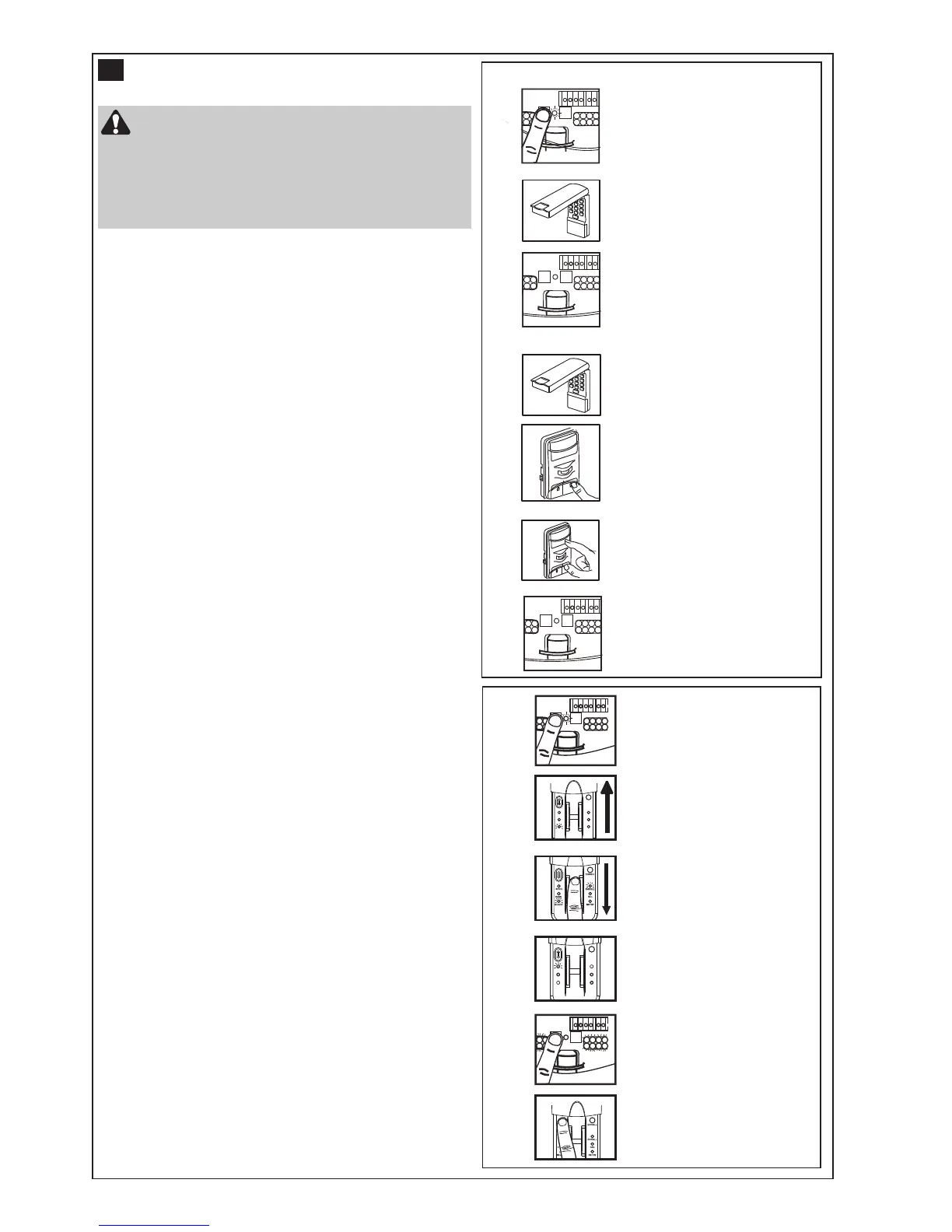
Wireless Keypad C840 or 8747AML
Using the purple (learn) button:
1.Press and release the purple LEARN button (1) on the
opener, the orange LED will light.
2.Within 30 seconds, enter a four digit personal
identification number (PIN) of your choice on the
keypad (2), then press and hold the ENTER button.
3.Release the button when the opener courtesy LEDs
flash once (3), the code is learned.
Alternate programming method using the motion
detecting control panel (optional accessory):
NOTE: This method requires two people if the
keyless entry is already mounted outside the
garage.
1.Enter a four digit personal identification number (PIN)
of your choice on the keypad, then press and hold
ENTER.
2.While holding the ENTER button, press and hold the
LIGHT button on the motion detecting control panel.
3.Continue holding the ENTER and LIGHT buttons while
you press the push bar on the motion detecting control
panel (all three buttons are held).
4.Release buttons when the opener courtesy LEDs flash
once.
Activate the opener only when the door is in full
view, free of obstruction and properly
adjusted. No one should enter or leave garage
whilst the door is in motion. Do not allow children to
operate push button(s) or transmitter(s). Do not
allow children to play near the door.
18
Wireless fingerprint access system C379
Full instructions are available with this accessory.
Once you have enrolled your user into the C379 you
can program the unit into your opener.
Using the learn button:
1.Press and release the learn button on the opener, the
orange LED will light.
2.Within 30 seconds, slide the cover of the C379 up as
illustrated (A). Swipe your finger on the reader head
at a steady speed (B) until the yellow led turns on (C).
3.When the courtesy LEDs flash it has learned the
code. Ensure there are no obstacles in the path of the
door, then press the send button (D) to test the door.



 To Next Page