Merrychef conneX
®
Installation and User Manual
Running and saving a cooking profile
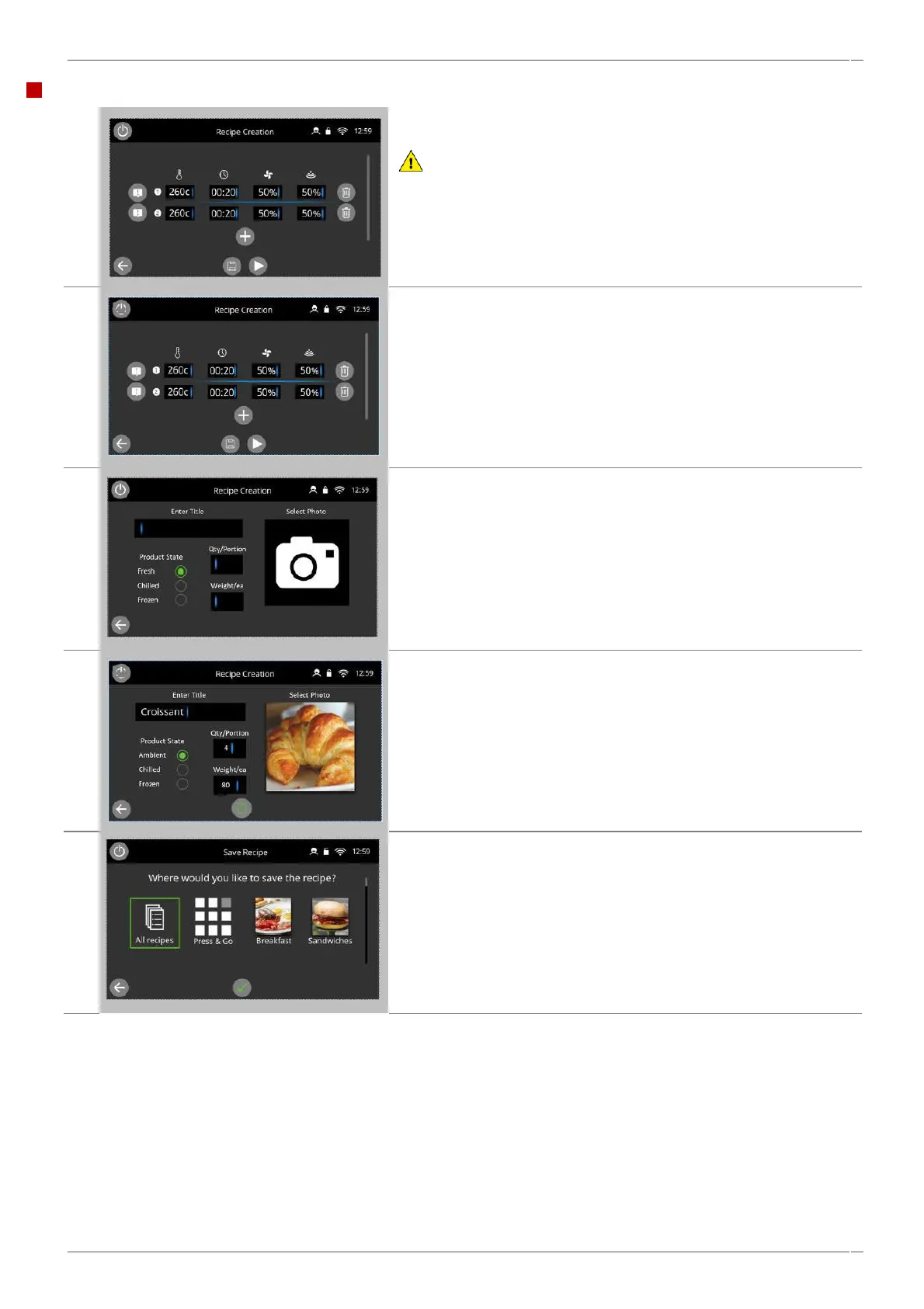
Press the ‘play’ button to test the recipe program created.
WARNING:
Ensure that a food product is in the cavity and that all safety
precautions are followed before running the cooking profile.
Select the 'save' symbol to record the cooking profile to the cookbook.
Complete the 'recipe card' details including the recipe title, product
state, quantity/portion size, and weight/each designation for the
recipe, and select a photo.
Quantity and portion and weight are defaulted but should be
changed specifically to the product.
Selecting the 'save' icon will take you to areas within the current
cookbook structure where you can save the recipe file.
'All recipe' is always selected, but you can also select Press & Go or
existing cookbook categories currently on the oven.
By confirming with the green tick, the recipe file is saved to the
specified locations.



 To Next Page