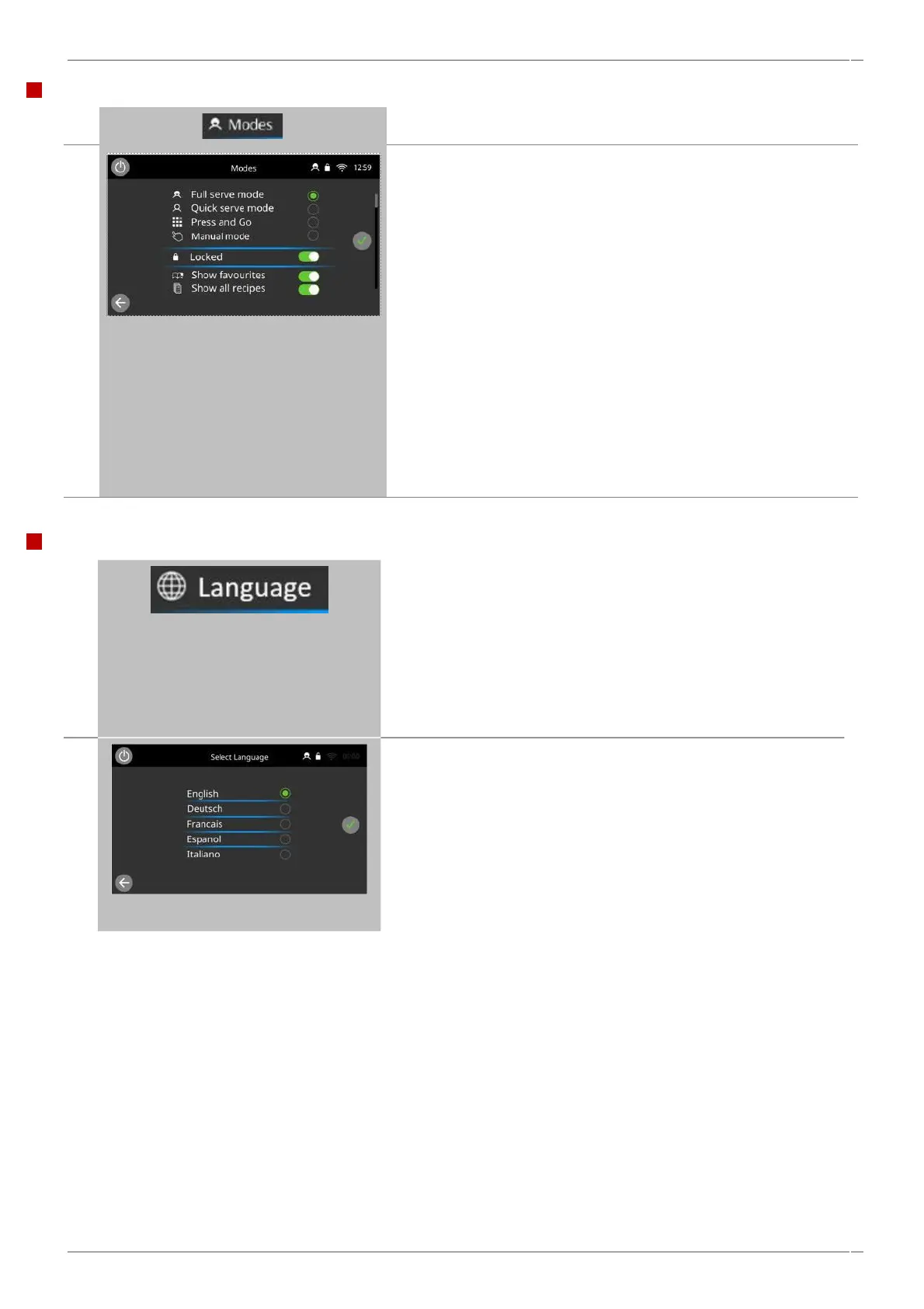
Select the button of the required language from the list shown.
Note: ONLY 1 language selection is possible at any one time.
Note: Language selection enables on oven prompts, warnings and
errors, to operate in the designated language, please ensure that
recipe files or cook books are also available in these languages,
otherwise these will default to English.
Select 'QUICK SERVE MODE' for cooking only.
Toggle 'LOCKED' to the on position (Green) or OFF (Grey) Select 'FULL
SERVE MODE' to display the main menu screen. The ‘chef’s hat’ is
then used for creating cooking profiles.
Select 'PRESS & GO' MODE to quickly access recipe files only (Ideal for
small menus)
Select 'MANUAL MODE' to manually cook only via the 'chef's hat'
symbol on the main menu screen, cooking profiles cannot be created
in manual mode.
Select ‘SHOW FAVORITES’ to display the favourites icon in your
cookbook screens.
Select ‘SHOW ALL RECIPE’ to display the ‘all recipes’ icon in your
cookbook screens.
NOTE: Show all favourites and show all recipes are not available
selections in Press & Go or Manual Modes.
When finished, select GREEN TICK to save and return to the main
settings menu.



 To Next Page