Merrychef conneX
®
Installation and User Manual
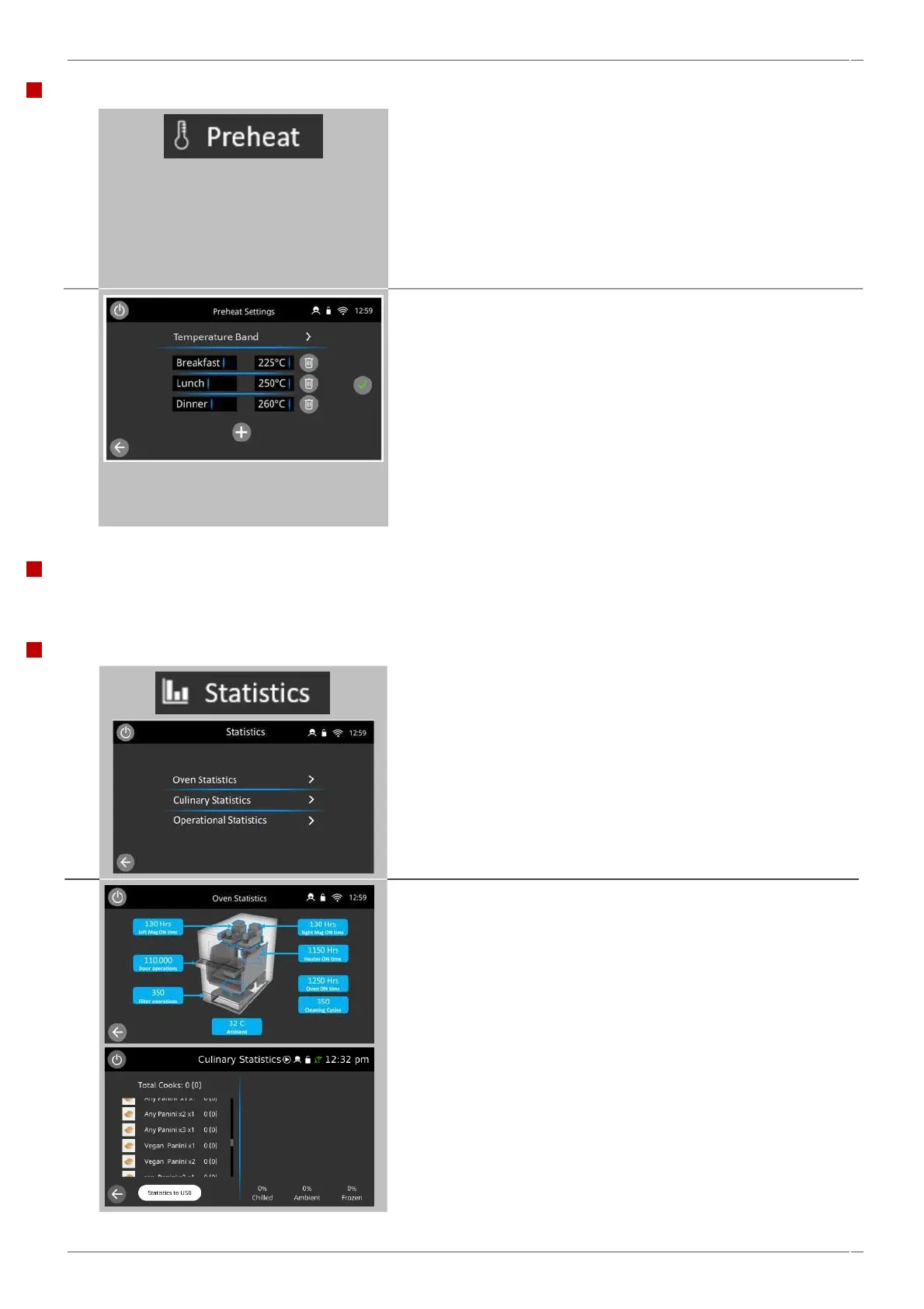
Select the ‘Preheat’ icon.
Up to six pre-heat temperatures can be set.
Note: The temperature options screen is only displayed at start up
when two or more cavity temperatures are set above minimum.
Select the ‘plus’ button to add a cavity preheat temperature.
Select the preheat temperature box to enter or change a preheat
value.
Select the preheat name box to enter or change the preheat name for
that preheat.
Select the ‘trash’ button next to a preheat to delete the preheat.
Adjustment to the oven’s temperature band can also be made by
selecting the temperature band selection at the top of this list.
When finished, select green tick to save the selections.
Select the ‘Statistics’ icon to display variable statistics for the oven.
Including:
Oven Statistics
Culinary Statistics and
Operational Statistics screens
Selecting any of these shows’ oven performance logging
Oven statistics: displays operational cycles of key components and
systems.
Culinary statistics: displays recipe usage information. Insert a USB
stick into your oven and download your statistics directly from your
oven.
Cavity temperature settings and preheat labels
Service information and error logs
For service information and error logs refer to 'Rectifying faults' section 12.
Statistics



 To Next Page