Merrychef conneX
®
Installation and User Manual
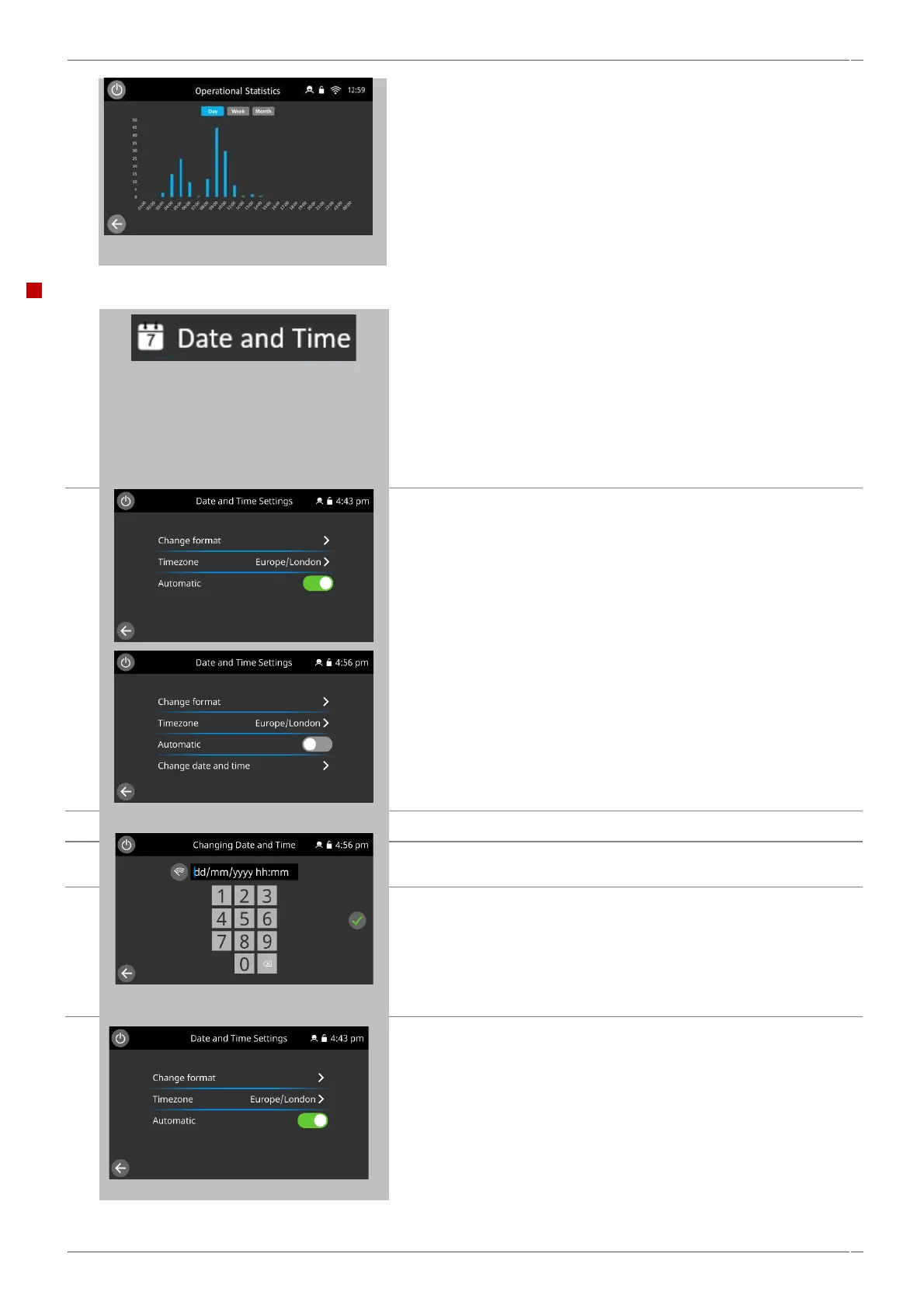
Operational statistics: displays peak usage periods on a daily, weekly,
monthly basis.
When finished, select backspace to return to the statistics menu, and
backspace again to return to the settings menu.
Date and time setting
Select the ‘date and time’ symbol to display the setting options.
Editing of time and date can only be done if time and date settings
are not set to automatic. Automatic setting requires an ethernet or
Wi-Fi connection to utilize network time protocol NTP.
To change the date or time manually, deselect automatic, to reveal
manual time and date settings.
Select time zone based on location search.
Then Select ‘change date and time’,
Select date and time entry box to edit the date or time entry.
The time must be written in a 24 hour clock format.
Select the green tick to save.



 To Next Page