Merrychef conneX
®
Installation and User Manual
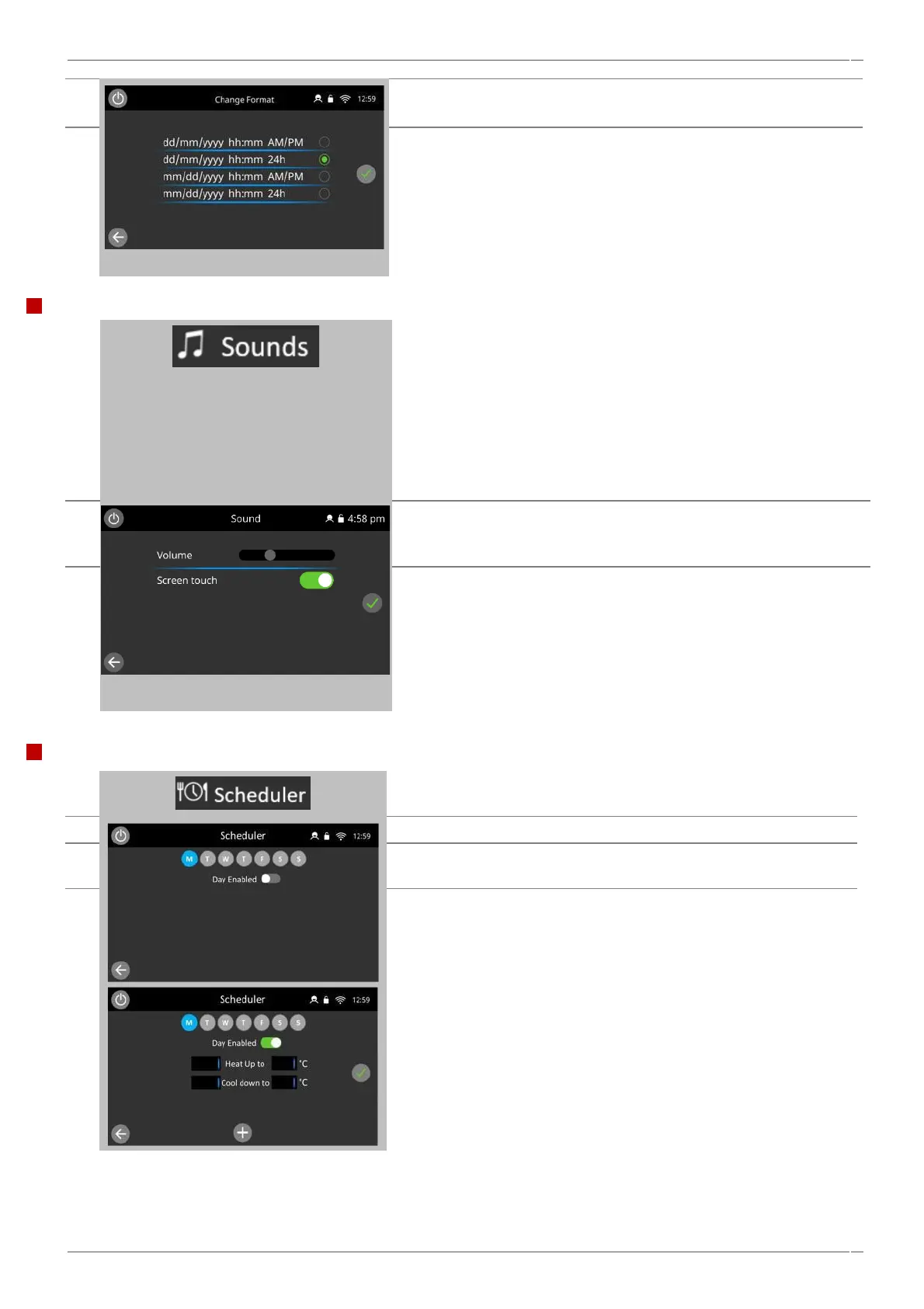
Select preferred display format of date and time.
Select the green tick to save.
When finished, select backspace to return to the main settings menu.
Select the 'speaker' icon to access the volume, tone and further sound
settings.
Slide the volume bar to adjust oven sound volume to suit, to the left to
lower volume, to the right to increase volume.
Toggle the ‘screen touch’ button to on, to enable sounds on all screen
presses.
When finished, select green tick to return to the main settings menu.
Select the 'scheduler' icon.
Select the ‘Day enabled' selection to enable a day
Select a weekday using button selection along the top of the page, to
access each day set schedule.
Select an empty 'time' box (maximum of 5 per day).
Alternatively clear the 'time' box using the 'wipe' symbol next to it
(clears both the time and temperature for the selected line).
On enabling a day, prompts for setting the heat up and cool down
times appear.



 To Next Page