Merrychef conneX
®
Installation and User Manual
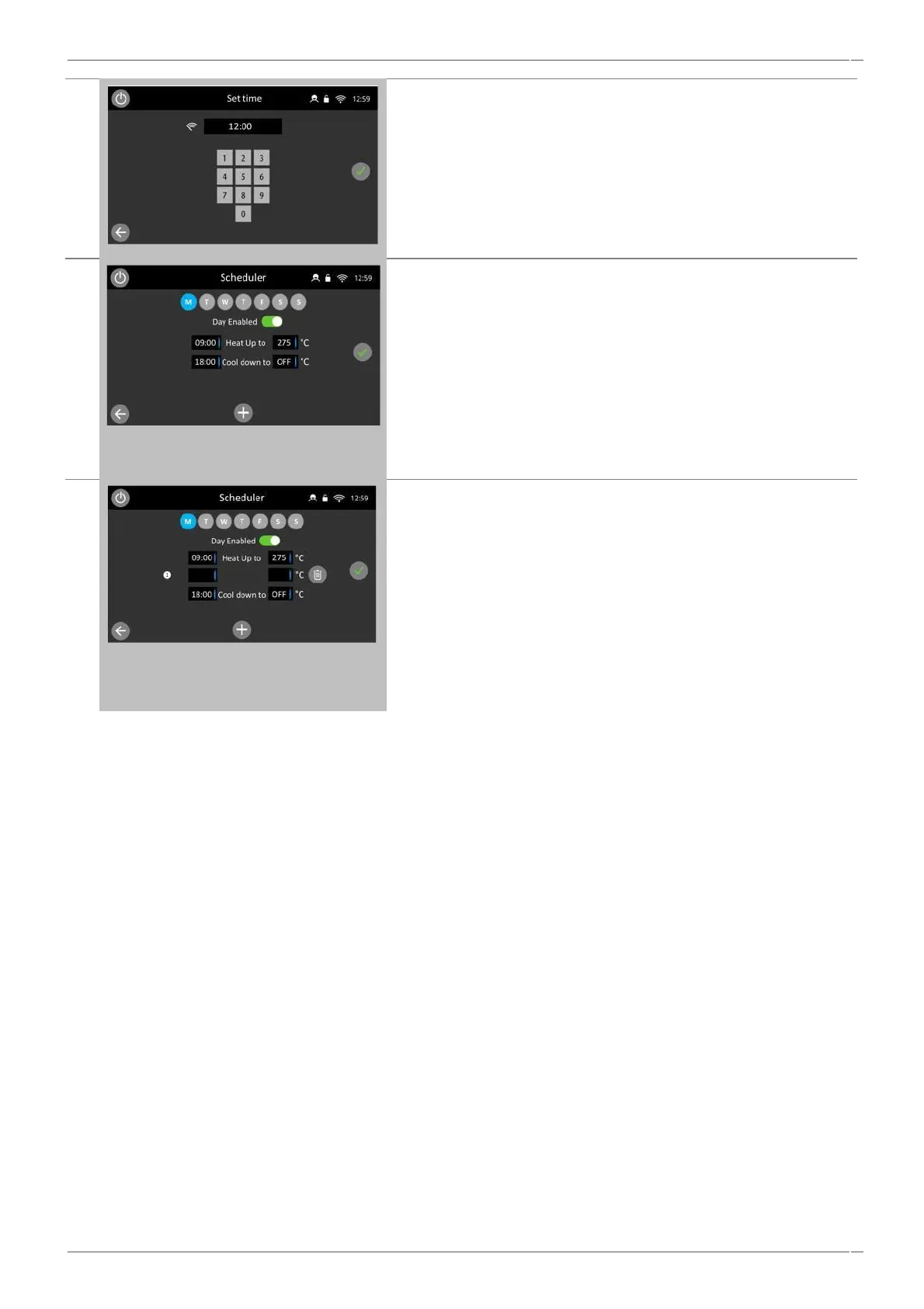
Define the start time and temperature by selecting the relevant text
entry boxes and inputting on the keypads.
Select the green tick to save an input and return to the scheduler
screen.
To add interim events such as changes of temperature or
instructions, select the Add icon.
Then add the required text, image or text and image instruction, at
the defined time required.
To delete an added temperature change or instruction simply select
the ‘trash’ button at the end of the row and follow the confirmation
warning.
Up to 10 additional scheduled events can be set on each day
excluding an oven initial heat up time and temperature and the oven
cool down time.
During a timed off period, the appliance can be used simply pressing
the on-screen power button, when in standby.



 To Next Page