Service & Parts Manual original Instructions
Part Number 32Z3871 US
Issue 3
27
SERVICING
14 15
16
7
10
8
11 12
9
13
5
4
6
1 2
3
IMPORTANT:
Downloading from a USB will clear all existing
programs. Update the ‘SRB’ rst, the ‘QTS’ second
and the ‘Icons’ third (found under the USB ‘Recipe’
heading).
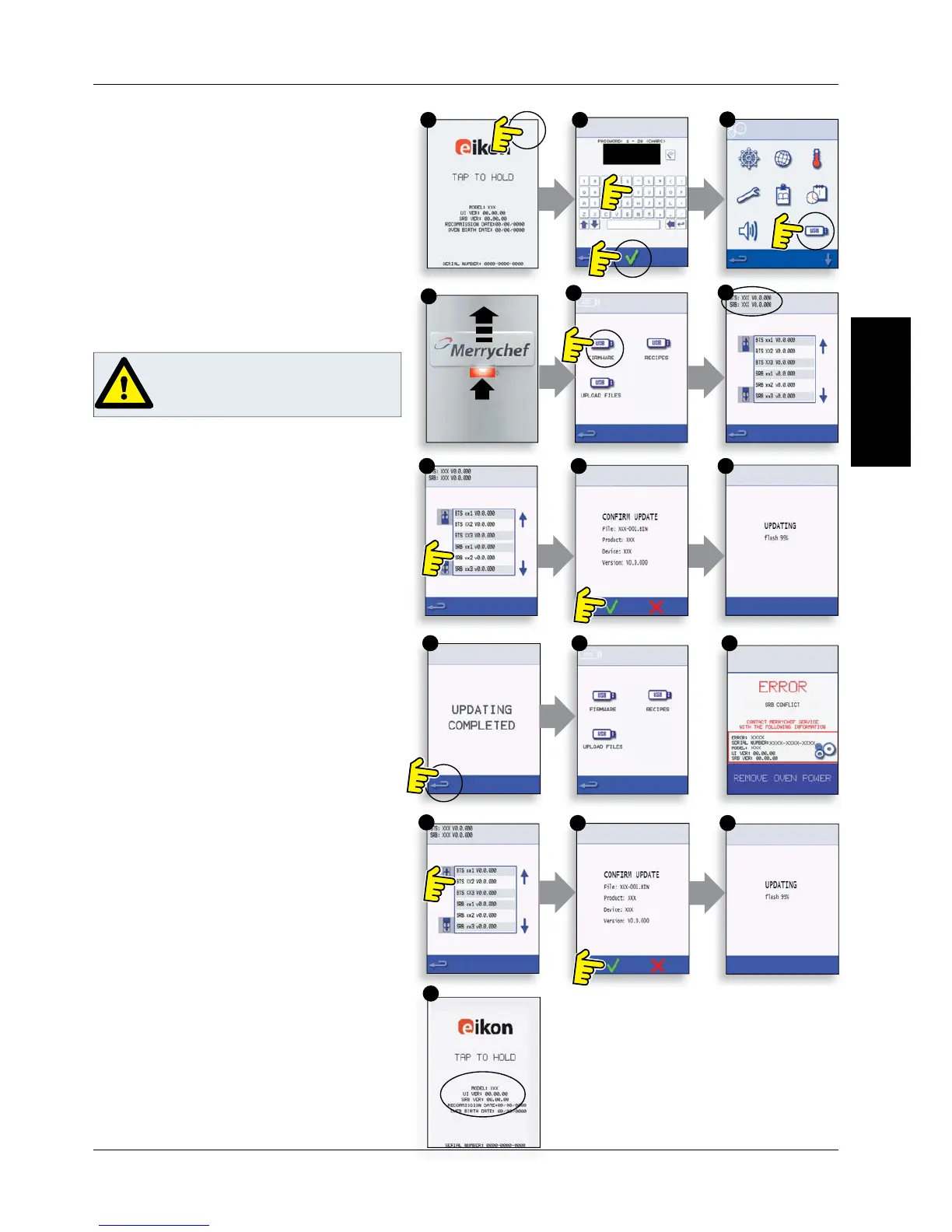
14.1.8 Switch on the oven and tap the top right of the
screen (1) to bypass the preheat stage.
14.1.9 Enter the password and select OK to display the
Settings menu, see (2).
14.1.10 Select the USB symbol (4).
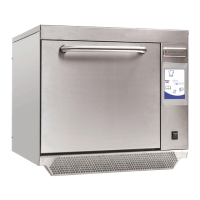
14.1.11 Slide the Merrychef badge (oven front top
right) upwards and insert the USB Memory Stick into
the slot (3).
14.1.12 Once the USB has stopped ashing, select the
‘FIRMWARE’ USB symbol (5).
14.1.13 The current QTS (Touch Screen) & SRB (Smart
Relay Board) Firmware versions are displayed at the
top left of the screen (6).
SRB FIRMWARE UPDATE
14.1.14 S
elect the ‘SRB’ le required (7).
14.1.15 Check the le information is correct before
selecting OK (8).
14.1.16 Update progress is displayed (9).
14.1.17 Select backspace (10) 3x to return to the USB
screen shown (11).
14.1.18 If the rmware versions are far apart an SRB
con ict could cause an error message (12) to be
displayed.
QTS FIRMWARE UPDATE
14.1.19 S
elect the ‘QTS’ le (13) with the correct le
version number. Note; a tinted band over a le name
indicates the le is not valid for that oven.
14.1.20 Check the le information shown is correct
before selecting OK (14), if not, select ‘X’ and locate the
correct le.
14.1.21 The le update progress is displayed (15).
At 50% the cooling fan stops operating, after 100%
various screen displays appear as the software reboots.
14.1.22 Check the screen shows the correct QTS
version was installed (16), if not, repeat the process
using the correct le.
14.1.23 Remove the USB and keep in a safe place.
Reposition the USB cover.
DO NOT REMOVE USB DURING
DOWNLOAD SEQUENCE AS THIS
COULD CORRUPT THE USB DATA.



 To Next Page