1.800.221.0932
|
MetraOnline.com
6
KIT ASSEMBLY
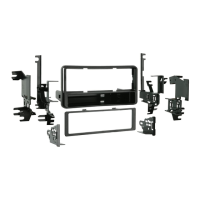
DIN radio provision with pocket
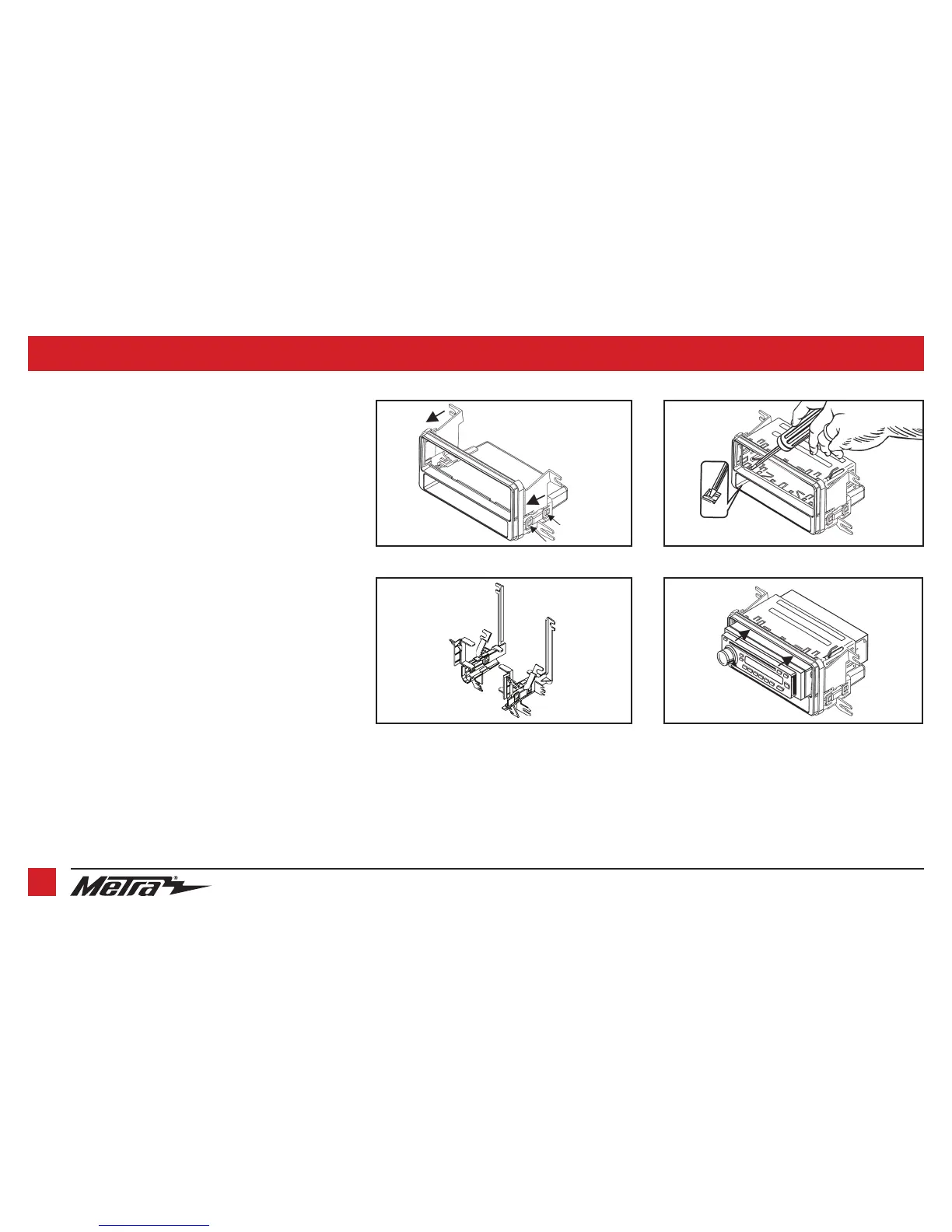
1. Slide the brackets onto the sides of the
radio housing
until the
side clips engage. (Figure A)
Note:
Use bracket set 1 for xA, xB, and tC. Use bracket set 2 for
the 2008 xB and xD.
2. For
bracket set 1
cut and remove all mounting tabs except the
tabs being used for your application. (Figure B)
Note:
Tabs are marked xA, xB and tC. For bracket set 2 skip to
step 3.
3. Remove the metal DIN sleeve from the aftermarket radio.
4. Slide the sleeve into the
radio housing
and secure by bending the
metal locking tabs outward. (Figure C)
5. Slide the radio back into the sleeve until it clicks in . (Figure D)
6. Locate the factory wiring harness and antenna connector in the
dash and complete all necessary connections to the radio. Metra
recommends using the proper mating adapter from Metra and/or
AXXESS. Test the radio for proper operation.
7. Reassemble the dash in reverse order of disassembly.
(Figure B)
(Figure C)
(Figure D)
(Figure A)
side clips
Bracket Set 1



 To Next Page