3.6 Connecting USB devices
■■■■■■■■■■■■■■■■■■■■■■
18
■■■■■■■■
846 Dosing Interface
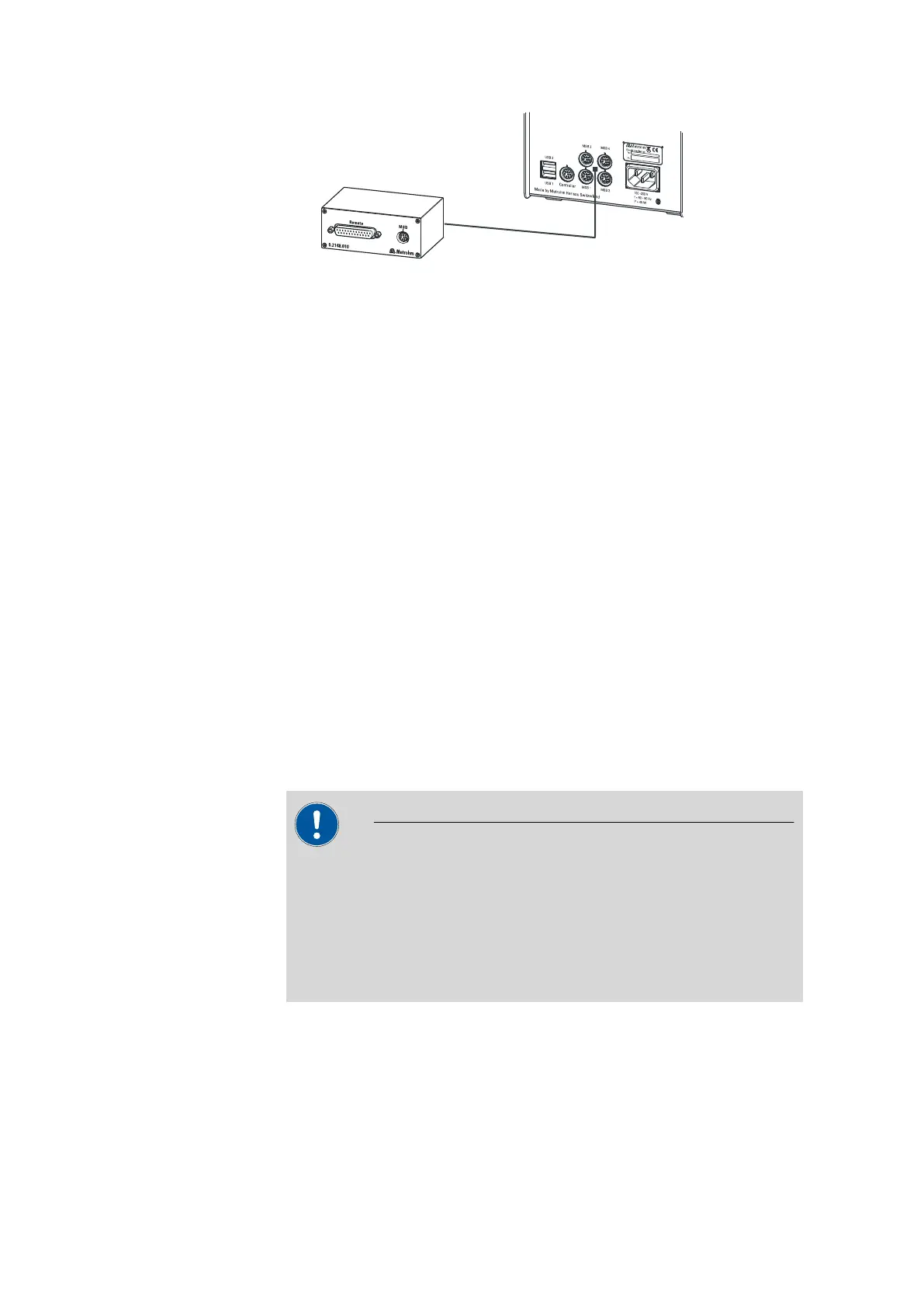
Figure 10 Connecting the Remote Box
You can connect the following instruments to the remote connector,
among others:
■ 849 Level Control (fill level monitoring in a canister)
■ 731 Relay Box (switch box for 230/110 volt alternating current sockets
and low-voltage direct current outlets)
■ 843 Pump Station (for complex sample preparations or for rinsing
external titration vessels)
The Remote Box also has an MSB socket at which a further MSB device,
e.g. a dosing device or a stirrer, can be connected.
You will find precise information concerning the pin assignment of the
interface on the Remote Box in the appendix.
3.6 Connecting USB devices
3.6.1 General
The 846 Dosing Interface has two USB connectors (type A sockets) for
peripheral devices with USB interfaces. The 846 Dosing Interface functions
as a USB hub (distributor) no matter how it is operated. If you wish to
connect more than two devices to the USB, you can also use an addi-
tional, commercially available USB hub.
CAUTION
If you operate the 846 Dosing Interface with the aid of the Touch Con-
trol, take care to ensure that the Touch Control is switched off when
you set up or disconnect connections between the various instruments.
If you use a PC software to control the 846 Dosing Interface, you
should exit the program before you set up or disconnect the USB con-
nections.












 To Next Page