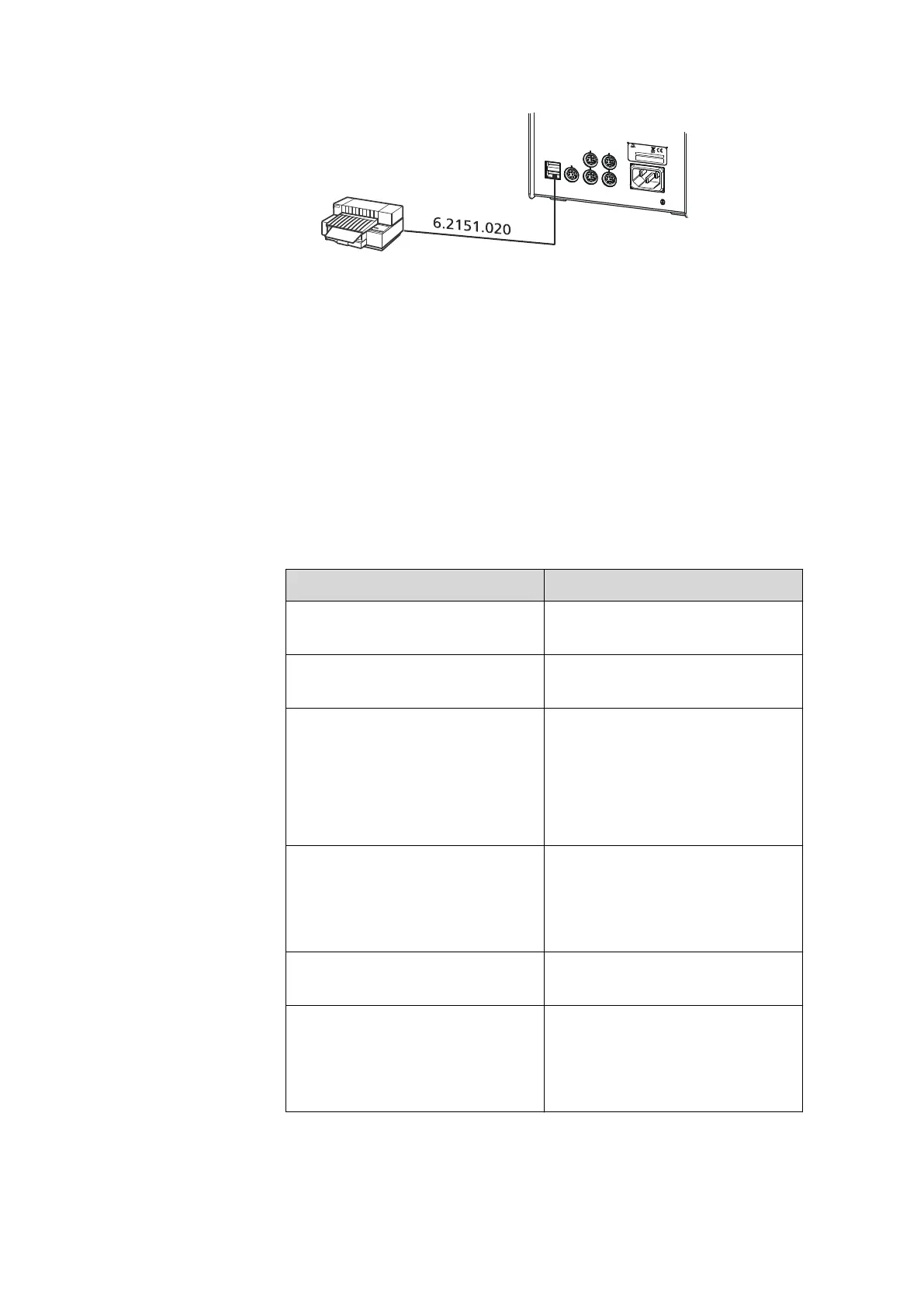
3.6 Connecting USB devices
■■■■■■■■■■■■■■■■■■■■■■
20
■■■■■■■■
846 Dosing Interface
USB 1
USB 2
MSB 1
MSB 2
MSB 3
MSB 4
Made by Metrohm Herisau Switzerland
Controller
100 -200 V
f = 50 - 60 Hz
P = 45 W
Metrohm
Switzerland
Nr.
Typ
Figure 11 Connecting a printer
3.6.4 Connecting a balance
■ Operation with a PC software:
– Connect the balance directly to the serial connector (COM) of
the computer. This is usually 9-pin and marked with the symbol
IOIOI.
■ Operation with Touch Control:
– You will need the 6.2148.050 USB/RS-232 adapter to connect a
balance.
The following table offers an overview of the balances that you can use
together with the 846 Dosing Interface and of which cable you will need
for connection to the RS-232 interface:
Balance
Cable
AND ER, FR, FX with RS-232 inter-
face (OP-03)
6.2125.020 + 6.2125.010
Mettler AB, AG, PR (LC-RS9) In the scope of delivery for the
balance
Mettler AM, PM, PE with interface
option 016
or
Mettler AJ, PJ with interface
option 018
6.2146.020 + 6.2125.010
Also from Mettler: ME 47473
adapter and either ME 42500
hand switch or ME 46278 foot
switch
Mettler AT 6.2146.020 + 6.2125.010
Also from Mettler: ME 42500
hand switch or ME 46278 foot
switch
Mettler AX, MX, UMX, PG, AB-S,
PB-S, XP, XS
6.2134.120
Mettler AE with interface option
011 or 012
6.2125.020 + 6.2125.010
Also from Mettler: ME 42500
hand switch or ME 46278 foot
switch












 To Next Page