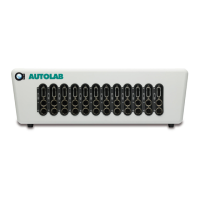
Insert a new module for the Multi Autolab Cabinet
1 – Introduction ............................................................................................................ 3
2 – Overview of compatible modules ............................................................................ 3
3 – Opening the Multi Autolab Cabinet ........................................................................ 5
4 – How to insert the new module(s) ............................................................................ 8
4.1 – Restrictions .......................................................................................................... 9
4.2 – Installation procedure for M101 or M204 modules into Multi Autolab Cabinet .. 10
4.3 – Installation procedure for optional modules into Multi Autolab Cabinet ............. 12
4.3.1 – Module label ................................................................................................... 14
4.3.2 – Analog bus connections for optional modules ................................................ 14
5 – Multi Autolab M101 or M204 programming ......................................................... 19
5.1 – The Edit Serial Number application .................................................................... 20
5.1.1 – Installation of M101 or M204 modules into an empty Multi Autolab Cabinet . 22
5.1.1.1 – Create a new Multi Autolab Cabinet ............................................................ 22
5.1.1.2 – Add the M101 or M204 modules to the new Multi Autolab Cabinet ........... 24
5.1.2 – Installation of M101 or M204 modules into an existing Multi Autolab Cabinet
................................................................................................................................... 27
5.1.2.1 – Add the M101 modules to the existing Multi Autolab Cabinet ..................... 28
5.1.3 – Assign the position number for each M101 or M204 module ......................... 31
5.1.4 – Save the changes ............................................................................................ 34
5.1.5 – Verification ..................................................................................................... 36
5.1.6 – Removing an existing M101 or M204 module from a Multi Autolab Cabinet
configuration .............................................................................................................. 37
6 – Module test .......................................................................................................... 40
2 | Page


 To Next Page