Insert a new module for the Multi Autolab Cabinet
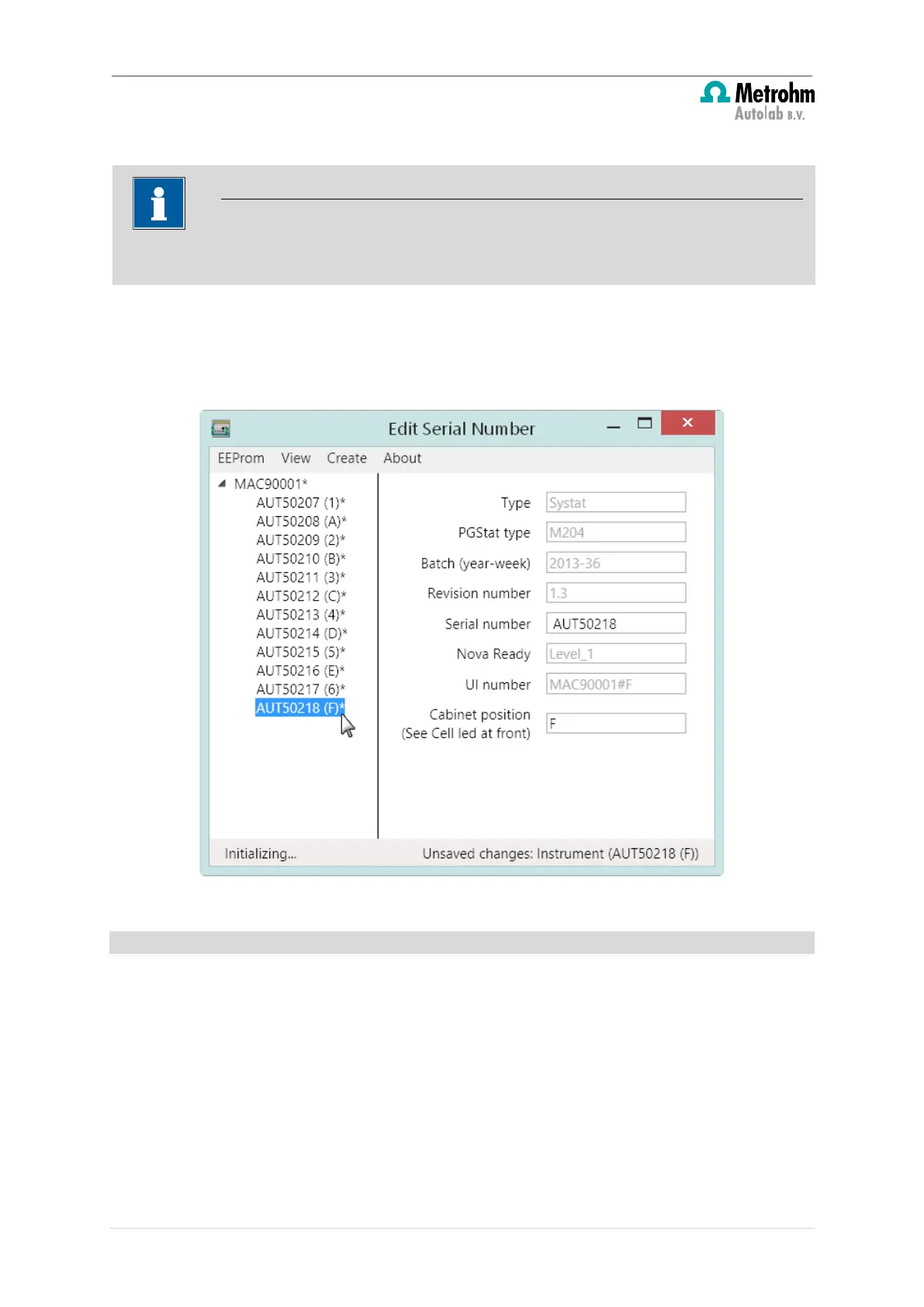
Repeat this for all the M101 or M204 modules installed in the Multi Autolab Cabinet. The
new position of the M101 or M204 modules will be indicated between round brackets (X)
(see Figure 39).
Figure 39 – The new position of each M101 or M204 module is indicated between round brackets (X)
5.1.4 – Save the changes
When all the M101 or M204 modules installed in the Multi Autolab Cabinet have been
assigned a correct and unique position, the changes can be permanently saved to the on-
board EEPROMS.
Right-click the MAC8XXXX or MAC9XXXX item in the frame on the right-hand side and
select the Write to EEPROM option from the context menu (see Figure 40).
The value indicated in the Cabinet position field must be valid (1-6 for Parent positions
or A-F for Daughter positions).
34 | Page


 To Next Page
 Loading...