Insert a new module for the Multi Autolab Cabinet
Figure 13 - Installing the final three M101 or M204 modules into the Multi Autolab Cabinet
5. Optional modules cannot be installed in Parent positions.
6. Optional modules cannot be installed in a Daughter position to the right of an empty
Parent position.
– Installation procedure for optional modules into Multi Autolab Cabinet
The Multi Autolab Cabinet can accommodate the following optional modules into a
Daughter position:
•
•
•
•
•
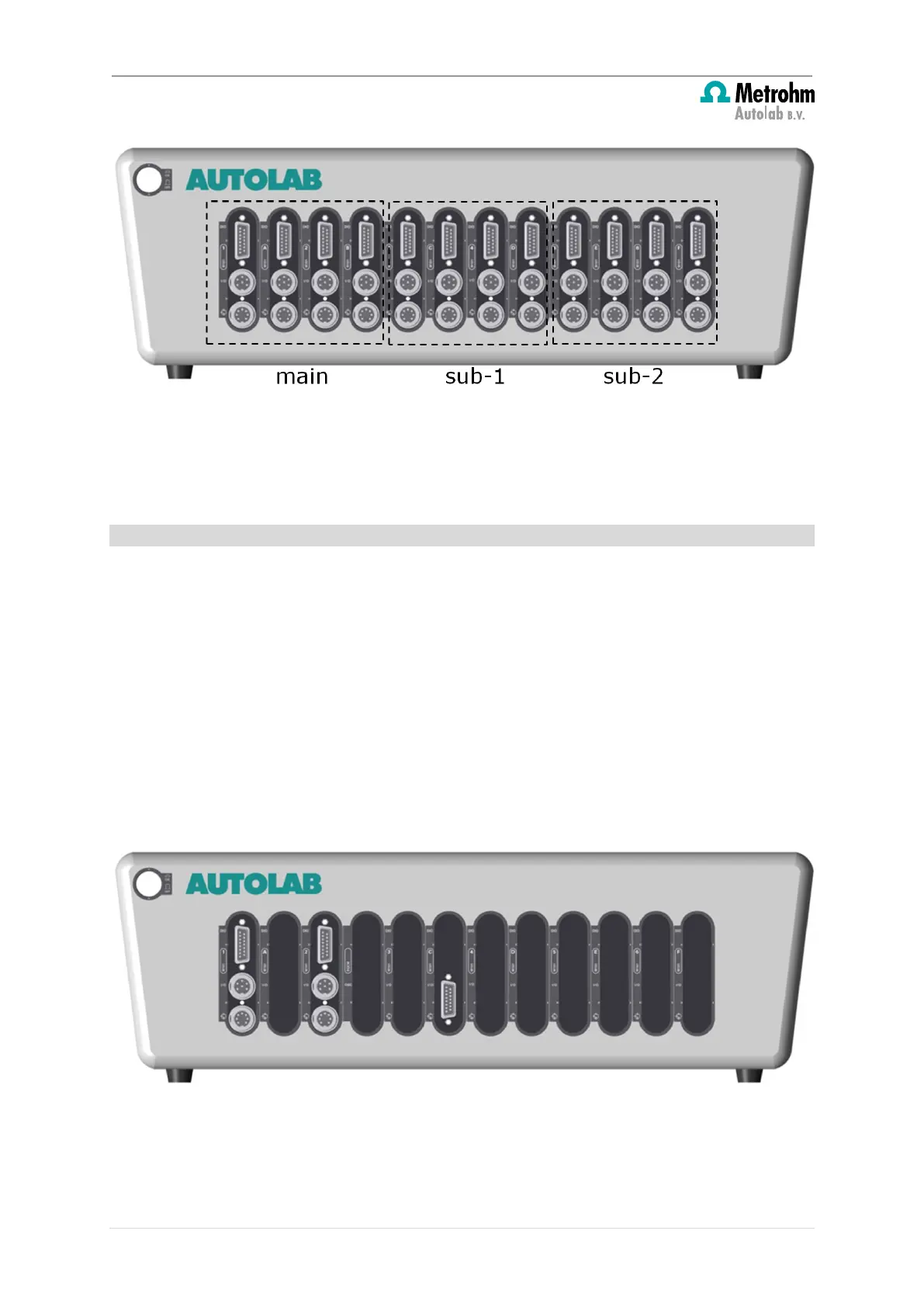
The optional modules can only be installed in Daughter positions and only if the Parent
position immediately to the left of this Daughter position is occupied by a M101 or M204
module.
Figure 14 – [INCORRECT SITUATION] Installation of an optional module into a Multi Autolab Cabinet
12 | Page


 To Next Page
 Loading...