Insert a new module for the Multi Autolab Cabinet
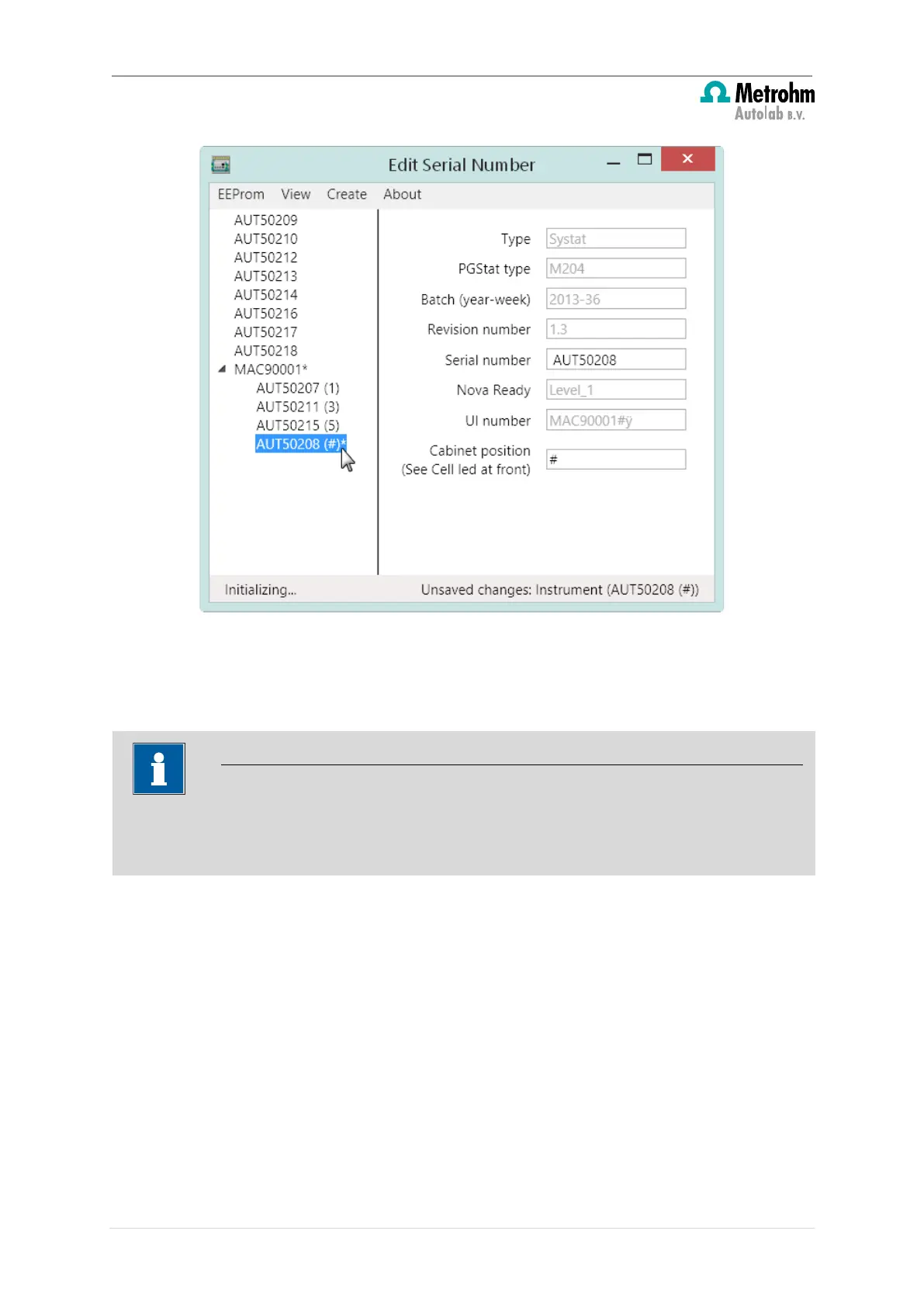
Figure 33 – Adding a M101 or M204 module to the Multi Autolab Cabinet (2/2)
This step can be repeated for all the M101 modules to be added to the existing Multi
Autolab Cabinet (see Figure 34).
The (#) listed next to each new M101 or M204 module added to the existing Multi
Autolab Cabinet indicates the module position in the instrument. Since no position has
been assigned yet, these M101 or M204 modules are listed as installed in position (#).
30 | Page


 To Next Page
 Loading...