EasyManua.ls Logo

Metrologic Hand-Held Scanner - User Manual

Metrologic Hand-Held Scanner
13 pages
Print Icon
To Next Page IconTo Next Page
Loading...
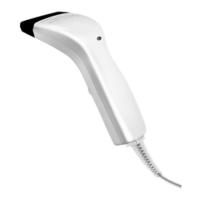
PULSAR C
CCD Hand-Held Scanner
User Manual
Metrologic Instruments GmbH
Dornier Strasse 2
82178 Puchheim
Germany
Tel +49 89 890190
Fax +49 89 89019200
www.europe.metrologic.com
© Metrologic Instruments Europe, 2001. All rights reserved
WARNING
This equipment has been tested and found to comply with the limits for a
Class A digital device, pursuant to Part 15 of FCC Rules. These limits are
designed to provide reasonable protection against harmful interference in a
residential installation. This equipment generates, uses and can radiate
radio frequency energy and, if not installed and used in accordance with the
instructions, may cause harmful interference to radio communications.
However, there is no guarantee that interference will not occur in a
particular installation. If this equipment does cause harmful interference to
radio or television reception, which can be determined by turning the
equipment off and on, the user is encouraged to try correct the interference
by one or more of the following measures:
Reorient or relocate the receiving antenna.
Increase the separation between the equipment and receiver.
Connect the equipment into an outlet on a circuit different from that to
which the receiver is connected.
Consult the dealer or an experienced radio/TV technician for help.
Question and Answer IconNeed help?

Do you have a question about the Metrologic Hand-Held Scanner and is the answer not in the manual?

Summary

Introduction and General Features

Scan Modes

Details the eight supported operational scanning modes.

Re-read Delay

Configuration to prevent accidental double reading of the same barcode.

Scanner Time-out Duration

Sets the maximum scanning period for specific scan modes.

Reading Redundancy

Specifies security levels for barcode decoding.

Supported Symbologies

Lists all barcode symbologies that the scanner can recognize and read.

Negative Barcodes

Enables configuration for reading barcodes printed with inverted colors.

Output Interface Configuration

Keyboard Wedge Interface

Configuration options for keyboard emulation mode, including type, style, and character transmission.

RS232 Interface

Configuration options for serial communication, including baud rate, parity, and flow control.

Symbology Parameters

Data Output Format and Editing

Data Output Format

Describes the sequence of data processing, including substitution, code insertion, and editing.

Data Editing

Advanced functions for formatting data based on user-defined rules.

Configuring your Pulsar C

Enter Configuration Mode

Procedure to activate the scanner's configuration mode.

Setting Parameter Values

General guidance for setting various scanner parameters.

Exit Configuration Mode

Procedures to exit configuration mode, with or without saving changes.

Metrologic Hand-Held Scanner Specifications

General IconGeneral
BrandMetrologic
ModelHand-Held Scanner
CategoryBarcode Reader
LanguageEnglish

Related product manuals