13. Operation without the
remote control
This facility is provided only as an emergency
measure for use in cases where the batteries of the
remote control are flat or where the remote control
is not easily available.
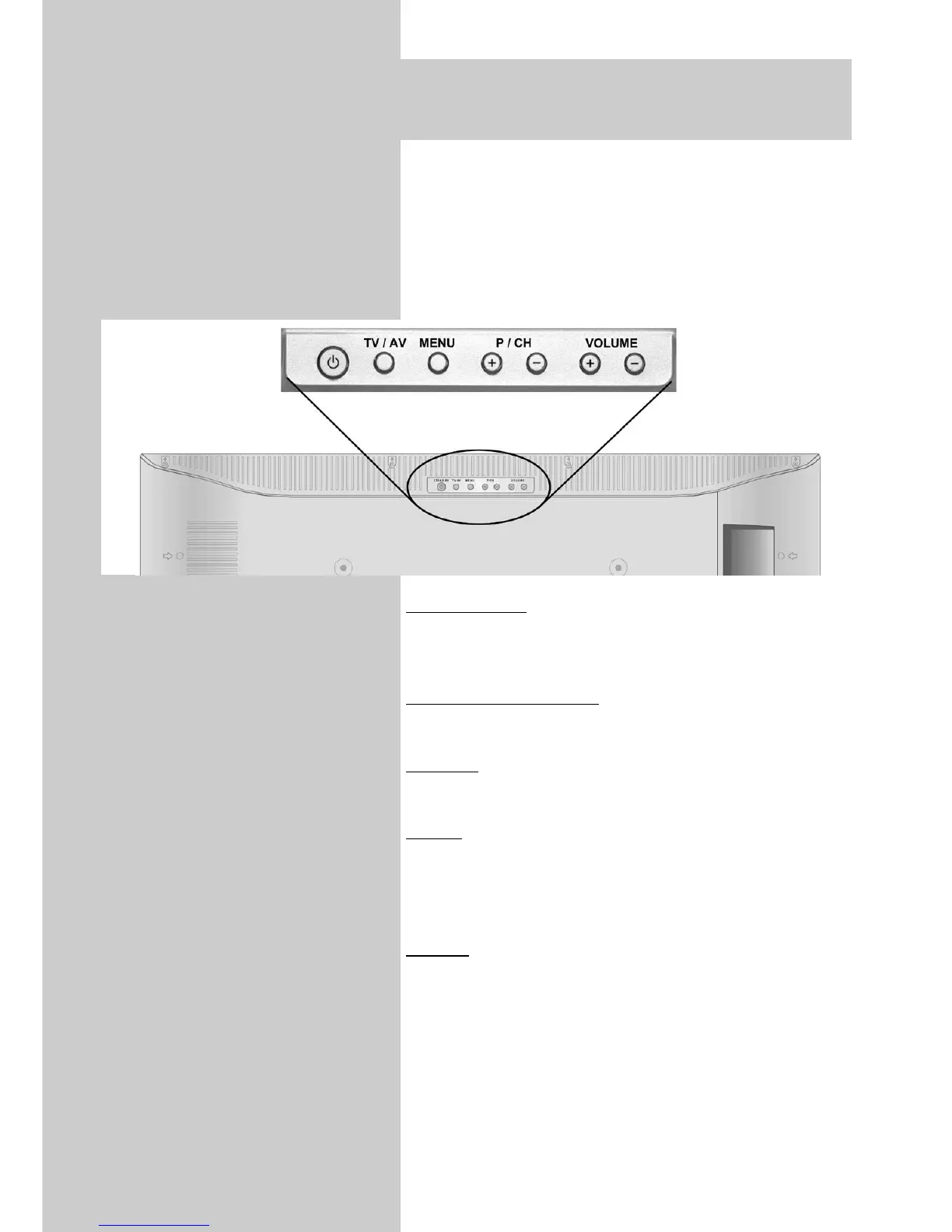
The local controls are located on the top of
the TV set.
Switching on:
Press the mains switch on the TV set to switch it to
standby mode (see Page 29).
Programme selection:
Press the "P/CH +" or "P/CH–" button.
V
olume:
Press the "Volume +" or "Volume –" button.
Menu:
Press the "Menu" button. The use the "P/CH +",
"P/CH –" , "Volume +" and "Volume –" buttons to
navigate through the menu.
TV/A
V:
You can switch between TV mode and AV mode
with the "TV/AV" button.
☞
34



 To Next Page