HD-1 OPERATING INSTRUCTIONS
9
TURN-ON SEQUENCE
When powering up the HD-1s and their source device, use
the following sequence:
1. Set the volume for the source device to minimum.
2. Turn on the source device.
3. Turn on the HD-1s. The power switch is located on the
rear panel next to the AC Mains inlet. The On/Limit LED
on the front panels light up.
4. Adjust the volume for the source device as necessary.
ON/LIMIT LED
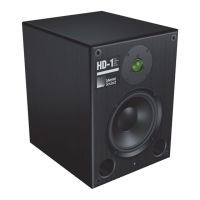
Under normal operation, the front panel On/Limit LED is
green. At higher listening levels, the LED may flash red
during program peaks, indicating the onset of overloading,
where the unit’s limiters engage. If the LED turns red and
stays red, reduce the source level. If the LED stays solid red
for extended periods, thermal damage may result.
The HD-1 performs within its acoustical specifications at
normal temperatures when the On/Limit LED is green, or if
the LED turns red for two seconds or less and then returns
to green for at least one second. If the LED remains red for
longer than three seconds, the HD-1 enters hard limiting
where:
■ Increases to the input level have no effect.
■ Distortion increases due to clipping and nonlinear driver
operation.
■ The drivers are subjected to excessive heat and excur-
sion, which will compromise their lifespan and may even-
tually lead to damage over time.
CALIBRATION PORT
The HD-1 Calibration port is for factory use only. Do not
apply external voltages to any connector pins for this port.



 To Next Page